
A few years back, automation felt simple. If this happens, do that. Send one email, move one file, update one row. Useful, yes. But not enough now.
AI workflow automation goes little further. It can read an email, understand a PDF, pick useful details from messy text, make a small decision, then send that data into CRM, support desk, finance tool, or another business app. Still, I would not give every job fully to AI. Some steps need human eyes.
And businesses already moving fast here. McKinsey’s 2025 global survey of 1,993 participants found 88% reported AI use in at least one business function, compared with 72% in 2024.
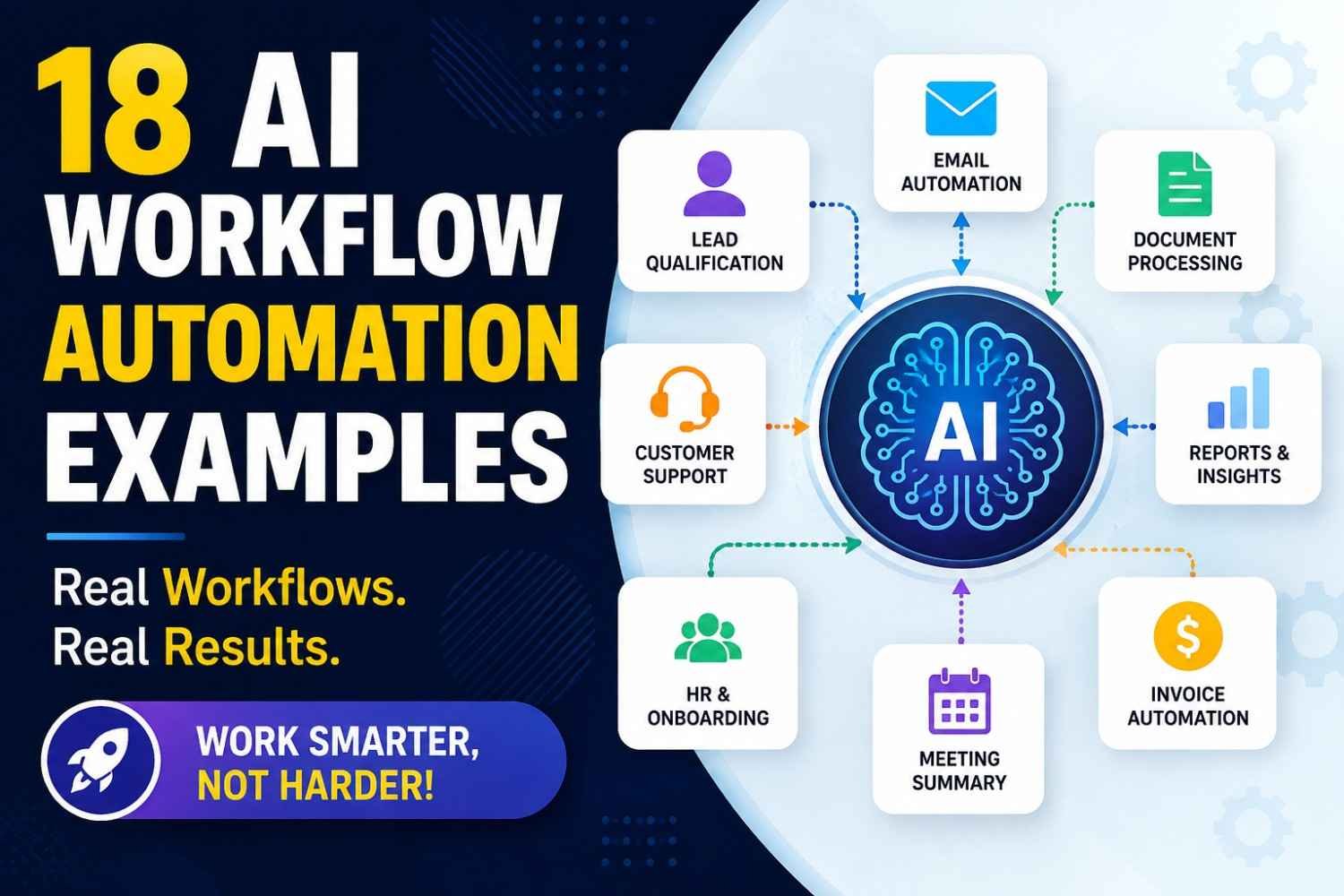
Below, you will find 18 real AI workflow automation examples. For each one, we look at the trigger, AI task, action, human checkpoint, and KPI—so you can see how the workflow may actually work in real business, not just read another list of ideas.
What Is AI Workflow Automation?
AI workflow automation means putting AI inside a normal business process, so work can move without a person checking every small step. I see it like this. A task comes in, system reads it, understands what it is, then decides what should happen next.
Old workflow automation mostly follows fixed rules. If this happens, do that. Simple. But real work is not always simple. Emails are messy. PDFs come in different formats. Customer tickets may say same problem in many different ways.
This is where an AI-powered workflow becomes useful.
It can read an email, pull data from a PDF, classify support tickets, summarize a long meeting, or prepare a reply for a customer. Not perfect always, so human checking still matters in important work.
The basic flow is easy to remember:
Trigger → Understand → Decide → Act
That is the heart of intelligent automation. You give the business process some brain, not only rules.
How Does an AI Workflow Work?
An AI workflow usually starts with one small trigger. Maybe a customer sends a support ticket, a form gets submitted, or a new email comes in. That first event wakes the workflow.
Then comes the data/input. It can be text, image, PDF, voice, CRM record, or data coming through APIs and other integrations.
Now the smart part starts. The system reads the input and tries classification, meaning, intent, urgency, or sentiment. I see this part as the brain reading what is happening before doing anything. But brain can make mistakes too, so we should not trust every output blindly.
Next comes business logic and routing logic. Different nodes check rules. Example, if support message looks urgent, send it to priority queue. If confidence threshold is low, stop automation and ask a human.
A simple support flow may look like this:
Ticket arrives → AI reads intent → checks customer CRM data → sets priority → drafts reply → confidence check → human approval if risky → response sends → CRM updates → result gets logged.
The last part is very important. Monitoring and feedback loop tell us where workflow failed, slowed, or gave poor answer.
Without monitoring, automation may look smart outside, but inside it can quietly make same mistake again and again.
AI Workflow Automation vs Traditional Automation vs RPA vs AI Agents
These tools may look same from outside. They are not. I learned this difference mostly when thinking about one simple question: who decides the next step?
Traditional automation is very strict. You tell it, “If this happens, do that.” It works good when the job never changes much. RPA goes little further, mainly copying human screen work like clicking buttons, entering data, or moving details between old systems.
AI workflow automation is useful when the input is messy. Maybe an email comes in different words every time, a PDF has unknown layout, or a support request needs to be understood first. AI can read it, classify it, then the workflow still moves through a controlled path.
| Technology | Best At |
|---|---|
| Traditional automation | Fixed, predictable rules |
| RPA | Repetitive screen and UI work |
| AI workflow automation | Messy data inside controlled workflows |
| AI agent | Choosing actions while working toward a goal |
| Multi-agent workflow | Several agents sharing one complex job |
The bigger change comes with an AI agent. Instead of giving every step before starting, you give a goal. The agent can decide some next actions at runtime. IBM describes agentic workflows as systems where agents can reason, plan, use tools, and take actions with less human involvement.
That freedom is useful, but also makes me more careful. For payroll, payments, customer refunds, or sensitive records, I would rather keep important approval points fixed. A workflow gives more control and easier checking. An agent gives more freedom.
Then we have multi-agent workflows. Here one agent may research, another checks data, another prepares an action. Sendbird describes these as specialized agents working together through orchestration.
So don’t ask, “Which one is newest?” Ask, “How much freedom does this job really need?”
18 AI Workflow Automation Examples by Business Function
AI workflow automation sounds very big when we first hear it. But most useful workflows actually start from one small boring job. An email comes. A ticket opens. Somebody fills form. Invoice reaches inbox. Meeting ends. Then software read that information, understands what may need, takes next action, and calls human when decision is risky. Below are 18 practical AI workflow automation examples you can see around normal business work.
Customer Service AI Workflow Automation Examples
Customer service is one place where automation becomes useful very fast. Not because customer should talk only with machines. No. Main reason is support teams spend too much time sorting things before they even solve anything.
1. Ticket classification and routing: Imagine 400 support tickets entering one shared inbox. Some are billing issue. Some password reset. Few customers want cancel account. Instead of support person opening every message, the workflow can read ticket text, identify intent, urgency and topic, then send it to correct queue. Box gives customer-support-ticket sorting as one example of AI-driven workflow processing.
A simple flow may look like this:
New ticket → intent classification → urgency check → correct team → support action.
2. Customer response drafting: After routing, another step can pull customer name, plan, recent orders or previous support history from CRM. Then it makes a reply draft. Agent reads it, corrects anything wrong, and sends.
I like this approach more than blind auto-reply. Sometimes customer says one small sentence, but behind that sentence there is anger from three earlier problems.
3. Sentiment-based escalation: If message sounds highly angry, mentions cancellation, legal issue, refund, security problem or repeated failure, workflow can push it to senior support.
Human still matters here.
Useful KPIs are first-response time, average resolution time, escalation rate and CSAT. Don’t only measure how many tickets robot touched. Measure whether customer actually got problem solved.
Terms you may hear here are ticket routing, customer support automation, sentiment analysis, intent classification, personalized response, AI chatbot and escalation workflow.
Sales AI Workflow Automation Examples
Sales teams have another strange problem. They usually want more leads, then when leads arrive, much time goes into checking who these people are.
That is where a good sales workflow can save effort.
4. Lead qualification: A person fills your demo or contact form. Instead of every lead going straight to salesperson, the workflow can inspect company, job role, location, company size and other allowed data. Then it helps give a lead score or priority.
But don’t let one score decide everything. A small company today may become large customer later. Numbers don’t always know human situation.
5. Lead enrichment and prospect research: Basic lead may contain only name and email. Automation can search approved sources, gather company details, role information and useful account context, then place those fields inside CRM. Gumloop describes workflows that enrich leads and then update systems such as Salesforce or HubSpot.
Flow becomes:
Form submitted → prospect researched → data enriched → lead scored → CRM updated.
6. Personalized outreach and follow-up: Now system can prepare email based on role, company and likely need instead of sending same message to everybody. Salesperson can approve important accounts. After sending, follow-up task can be scheduled automatically.
Gumloop also describes outreach workflows using prospect information to prepare personalized emails, track replies and stop follow-up sequences when someone responds.
This is where automation can become ugly also. Sending hundreds of fake-personal emails is not smart sales. It becomes spam.
So use sales intelligence, lead scoring, lead enrichment, CRM automation and outreach sequences to improve research first. Human relationship should remain human.
Marketing and Content AI Workflow Automation Examples
Marketing workflow has many little steps hiding behind one published article.
I learned this while looking at content work. Writing itself may not always be biggest delay. Finding topic, checking research, making brief, preparing image request, publishing, then creating social posts—those small jobs keep eating hours.
7. SEO research and content brief creation: A topic enters content calendar. Workflow can collect approved keyword data, existing site pages, competitor themes and search questions. Then it creates a first content brief for editor. Editor still decides what deserves to stay.
8. Content repurposing: Suppose one useful 2,000-word article is finished. From that one source, workflow can prepare newsletter draft, LinkedIn version, short social posts, FAQ ideas, video talking points and maybe an email summary.
This is better than creating seven unrelated pieces from nothing. One researched source becomes many formats.
Activepieces describes marketing automation where research can move into an outline, writing, visuals, editorial approval, CMS publishing and later email or social assets.
9. Social publishing workflow: After editor approves content, automation can pass approved versions to CMS and social scheduling tools. Later engagement or traffic numbers may come back into reporting.
The flow is roughly:
Topic → research → content brief → draft → editor review → publish → repurpose → schedule → measure.
But be careful here. Auto-publishing every generated sentence is tempting. I would not do it.
One wrong claim can live on five channels before anyone notice.
Keep an editorial approval step before public publishing. Main terms around this example include content workflow, content generation, SEO keyword research, content repurposing, social media automation and editorial approval.
Finance AI Workflow Automation Examples
Finance automation feels different. Mistake in a social post is embarrassing. Mistake in payment may cost actual money.
So finance workflow should move slower around risky actions.
10. Invoice processing: An invoice reaches accounts-payable email as PDF or scanned document. OCR and intelligent document processing can pull vendor name, invoice number, amount, purchase-order number, tax values and payment date.
Then workflow checks those fields against accounting or ERP records.
AutomationEdge describes invoice workflows where incoming documents are collected, relevant information extracted, invoices matched with purchase orders or receipts, approvals routed, and payment information passed into ERP systems.
The flow may be:
Invoice email → OCR/data extraction → PO matching → validation → approval → ERP entry.
11. Expense classification: Employee submits expense. System reads receipt, finds merchant, date and value, then proposes category such as travel, meals or software. Strange expenses go to finance staff instead of being silently accepted.
12. Reconciliation and duplicate checking: Workflow compares invoices, purchase orders, receipts and accounting entries. Same invoice number appearing twice can be flagged. Amount mismatch also stops normal path.
This is where human approval is useful.
Don’t design finance automation only for speed. Build for trace also. Somebody later should know what document entered, what field was extracted, what rule passed it, who approved payment and where data went.
Useful terminology here includes OCR, intelligent document processing, invoice extraction, accounts payable, reconciliation, duplicate detection, fraud detection and ERP integration.
HR AI Workflow Automation Examples
HR looks perfect for automation because documents repeat. But HR also deals with people’s jobs, pay and future. So careless automation can hurt somebody.
That line is important.
13. Resume screening support: Candidate submits application. Workflow extracts skills, work history, location, qualifications and other job-related information, then organizes applicants for recruiter review.
Box describes AI workflow systems reading resume content and routing documents to the relevant recruiter even when resumes do not follow one fixed format.
Notice one word: support.
I would not make machine the final hiring judge. Resume can be badly written while person is very good. Some experience also does not fit neat keywords.
14. Employee onboarding: Once hiring is approved, a new-hire event can trigger document collection, welcome material, account requests, equipment tasks, orientation schedule and access provisioning. Box also lists HR onboarding and access to onboarding materials among automated workflow examples.
Flow:
Hire approved → employee record → documents → accounts/access → onboarding tasks → manager check.
15. Personalized training: Role information and completed courses can help workflow recommend next learning material. New developer may get security and code-access training. Finance worker may receive finance-system and compliance lessons.
Still, manager should see why any required training is assigned.
Good HR automation removes copying, chasing and repeated setup work. It should not remove judgment where people’s career is affected.
Key language naturally fits here: HR automation, recruitment workflow, resume parsing, candidate screening, employee onboarding, account provisioning and employee training workflow.
Productivity, Email and Meetings AI Workflows
This group may look small, but I think office people feel it every single day.
Inbox fills. Meeting happens. Everybody says good points. Two days later, nobody remembers who promised what.
That creates three useful workflows.
16. Email triage: New email enters inbox. Workflow decides whether it looks like customer issue, internal request, invoice, newsletter or urgent action. Important mail gets priority or routed to right folder/person. A draft reply can be prepared, but sensitive external messages stay waiting for human approval.
17. Meeting notes into tasks: After meeting, transcript can be summarized. More useful part comes next: pull action items, owner names and deadlines. Then create tasks in tools such as Asana, Jira or another project system.
Box includes meeting follow-ups among practical workflows businesses may automate.
A good flow looks like:
Meeting ends → transcript → summary → action-item extraction → owner/deadline check → task creation → follow-up draft.
18. Automated weekly reporting: Instead of one person opening five dashboards Friday evening, workflow can collect approved numbers from different systems, organize them, point out unusual change and prepare first weekly report. Manager checks context before report goes to team.
That last human check matters because numbers can be correct while explanation is wrong.
These workflows are not exciting like robots in movies. They are quieter.
But removing thirty tiny repeated jobs from a week sometimes feels more useful than one giant automation project.
Think in terms of inbox automation, email triage, meeting summarization, action-item extraction, task automation and automated reporting. Start with one annoying repeated job. Make it reliable. Then connect the next one.
What Makes an AI Workflow Production-Ready?
A small AI workflow demo may look perfect on laptop. Real business is different. Strange emails come, API fails, customer writes unclear words, model gives answer with full confidence but answer is wrong. This is where production-ready AI workflow really starts.
I never like giving a model full power just because it gave one smart-looking answer. OWASP also warns about excessive agency, where an AI system gets too much freedom or permission and may take harmful action. Their guidance recommends least-privilege access and human approval for high-risk actions.
A safer flow can be:
Structured output → validation → confidence check → approval gate → action → logging → monitoring.
Say AI reads a refund request. If confidence is 94%, it may classify the case. Fine. But refunding ₹50,000? I would stop there. Let a human check before money moves.
Heym’s 2026 workflow examples use three useful production controls: confidence checks, human approval before irreversible actions, and execution traces.
Also, don’t make everything “AI.” Fixed work should stay fixed. Date checking, amount limits, user permissions, required fields—normal deterministic workflow can handle them better. Use the model where things are messy: extraction, classification, summarization, intent, judgment.
And someone must own the workflow. Track failures, fallback cases, error rate, human-review rate and business KPI. NIST’s AI Risk Management Framework puts this kind of work around govern, map, measure and manage.
That is production-ready to me. Not clever automation. Controlled automation you can see, stop, check and trust.
How to Build an AI Workflow Automation
Building an AI workflow automation should not start with a fancy tool. Start with work that already hurts.
Look at your daily work. Maybe your team reads 200 support emails, checks invoices, updates CRM records, or prepares the same report again and again. Pick one repetitive, high-volume job first. Small is better here.
Then write the current process on paper. Yes, simple paper works. Who starts it? What data comes in? Where people stop and think? Where mistakes happen?
That thinking point is important.
For example, copying a customer name from one system to another does not really need AI. But understanding whether an angry customer email is a refund request, complaint, or technical problem may need AI-based judgment.
Now define the workflow clearly:
Trigger → Input → AI decision → Action → Human check → Result.
A new email may be the trigger. Email text is input. The system reads and classifies it. Then it sends the task to Zendesk, Slack, Salesforce, or another connected application.
Do not give full control from day one. I would keep approval rules for refunds, payments, legal messages, account deletion, or any risky action. If confidence is low, send it to a person. Simple.
Then test ugly cases, not only perfect examples. Missing data. Strange spelling. Wrong attachments. Duplicate requests. Angry customers. These things show where your workflow really breaks.
And measure it.
Track time saved per task, cycle time, completion rate, automation rate, error rate, human-intervention rate, escalation rate, cost per task, and customer or employee outcome.
McKinsey’s 2025 global survey found 88% of respondents said their organizations used AI in at least one business function, yet scaling remained much less common. McKinsey also found workflow redesign is one factor separating stronger AI performers.
So don’t just add AI into an old messy process. Fix the workflow, run it, watch failures, improve rules, then automate more.
AI Workflow Automation Tools
Picking the best AI workflow automation tools is not really about which tool got most features. I see people waste time here. They pick a big tool, then later find their simple work became more hard.
For basic app connection, Zapier is still easy place to begin. It now says it connects AI workflows and agents across 9,000+ apps, which makes it useful when your work mainly moves data between common business apps.
Make feels better when you want to see the workflow like a map. You can drag steps, add conditions, connect AI models, then watch where data goes. Make says it supports 400+ pre-built AI app integrations and visual agentic workflows.
| Your Need | Tool to Look At |
|---|---|
| Simple no-code connections | Zapier |
| Visual multi-step workflows | Make |
| More technical or self-hosted setup | n8n |
| Visual AI-first workflows | Gumloop |
| Open-source/no-code setup | Activepieces |
| Large company orchestration | Workato |
I would look at n8n when control matters more. Its 2026 comparison includes n8n, Zapier, Make, Lindy and Gumloop among visual workflow tools, but points out big differences around deployment, flexibility and enterprise control.
For bigger companies, Workato goes more toward enterprise orchestration, where apps, APIs, data, automations and agents need working together under one system.
So don’t chase the longest feature list. First ask: What exactly am I automating, who must control it, and where should the data live? That answer usually tells you the right tool faster.
How to Measure AI Workflow Automation ROI
AI workflow automation ROI is not just “we saved some time.” I see this mistake often. A workflow runs faster, team feels happy, then nobody knows if money actually saved.
Start simple.
ROI = (annual value created + costs avoided − annual automation cost) ÷ annual automation cost × 100
First, measure the boring things. They tell more truth. How many labor hours your workflow saved? Did one task fall from 30 minutes to 5 minutes? Are people handling 200 requests now instead of 80? Look at cycle time, throughput, errors, rework, sales conversion, ticket resolution, and human review time.
Then count the hidden costs too.
| Measure | What to check |
|---|---|
| Time | Labor hours saved |
| Speed | Cycle-time reduction |
| Output | More tasks completed |
| Quality | Errors and rework reduced |
| Business result | Sales, resolution, retention |
| Cost | Software, model, API fees |
| Extra cost | Setup, maintenance, human review |
One warning here. Don’t claim every saved minute as profit. If workers save 100 hours but those hours go nowhere useful, value is smaller.
Deloitte’s 2022 intelligent automation study reported organizations that moved beyond pilot stage achieved an average 32% cost reduction. Deloitte also said organizations expected about 31% average cost reduction over the following three years. This is older 2021/22-era evidence, so mention the date clearly, not like it happened today.
Your best ROI number is still your own before-and-after data. Measure one workflow first. Then scale what really works.
AI Workflow Automation Risks and Common Mistakes
AI workflow automation looks easy when we see a clean demo. Real work is not always clean.
I learned one simple thing here: bad data goes in, bad action may come out. Wrong customer name, old price, missing invoice number, duplicate record—small data problems can travel through the whole workflow. Caddi lists poor data quality, hallucinated outputs, brittle integrations, and security gaps among key AI automation risks.
Hallucination becomes more serious when the system can actually do something. Imagine it creates a wrong refund, sends a false customer reply, or changes a finance record. Now it is not just a bad answer. It became a business problem.
Another mistake is giving too much freedom. “Let AI handle everything” sounds nice, until nobody knows who owns the failure. NIST says human roles and responsibilities should be clearly defined when AI is used in real operations.
I would keep simple rules simple. Use AI where judgment is needed, but add validation, permission limits, and a human check for risky actions. IBM also notes that human-in-the-loop systems can improve accuracy, accountability, transparency, and reliability.
And watch the workflow after launch. Logs, traces, errors, failed API calls, unusual outputs—all matter. NIST recommends continued monitoring of AI system performance and trustworthiness.
One last thing: never automate a broken process first. Fix the process. Then automate it.
AI Workflows Are Becoming Agentic
Old automation mostly walk on one fixed road. A trigger happens, rule checks it, then next action runs. It works good when work is same every time. But real business rarely stay that clean.
Now AI workflows are becoming agentic. Instead of only following steps we already wrote, AI agents can look at a situation, make a small plan, choose a tool, and decide which step should come next. IBM describes agentic workflows as processes where agents can reason, plan, use tools, and take actions with less human help.
It gets more interesting with a multi-agent system. One agent may collect data, another check it, another prepare action, while AI orchestration keeps them working toward same goal. IBM says multiple agents can exchange information, divide work, and coordinate actions.
This sounds powerful. It also makes me little careful.
IBM found 86% of executives expect AI agents to make process automation and workflow reinvention more effective by 2027, while 76% already report developing, running, or scaling related proofs of concept.
More freedom means more things can go wrong too. So don’t remove people everywhere. Use human-agent collaboration, approval points, clear limits, logs, and fallback rules. Let autonomous workflow handle choices, but keep humans near decisions involving money, customers, security, or serious risk.
Frequently Asked Questions About AI Workflow Automation
What is an example of an AI workflow?
A simple example is customer email handling. A new email comes in. The system reads it, understands what the customer needs, checks past details, then sends it to the right team or prepares a reply. I like this example because we can see the whole workflow happening, not just one AI task.
What workflows can be automated with AI?
Many daily jobs can be automated. Email sorting, invoice reading, lead research, support ticket routing, meeting summaries, document checking, content research, employee onboarding, and report making are common AI workflow automation examples. The best place to start, I feel, is work your team repeats again and again.
How is AI workflow automation different from RPA?
RPA mainly follows fixed steps. It works well when the process is clear and predictable. AI can handle less-clean information, such as emails, documents, language, and changing inputs. IBM explains RPA as process-driven while AI is more data-driven.
What are the best AI workflow automation tools?
There is no one best tool for everybody. Zapier is useful when you want easy app connections and no-code workflows. Make gives visual automation and AI agents. n8n gives more technical control, code options, human approvals, and hundreds of integrations. Choose by your workflow, not tool popularity.
Can AI workflows run without human intervention?
Yes, some can. But I would not remove humans everywhere. Low-risk jobs like sorting messages or making summaries may run alone. Payments, customer promises, legal documents, deleting data, or sensitive decisions are better with approval steps. Humans should handle important exceptions.
What is the difference between an AI workflow and an AI agent?
An AI workflow normally follows a designed path: trigger, understand, decide, then act. An AI agent has more freedom. It can study the situation and choose its next step toward a goal. Make describes agents as useful for interpretation and judgment, while normal automation gives execution and control.
