
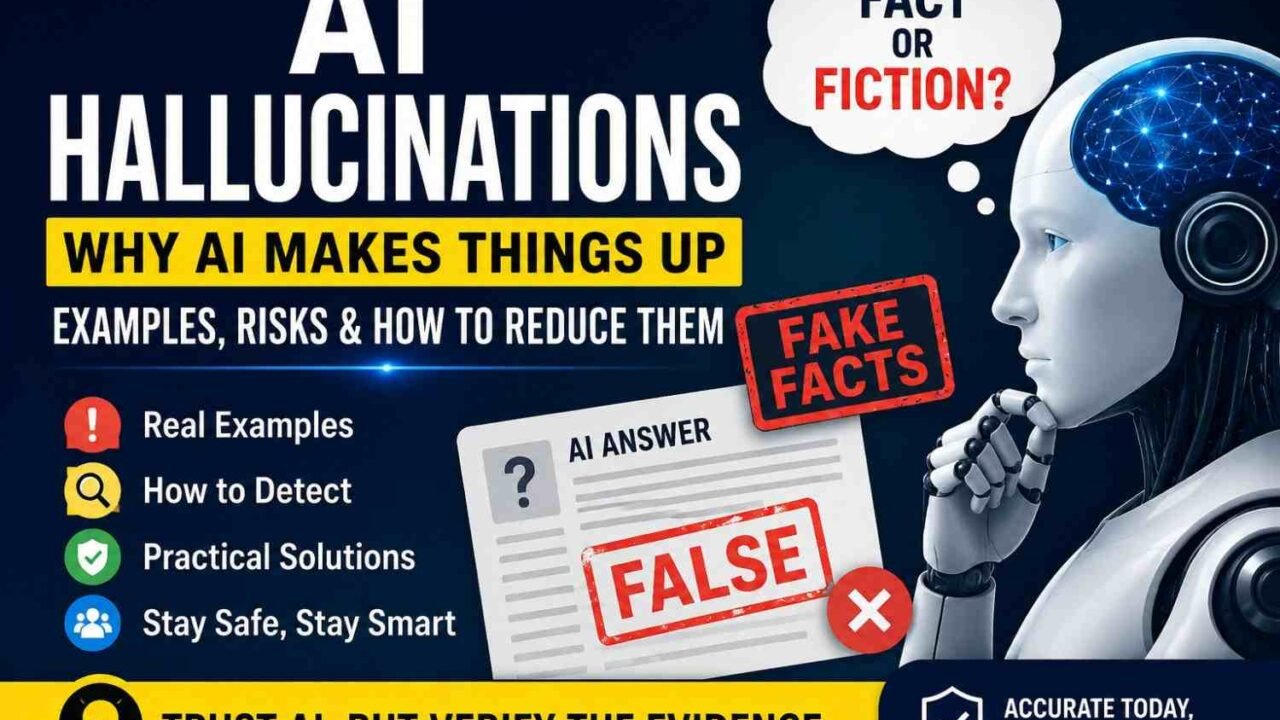
An AI hallucination happens when an AI gives you information that sounds true, but it is false, made up, or not backed by facts. You may also hear people call this AI confabulation or AI fabrication.
A normal wrong answer may come from a simple mistake; a hallucination can go further and create details that never existed. The hard part is that the AI may write those false details in clear and confident words.
For example, you ask: “Who wrote a research paper called X?” The AI may give you an author, journal, year, and DOI that all look real, yet the paper does not exist.
AI does not check truth the same way you do before it speaks. So, smooth writing and a sure tone can make a false answer hard to spot.
Key point: AI confidence is not proof of accuracy. Check important names, dates, numbers, studies, and sources before you trust or use them.
AI Hallucination Examples — What Does a Hallucination Look Like?
An AI hallucination can look like a normal answer, but some details are false. This makes generative AI mistakes hard to spot because the writing may sound clear and sure.
Fake Citations and Research Papers
AI may create a paper that never existed, then add fake authors, quotes, journal names, or DOI numbers. In the 2023 Mata v. Avianca case in New York, lawyers submitted six fake court cases produced by ChatGPT; the court later imposed a $5,000 sanction.
Wrong Facts Presented Confidently
AI can give a wrong date, founder, product detail, or statistic without showing doubt. NIST calls this problem confabulation: confidently stated false or wrong content.
Made-Up URLs
You may also get a link that looks real but opens a missing page. So, always open an AI-made URL before you trust or publish it.
Document Hallucinations
An AI can summarize a PDF, yet add a fact that the file never says. Check names, numbers, dates, and key claims against the source.
Customer-Service Hallucinations
A support bot may invent refund rules, warranty terms, delivery dates, or eligibility limits. The danger is simple: AI making things up can still sound professional and fully believable.
Key point: Never judge an AI answer by confidence; judge it by evidence.
Why Do AI Models Hallucinate?
AI hallucinations happen when an AI gives you an answer that sounds true but is wrong. The main reason is simple: the AI must build an answer from patterns, but those patterns do not always contain the truth.
AI Predicts Likely Words, Not Guaranteed Facts
An AI model works a little like very smart autocomplete: it predicts what word or small text part should come next. NIST says this type of prediction can create correct text, but it can also create false or mixed-up facts.
So, the model does not stop after each sentence and prove every fact. It tries to create the most fitting answer from what it learned.
Missing or Incomplete Knowledge
The risk can rise when you ask about an obscure person, new event, private company, rare study, or very recent fact. If solid facts are missing, the model may fill the gap with a likely-looking answer.
For example, OpenAI researchers asked a model for researcher Adam Tauman Kalai’s birthday on May 11, 2025. The model gave three different wrong dates: a clear case of guessing when the fact was not known.
Ambiguous Questions
A vague question can also cause trouble: the AI may guess what you meant. Add names, dates, places, or source text when your question could have two meanings.
Pressure to Answer
There is another cause of AI hallucinations: guessing can sometimes score better than saying “I don’t know.” OpenAI’s September 2025 research found that many accuracy tests reward a lucky guess while giving no credit for refusing to guess.
Conflicting Information
AI can also see two sources that disagree with each other. Without enough context, it may mix both claims into one weak answer.
Retrieval Problems
Even RAG systems can hallucinate when search brings the wrong document, misses the best passage, or adds too much unrelated text. So, good retrieval matters as much as a good language model.
Key point: when you ask why does AI hallucinate, think of three gaps: missing facts, unclear context, and pressure to guess. Give clear context, use trusted sources, and let the AI say, “I don’t know.”
Does AI Know When It Is Hallucinating?
AI does not feel confidence the way you do; it can sound sure even when the answer is wrong. NIST warns that generative AI can present false content with strong confidence, which can make people trust it too fast.
For example, AI may say: “The study was published in 2018.” You ask, “Are you sure?” and it may reply, “Yes, absolutely,” even when 2018 is wrong.
So, asking AI to check itself can help, but it does not prove the answer is true. A second answer can repeat the same error, or the AI may create a new error while trying to fix the first one.
Researchers now test ways to measure AI uncertainty and spot likely hallucinations. A 2024 Nature study found that a method called semantic entropy could help find some unsure and incorrect answers.
OpenAI research also says models may guess when they are unsure instead of saying, “I don’t know.”
Key point: Never trust confident words alone; check the evidence, source, date, and original record.
Are AI Hallucinations the Same as Misinformation?
No, AI hallucinations and misinformation are not the same thing. The difference comes from how the false information appears and why it gets shared.
An AI hallucination happens when AI creates a false or unsupported answer as if it were true. For example, it may invent a study, date, quote, person, or source that does not exist.
Misinformation is wrong information shared without a clear plan to harm or fool you. Disinformation, however, is false information created or shared on purpose to mislead people.
A factual error is the wider term: it simply means a claim is wrong, whatever caused it. Researchers also use AI confabulation for cases where a model fills missing facts with made-up details.
The key point is simple: AI fabrication can become misinformation when people copy and share it without checking the facts. So, when judging AI factuality and faithfulness, always check the original source before you trust or share the answer.
How Common Are AI Hallucinations?
There is no single AI hallucination rate you can trust for every tool or task. The number can change with the model, model version, prompt, topic, language, task, retrieval setup, and even the way researchers define a hallucination.
Stanford’s 2026 AI Index shows how wide this gap can be: on one hard factual test, hallucination rates across 26 models ranged from 22% to 94%.
That does not mean an AI tool gives false answers 22% or 94% of the time in normal use; the test setup matters a lot.
For example, OpenAI’s SimpleQA uses 4,326 short fact questions and was built to test factual accuracy. OpenAI also says factuality is hard to measure because longer answers may contain many separate claims.
So, never compare AI hallucination statistics 2026 without checking how researchers got the number. A low hallucination rate on one test may not mean better results for research, RAG, coding, or current news.
Before You Trust a Hallucination Rate
- Which model and version was tested?
- When was the test done?
- Which dataset was used?
- What counted as a hallucination?
- Was web search or RAG enabled?
- Did humans check the answers?
Key point: compare the test method first, then compare the numbers.
Which AI Model Hallucinates the Least?
There is no one AI model that hallucinates the least for every job. A model may do well on facts, but do worse on long files, coding, citations, current news, or hard reasoning.
As of September 3, 2026, Giskard’s Phare benchmark gives Claude 4.5 Opus an 88.23% hallucination-resistance score among the models shown on its current leaderboard. Still, this does not prove Claude is the most accurate AI for every real task. ([phare.giskard.ai][1])
OpenAI shows the same problem from another side: its GPT-5.6 tests use hard factual, user-reported, and high-stakes questions. OpenAI says GPT-5.6 Sol cut factual error rates by about 60% versus GPT-5.5 Instant across those test sets, but these results do not represent normal ChatGPT use. ([OpenAI Deployment Safety Hub][2])
So, “Model A hallucinates less than Model B” means little without the test method. You should check:
- general knowledge and current facts
- long-document Q&A and RAG
- coding and reasoning
- citations and source accuracy
My rule is simple: test ChatGPT, Gemini, Claude, or another model with your own 50–100 real questions. Then count wrong facts, fake citations, missed facts, and “I don’t know” answers before you choose the most accurate AI model for your work.
Can RAG Stop AI Hallucinations?
RAG can reduce AI hallucinations, but it cannot stop them fully. RAG means Retrieval-Augmented Generation: it gives an AI trusted outside facts before the AI writes its answer.
The flow is simple: User question → Search trusted documents → Retrieve useful passages → Give them to AI → Generate the answer. So, the model does not need to depend only on what it learned during training.
RAG can add your company rules, product data, support files, or new web facts. It can also help the AI show sources, so you can check where an answer came from.
For example, your staff may ask, “Can this customer get a refund?” A good RAG system can first find your latest refund policy, then ask the AI to answer from that policy.
Common RAG Hallucination Failures
RAG still has one big weak point: the AI can only use the evidence it gets. If search brings poor evidence, the final answer may also be wrong.
- Retrieval finds the wrong document.
- Search misses the best document.
- A text chunk is too small and loses meaning.
- A chunk is too large and adds noise.
- Search ranking puts weak sources first.
- The model ignores useful evidence.
- The model joins two facts in the wrong way.
- A citation exists, but it does not support the claim.
This last problem matters a lot: 2026 research still finds citation hallucinations inside RAG systems. NIST also tests whether a source truly supports each AI claim, not just whether a citation exists.
So, RAG is not a truth button; it is a better evidence system. Test retrieval quality, check source support, and let the AI say “I don’t know” when strong evidence is missing.
How to Detect AI Hallucinations
You can detect AI hallucinations with one simple habit: check facts before you trust them. This matters most when an AI gives exact names, numbers, dates, quotes, or sources.
Step 1 — Mark Facts You Can Check
First, find claims that can be proven true or false. Check dates, names, prices, statistics, laws, studies, quotes, and product details.
I use a simple rule: the more exact a claim sounds, the more I check it. NIST also warns that AI can give false facts and even false citations with strong confidence.
Step 2 — Ask for Sources
Next, ask the AI where the fact came from. For example: “Give me the source for this number.”
Still, a source link does not prove the answer. ChatGPT can create fake studies, quotes, citations, or references.
Step 3 — Open Every Important Source
Click the source and make sure the page really exists. Then check the title, writer, date, and group behind it.
Step 4 — Match the Claim With the Source
A real link can still support the wrong claim. Read the source and see if it says what the AI says.
Step 5 — Check a Primary Source
For a strong AI fact check, use the closest source to the fact:
- Government website
- Original research paper
- Company document
- Regulator
- Original data
Step 6 — Watch for Red Flags
Be careful with exact facts with no source, strange URLs, unknown studies, made-up quotes, and very sure language. OpenAI says models can still give confident false answers, so confidence alone should never earn your trust.
Key point: To verify AI answers, do not ask, “Does this sound right?” Ask: “Can I prove this from the source?”
How Regular Users Can Reduce AI Hallucinations
You cannot stop AI hallucinations every time, but you can make them less common. A few simple habits can also help you catch false answers before you use them.
Give Clear Context
Tell the AI exactly what it should use before you ask your question. Instead of saying, “Tell me about this policy,” say, “Explain only the information contained in the document below.”
This small change gives the AI a clear border. It also lowers the chance that it fills missing details with made-up facts.
Let the AI Say “I Don’t Know”
Do not force the tool to give an answer when proof is missing. Add this line: “If there is not enough evidence, say the information cannot be confirmed.”
This matters because AI models can guess when they are unsure. OpenAI says hallucinations still happen, so an honest “I don’t know” can be safer than a neat but false answer.
Ask for Evidence
Ask for the source, exact section, date, and quote behind an important claim. Then open that source yourself, because a real-looking citation can still be false or may not support the answer.
Split Facts From Assumptions
Use this prompt: “Create two sections: verified facts and assumptions.” This makes hidden guesses easier to see before you trust them.
Check Important Claims Elsewhere
Always double-check health, legal, finance, research, and business advice with trusted primary sources. Prompt engineering can reduce hallucinations, but it cannot promise zero hallucinations.
How Developers Can Reduce LLM Hallucinations
You cannot fully stop LLM hallucinations, but you can make them much less common. The best method is simple: do not let your model depend on memory when a trusted source can give the fact.
Ground Answers in Trusted Data
Connect your AI to RAG, search APIs, databases, knowledge graphs, or internal documents. Google says grounding links AI answers to sources that users can check, which can reduce hallucinations and improve trust.
For example, if a worker asks about your refund rule, fetch the current policy first. Then tell the model to answer only from that policy.
Improve Retrieval Quality
Good RAG starts with good search; bad search can still give you a wrong answer. Test your chunk size, embeddings, semantic search, reranking, and query rewriting because weak retrieval can send the wrong text to the model.
Require Structured Answers
Make the model return clear fields such as:
- Answer
- Source
- Confidence
- Unsupported claims
This makes errors easier to find before you show the answer to a user. It also gives your app a simple way to block weak answers.
Let the Model Say “I Don’t Know”
Add an abstention rule: when good evidence is missing, return “insufficient evidence.” OpenAI reported in September 2025 that systems may hallucinate because many tests reward guessing instead of admitting doubt.
Keep Critical Facts Outside the LLM
Never ask model memory for an account balance, live price, user permission, payment status, or eligibility result. Pull these facts from your database or API, and let the model only explain them.
Test and Watch Real Outputs
Build factuality tests from real customer questions, including past failures. Track wrong citations, unsupported claims, retrieval misses, user corrections, and human escalations.
Finally, keep a person in the loop for health, legal, finance, security, or other high-risk work. My rule is simple: RAG finds the fact, code checks the fact, AI explains the fact, and a human approves the risky action.
Why Prompt Engineering Alone Cannot Solve Hallucinations
You may tell an AI, “Do not hallucinate,” but that line cannot make every answer true. AI models can still give a clear and confident answer when the real fact is missing or unclear.
A better prompt gives the AI firm rules: answer only from the evidence you provide, show the source, and mark any claim it cannot prove. You should also tell it to say “I don’t know” when facts are missing, and keep verified facts apart from guesses.
Still, good prompt engineering is only the first safety step. Your AI system also needs grounding, trusted data, retrieval checks, factuality tests, and output monitoring so errors can be found before they cause harm.
This matters because even newer AI models still face AI hallucinations, especially on hard factual questions. So, use prompts to guide the model, but use technical checks to verify what it says.
Key point: Prompts are one layer of protection; they are not the whole AI hallucination prevention plan.
AI Hallucinations in High-Risk Industries
AI hallucinations become far more serious when one wrong answer can hurt a person, lose money, or change a legal result. So, the higher the risk, the more you should check AI answers with a real expert or trusted source.
Healthcare
In healthcare, AI may give wrong drug details, suggest a bad treatment, or cite a study that does not exist. A 2026 neurocritical-care study checked 300 AI-made references and found 55% had some citation error, while 28.3% were fully made up.
You should never use an AI answer alone for medicine, diagnosis, or treatment. Doctors should check the patient record, drug guide, and real medical paper before acting.
Legal
Legal AI hallucinations can create fake cases, wrong laws, or quotes that never appeared in a judgment. In 2025 and 2026, U.S. courts reported lawyers filing briefs with invented cases and unsupported quotes after using generative AI.
My rule here is simple: never trust a case name until you open the case yourself. One fake citation can waste court time and may lead to sanctions.
Finance
In finance, a wrong market number, tax rule, or client fact can change a real money decision. FINRA’s 2026 guidance warns that AI hallucinations may misstate rules, policies, client data, or market data.
So, pull prices, balances, tax data, and account facts from trusted systems. Use AI to explain the data; do not let it invent the data.
Education and Research
AI can create fake books, papers, quotes, authors, and references. This looks harmless until a student or researcher submits work built on a source that never existed.
Check each title, author, DOI, quote, and publication before you use it. A polished citation is not proof that the source is real.
Enterprise Customer Support
A support bot may invent a refund rule, discount, warranty term, or product feature. Then one small AI hallucination can become a customer promise your company never approved.
Keep policy answers tied to approved documents, and send unclear cases to a human. The best rule is simple: as the cost of being wrong goes up, human verification should go up too.
AI Agent Hallucinations — Why the Risk Is Bigger
A normal chatbot can give you a wrong answer, and the harm may stop there. An AI agent hallucination is more risky because the agent can act on that wrong answer.
For example, an agent may wrongly decide that a customer can get a refund. It may then call a payment tool and start the refund before anyone checks the rule.
Where AI Agent Errors Start
AI agents use tools, apps, databases, and APIs to finish tasks. NIST notes that agents can take actions in real systems, so wrong choices may have lasting effects.
Common problems include:
- Tool-use errors: the agent picks the wrong tool.
- Wrong assumptions: it fills missing facts by guessing.
- Bad API arguments: it sends the wrong value or account.
- Fabricated facts: it acts on information that does not exist.
- Compounding errors: one bad step affects the next steps.
Use a Simple Safety Rule
I use this rule for any agent that can change real data: Verify → authorize → execute → audit. First check the facts, limit what the agent can do, run the approved action, and save a clear activity log.
For sensitive actions, keep a human approval step before money moves, files get shared, accounts change, or important data gets deleted. OpenAI also uses confirmation for high-impact agent actions and recommends careful user oversight.
Real-World Failure Pattern: How One AI Hallucination Becomes a Bigger Problem
A customer asks an AI customer service chatbot if he can get a refund, but the bot gives the wrong policy and fills missing details with a confident answer. The support team trusts that answer, the customer acts on it, and one small AI hallucination turns into lost money, extra support work, and a complaint.
A real case shows this risk: in November 2022, Air Canada’s chatbot told passenger Jake Moffatt that he could request a bereavement fare after travel within 90 days. Air Canada’s real policy did not allow that, and Canada’s British Columbia Civil Resolution Tribunal later ordered the airline to pay C$812.02 in damages, interest, and fees.
The lesson is simple: never let an AI guess a customer policy when money or rights depend on it. I would make the bot pull the official policy first, show its source, and send unclear cases to a person.
After any failure, save the bad question in your test set, fix the retrieval problem, test the answer again, and add live monitoring. This turns one LLM hallucination into a useful test that can stop the same error from reaching another customer.
Can AI Hallucinations Be Completely Eliminated?
No, not reliably with today’s generative AI. Even newer models can still give a clear, confident answer that is wrong, so a promise of “zero AI hallucinations” deserves care.
You should aim to reduce AI hallucinations, not pretend the risk is gone. NIST also treats false or made-up AI output as a risk that needs testing, checks, and ongoing control.
What Works Best?
Use several safety layers together: trusted data + retrieval + fact checks + “I don’t know” answers + testing + monitoring + human review. If one layer fails, another layer can catch the bad answer.
For critical facts, do not ask the AI model to remember them. Pull prices, account data, rules, dates, or stock levels from a trusted database or API instead.
This simple design gives you much higher AI accuracy. Still, keep checking important answers because AI hallucination prevention is risk control, not a perfect cure.
AI Hallucination Prevention Checklist
You cannot fully stop AI hallucinations, so build for them from day one. NIST says generative AI can give false facts, logic, or citations with strong confidence.
Use this AI hallucination prevention checklist before you trust an answer:
- Define your trusted sources.
- Ground answers in trusted data.
- Use fresh data for current facts.
- Test retrieval on its own.
- Ask for clear citations.
- Open and check each citation.
- Let the AI say “I don’t know.”
- Separate facts from guesses.
- Use APIs for prices, balances, dates, and other fixed data.
- Run hallucination tests.
- Test real user questions.
- Save every useful failure case.
- Turn failures into regression tests.
- Monitor live AI answers.
- Send uncertain cases to a human.
- Review health, legal, finance, and other high-risk answers.
- Re-test after every model change.
I would never treat a confident answer as proof; evidence comes first. OpenAI research published in September 2025 also found that rewarding guessing can increase wrong answers, while allowing the model to admit uncertainty can reduce that risk.
For normal users: verify important information yourself. For developers: design every AI system as if hallucinations can happen.
Final Takeaway — Trust AI, but Verify the Evidence
AI hallucinations happen because an AI model builds the next likely words; it does not check every fact before answering. So, even a clear and confident answer can still include a wrong date, fake source, bad number, or made-up detail.
Telling AI “do not hallucinate” is not enough; you need a simple check system. Use this flow: Question → Retrieve evidence → Generate → Cite → Verify → Abstain when unsure → Human review when the result can cause harm.
You can still use AI for research, writing, coding, study, and daily work; just know where its limits start. Check key facts with trusted sources, and never treat a smooth answer as proof.
AI can save you time when you use it with care; your final check still matters. The safest question is not “Does this AI sound confident?” but “What evidence supports this answer?”
