
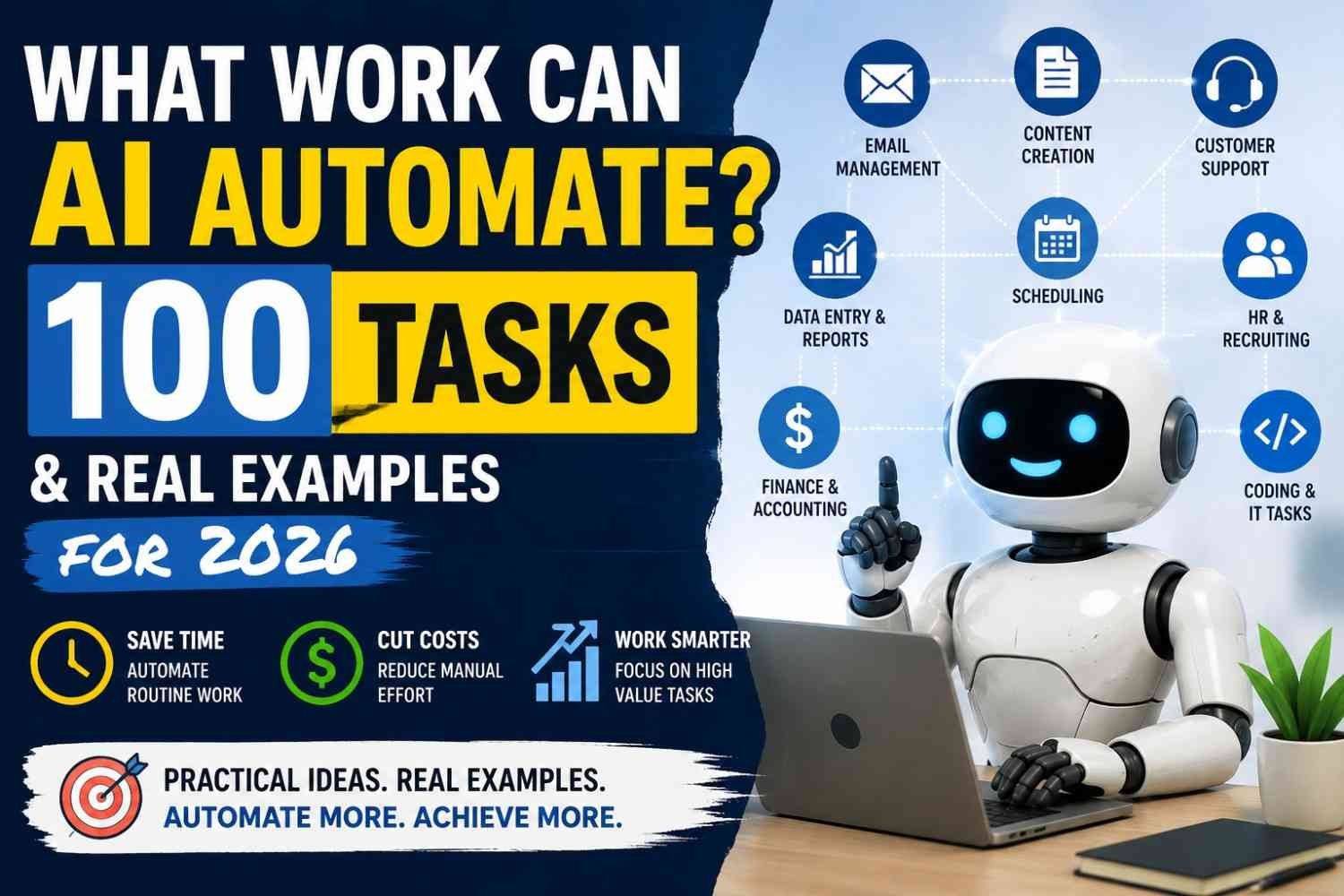
AI can automate many small jobs inside a bigger job. Not always the whole job. I see it working best where work repeats again and again, like data entry, email handling, scheduling, customer support, invoice processing, reports, research, coding help, IT monitoring, and workflow routing.
If your task got clear steps, digital data, and same type result, it may be a good fit.
But not every work should go fully automatic. Money decisions, hiring, legal work, health matters, and other risky choices still need human eyes.
Below, we cover 100 practical tasks across major work areas.
What Kind of Work Can AI Automate Best?
Not every task should go to AI. I first look at boring work—the things we do again and again. Email sorting, moving data, checking forms, making short reports. These are easier when the input is clear and the result is also clear.
A simple rule I use is: high repetition + predictable inputs + measurable outputs + low risk = strong AI automation candidate.
Traditional automation follows fixed rules. Generative AI is better when text, images, or messy information need understanding. AI agents can go further and take actions across tools. Still, I would not give them full freedom everywhere. NIST also stresses managing AI based on risk and trustworthiness.
For risky work, keep a person in the loop. Let AI prepare, check, or suggest. You make the final call. Microsoft’s 2026 workplace research also describes this shift: agents handle more execution while people direct work and own outcomes.
100 Work Tasks AI Can Automate Today
AI workflow automation in 2026 is not only about robots doing whole jobs. Most time, it is smaller work. The boring work. The thing you do again tomorrow, and again next Monday.
That difference matter.
The International Labour Organization says about one in four jobs worldwide has some exposure to generative AI, but it also says job transformation is more likely than full replacement. Anthropic’s early workplace research also found AI being used across at least one-quarter of tasks in roughly 36% of occupations. So we should think task by task, not simply ask, “Which job will AI remove?”
Below are 100 work tasks AI can automate or partly automate today. Some can run alone. Some need you watching. And few important ones should never be blindly trusted.
Administrative & Office Tasks
1. Email sorting and prioritization — AI can read incoming email, understand basic intent, mark urgent messages, and move less important mail aside.
2. Email response drafting — It can prepare replies using the message, company information, and past context, while you check before sending.
3. Calendar scheduling — It can compare available time, suggest meeting slots, prepare invites, and reduce long “Are you free?” email chains.
4. Meeting transcription — Spoken meetings can become searchable written text, useful when somebody forgot what was said two days later.
5. Meeting summarization — Long calls can become short notes with decisions, questions, blockers, and what people agreed to do.
6. Action-item extraction — AI can find sentences like “Raj will finish this Friday” and turn them into assigned tasks.
7. Data entry — Information from emails, PDFs, forms, or notes can be pulled into spreadsheets, CRM systems, and databases.
8. Form processing — AI can read submitted forms, find missing information, classify the request, and send it to correct team.
9. Document classification — Contracts, invoices, applications, letters, and reports can be recognized and grouped without somebody opening every file.
10. File organization — AI can suggest file names, tags, folders, and document categories when shared drives become a big mess.
11. Reminder creation — A promised follow-up, renewal date, payment date, or meeting action can automatically become a reminder.
12. Routine report generation — Weekly figures and status updates can be gathered, summarized, and put into a repeatable report format.
A simple office workflow may look like this:
Email received → intent found → information extracted → request routed → reply prepared → employee checks.
Repeatable workflows like moving information between apps are already a practical focus of modern workspace agents.
Marketing Tasks
Marketing has many small jobs. That makes it interesting for automation, but also dangerous when people let machines publish everything without looking.
13. Keyword clustering — Hundreds of related search terms can be grouped by common topic instead of sorting them manually row by row.
14. Search-intent classification — Queries can be separated into informational, commercial, transactional, comparison, and other useful search-intent groups.
15. Content brief generation — Research notes, questions, entities, subtopics, and competitor gaps can become a first content brief for writers.
16. Blog outline creation — AI can organize a large topic into H2s, H3s, FAQs, examples, and logical reader questions.
17. First-draft writing — It can create a rough starting draft, but facts, examples, tone, and actual experience still need human work.
18. Meta-description drafting — Several short search snippets can be produced from a finished page, then the best useful version chosen.
19. Headline generation — One article idea can quickly become many headline choices with different search and reader angles.
20. Social-media post creation — A report, video, or blog article can be changed into short posts for different platforms.
21. Content repurposing — One useful article may become a newsletter, short summary, FAQ, social post, or video outline.
22. Email campaign drafting — Product details and audience information can become first versions of welcome, nurture, reminder, or follow-up emails.
23. Ad-copy variation generation — Teams can create many headline and description options before testing which message performs better.
24. Customer sentiment analysis — Reviews, surveys, support messages, and comments can be grouped into positive, negative, and repeated complaint themes.
25. Marketing-report summarization — Campaign numbers can become a short explanation of what moved, what dropped, and what needs attention.
Real workflow:
Finished blog → key points found → social posts created → newsletter summary prepared → human edits → publish.
That last human edit can save embarrassment. Fast content is not same thing as good content.
Sales Tasks
Sales people often lose time after the call, not during it.
26. Prospect research — AI can organize public company details, role information, recent business context, and useful points before outreach.
27. Lead enrichment — Missing company, industry, role, and account information can be added from connected approved data sources.
28. Lead qualification — Incoming leads can be checked against clear rules such as company size, location, need, or product fit.
29. Lead-scoring assistance — AI can rank leads using selected signals, though teams should know why scores are being used.
30. CRM data entry — Call notes, emails, next steps, and contact information can be pushed into CRM fields automatically.
31. Sales-call transcription — Conversations become searchable text instead of salespeople depending on rushed handwritten notes.
32. Sales-call summarization — A long call can become a clean view of needs, concerns, budget clues, decisions, and next actions.
33. Objection extraction — AI can identify repeated objections like price, timing, missing features, or competitor concerns.
34. Follow-up email drafting — The call summary can become a personal follow-up draft while conversation is still fresh.
35. Pipeline-report summarization — Deal movement, stalled opportunities, upcoming actions, and risks can be collected into manager-ready updates.
A useful flow is:
Sales call → transcript → objections found → CRM updated → follow-up drafted → salesperson reviews.
You save typing. You do not automate the human relationship.
Customer Service Tasks
This is where automation can feel wonderful one day and terrible next day. A password-reset question is easy. An angry customer who lost money is not.
36. Ticket classification — Incoming requests can be labelled billing, technical, cancellation, account access, delivery, or another support type.
37. Ticket prioritization — Urgency signals can help move serious service problems ahead of routine questions.
38. FAQ answering — Common questions can receive answers from approved company information instead of agents typing the same reply daily.
39. Knowledge-base retrieval — AI can search internal help material and surface the most relevant instruction for an agent or customer.
40. Customer-intent detection — “I can’t get into my account” can be understood as an access problem even without exact support keywords.
41. Sentiment detection — Angry, confused, happy, or worried messages can be flagged to help decide how a conversation should be handled.
42. Support-response drafting — AI can prepare a response while an agent checks facts, policy, and tone before it goes out.
43. Conversation summarization — A customer passed between agents does not need to explain the whole painful story one more time.
44. Ticket routing — Billing issues can go to billing, technical problems to technical staff, and unusual cases to senior people.
45. Customer-feedback categorization — Thousands of comments can be grouped into repeating themes such as delivery, price, usability, and bugs.
Finance & Accounting Tasks
Money need more care. Here, automation should often prepare work, not own final decision.
46. Invoice data extraction — Vendor name, invoice number, amount, tax, and due date can be pulled from invoice documents.
47. Receipt processing — Receipt images can become structured expense records without every field being typed by hand.
48. Expense categorization — Expenses can be suggested under travel, software, meals, supplies, and other company categories.
49. Duplicate-invoice detection — Similar vendor names, invoice numbers, amounts, and dates can be flagged before duplicate payment happens.
50. Transaction classification — Large sets of transactions can be sorted into defined accounting categories for later checking.
51. Reconciliation assistance — AI can help compare records and point out mismatches that deserve a person’s attention.
52. Financial-summary generation — Large financial tables can become plain-language summaries for managers who do not want 40 spreadsheet tabs.
53. Variance explanation — Changes between budget and actual results can be highlighted and possible reasons prepared for investigation.
54. Forecasting assistance — Historical information can support scenario creation, while people still judge assumptions and changing business conditions.
55. Financial-report drafting — Numbers and approved explanations can become the first written version of a monthly management report.
A safer flow is:
Invoice → fields extracted → category suggested → checks performed → human approval.
Not invoice → robot pays everything. That shortcut can become expensive.
HR & Recruitment Tasks
People decisions deserve extra care.
56. Job-description drafting — Managers can turn role duties and skill needs into a first job-description draft.
57. Resume information extraction — Skills, work history, education, and certifications can be pulled into structured recruiter notes.
58. Candidate administration — Application records, interview stages, missing documents, and routine messages can be organized automatically.
59. Interview scheduling — Available times between candidate and interview panel can be found without many back-and-forth emails.
60. Interview-note summarization — Interview notes can be cleaned and grouped around agreed assessment areas for recruiter review.
61. Onboarding-document creation — New-hire details can populate checklists, welcome documents, and standard onboarding material.
62. Employee FAQ answering — Staff can ask common questions about leave, process, expenses, or benefits using approved internal documents.
63. Training-material generation — Existing procedures can become quizzes, short guides, summaries, and training examples.
64. Policy summarization — Long internal policies can be changed into shorter explanations, while the original policy remains the authority.
65. HR-report preparation — Routine workforce information can be organized into recurring reports and management summaries.
Hiring is different from scheduling. Let AI handle paperwork. Be much more careful when it starts judging a person’s future.
IT, Software Development & DevOps Tasks
Technical work is already one of the strongest areas of workplace AI usage, and current systems increasingly support longer technical workflows.
66. Code generation — Clear requirements can become starter functions, scripts, templates, or repetitive code blocks.
67. Code completion — Developers can receive likely next lines while writing instead of typing every standard pattern.
68. Code explanation — Old or unfamiliar code can be explained in simpler language before somebody changes it.
69. Unit-test generation — Functions can be examined and possible normal, failure, and edge-case tests suggested.
70. Technical-documentation creation — Code, APIs, scripts, and system behavior can become first-draft documentation.
71. Bug-triage assistance — Bug reports can be grouped, summarized, and routed toward likely owning teams.
72. Error-log analysis — Large logs can be searched for repeating errors, unusual patterns, and useful clues.
73. Log summarization — Thousands of technical lines can become a short timeline that an engineer can actually read.
74. Incident classification — Incidents can be grouped by service, type, impact, or likely severity.
75. Incident-summary generation — Alerts, logs, chat notes, and actions can become an incident summary after an outage.
76. IT support-ticket routing — Access, hardware, software, network, and permission tickets can automatically reach the correct support queue.
77. Infrastructure-script drafting — Engineers can produce first versions of repetitive deployment, configuration, or infrastructure scripts.
78. Monitoring-alert summarization — Several noisy alerts can become one short explanation of what changed and where.
79. Root-cause suggestions — Logs and recent changes can produce possible causes, but engineers must verify rather than trust guesses.
80. Release-note creation — Commits, tickets, and completed changes can be turned into readable release notes.
A monitoring alert might become:
Alert → logs gathered → important errors summarized → possible component flagged → incident note drafted → engineer checks.
That last part, engineer checks, still matters.
Research & Knowledge Work
81. Document summarization — Long reports can become shorter summaries while important sections remain available for checking.
82. Information extraction — Names, dates, facts, amounts, risks, and other requested details can be pulled from large documents.
83. Research organization — Notes from many sources can be grouped by theme, question, evidence, and disagreement.
84. Source comparison — Two or more reports can be compared to find differences in claims, numbers, methods, or conclusions.
85. Topic clustering — Large collections of text can be grouped into repeating subjects instead of manually tagging every item.
86. Large-document analysis — Users can ask targeted questions across long documents and locate sections needing deeper reading.
87. Competitor-research summarization — Public competitor information can be organized into products, positioning, features, and observed changes.
88. Knowledge-base tagging — Internal material can receive useful categories and metadata to make future search easier.
89. Internal knowledge retrieval — Employees can ask normal-language questions and find relevant approved information buried across company documents.
90. Research-brief preparation — Findings, open questions, evidence, and disagreements can become a starting brief for a human researcher.
Do not confuse summary with truth. If a source says wrong thing, a beautiful summary may still carry wrong thing.
Operations & Workflow Tasks
91. Inventory-alert processing — Low-stock or unusual inventory signals can be classified and sent to the responsible person.
92. Purchase-request classification — Requests can be sorted by department, value, supplier, urgency, or approval route.
93. Vendor-document processing — Vendor forms, certificates, invoices, and contracts can be classified and checked for missing fields.
94. Order-status communication — Customers can receive updates created from actual order and delivery information.
95. Workflow routing — Requests can move between teams based on type, status, risk, and defined business conditions.
96. Approval-request preparation — Relevant facts and documents can be gathered into a short package before a manager approves.
97. Compliance-document checking — Documents can be scanned for required fields, missing items, or defined policy conditions before human review.
98. Project-status summarization — Task updates, blockers, completed work, and deadlines can become a short project health summary.
99. Task creation from meetings — Decisions can become tasks with owner, due date, and context rather than disappearing inside meeting notes.
100. Cross-application workflow triggering — One event can start actions across email, CRM, project tools, documents, and other connected business systems.
The interesting part is not number 100. It is what happen between task 1 and task 100 in your own workplace.
Maybe you only need three of them.
Good.
Start there.
The ILO’s research says few occupations are made only from tasks that current generative AI can fully automate; most jobs still contain work needing people. That fits what practical automation looks like: remove repeat work first, then keep humans around judgment, exceptions, relationships, and important decisions.
So don’t begin with, “How can I automate my whole team?”
Begin with smaller question.
“What did we do 500 times last month that nobody really needed to do by hand?”
That question usually takes you closer to useful AI automation.
What Tasks Still Need Human Control?
Some work should not go fully on auto. I would be very careful with strategy, leadership, hiring or firing, legal advice, medical judgment, big money decisions, crisis response, and hard customer problems. These are places where one wrong answer can hurt a person, company, or family.
NIST also says AI risk needs different levels of human oversight depending on the use and harm possible.
I see it in three simple levels:
- Low risk: let AI do the work.
- Medium risk: AI does first, a person checks.
- High risk: AI only helps. Human decides.
The ILO’s 2025 research also points more toward jobs being changed than simply removed.
For me, the rule is simple. Let AI sort, draft, find, and suggest. But when trust, ethics, money, health, jobs, or responsibility is involved, keep a real person in control.
Automate repetitive execution, not accountability.
Which AI Automation Task Should You Start With?
Do not automate the biggest job first. I would start with the boring one.
Look at your normal work day. Which task comes again and again? Maybe sorting emails, writing meeting notes, pulling data from files, routing support tickets, making reports, or turning one blog post into social content. Repetitive work is usually a safer place to begin; Microsoft also describes repetitive tasks as a common target for workplace AI.
Before choosing, ask:
- Does it happen often?
- Is much time going there?
- Is the input already digital?
- Do you know what good output looks like?
- Can you easily catch a mistake?
- Can you undo the mistake?
- Can a person check it before final action?
I would avoid hiring decisions, payments, legal choices, or messy processes at first.
Start small. Measure time before and after. If it really helps, then grow it.
Before anything, observe how to automate any task with AI? then begin.
How to Automate Work With AI Step by Step
Do not start by buying AI tools. First, watch the work.
Write down each manual step. Who doing it, where data coming, what happens next. Small details matter here.
Then measure the old process. Time used, cost, how many times task happen, mistakes. Without this, later you may say AI saved time, but actually you don’t know.
Pick one small task first. Not whole department. I prefer boring work like email sorting, invoice reading, meeting notes, or data entry. Easier to test.
Now define input and output. Example: customer email comes in → system should find topic, urgency, and draft reply.
Use normal rules when rules can do job. Use AI when text, meaning, or judgement is needed.
Build small pilot. Test normal cases, bad data, missing fields, strange requests too.
For risky action, keep human approval.
Then compare result with old method. Check speed, errors, cost, and rework.
If it works well, expand slowly. If not, fix one weak step first. Big automation usually fail from small ignored problems.
What Problems Can AI Automation Cause?
AI automation looks easy until real work enters. I seen one wrong answer move through whole workflow, nobody noticed first. Hallucinations are dangerous like this. Give the system trusted company data, then keep human approval for important action. NIST also recommends managing generative-AI risks through testing, monitoring, and controls.
Bad data is another headache. Dirty customer names, old prices, missing fields—your automation only makes that mess faster. Gartner predicts 60% of AI projects without AI-ready data may be abandoned through 2026.
Privacy also worries me. Don’t give every workflow access to everything. OWASP lists sensitive-information disclosure and prompt injection among major LLM risks.
APIs fail. Users type strange things. Costs suddenly grow. So add logs, retry steps, spending limits, validation rules, and a human escape door.
Sometimes simple automation is better. AI not need everywhere.
Why Do AI Automation Projects Fail?
AI automation fails more often than people think. Many teams start fast. That itself become first problem. They automate a bad process, feed messy data, then expect smart result.
I seen this problem many times around tools and workflows. Demo looks nice. Real users enter strange data, API breaks, one field missing, and whole flow starts giving wrong action.
Gartner said in June 2025 that over 40% of agentic AI projects may be cancelled by end of 2027, mainly because cost grows, business value stays unclear, or risk controls are weak.
Failure → Recovery
Wrong actions? Give system less permission and add human approval.
Bad answers? Connect it with trusted company data.
Too much correction? Automate only simple cases.
Cost going high? Use normal rules where AI not needed.
Edge cases keep failing? Send them to people.
And involve workers early. They know where real process breaks. A fancy automation means little when daily work becomes harder, not easier.
Is AI Automation Actually Worth It?
I never look only at how many tasks AI finished. That number can fool you.
You need check what really changed.
- Time saved
- Cost per task
- Wrong results
- Human checking time
- Rework
- Speed
- Software and API cost
- Maintenance
- Customer result
I compare the old work first.
Manual time + worker cost + mistake cost
Then I compare:
AI cost + human review + fixing + maintenance
Sometimes automation looks fast, but staff spend too much time checking it. Then saving is small.
Your AI automation ROI is good only when the final work become cheaper, faster, or more accurate. Measure the finished result, not the fancy system.
Will AI Automate Entire Jobs?
AI may take some work, yes. But whole job? Not so simple.
A job is many small tasks joined together. Some can be automated. Some only get faster with AI. And some still need a real person.
Think about customer support. AI can sort tickets, find common answers, and draft replies. But when a customer is angry, confused, or losing money, human judgment matters.
The ILO reported in 2025 that one in four workers worldwide are in jobs with some GenAI exposure, but most jobs are more likely to change than disappear.
Automation means AI does the task. Augmentation means AI helps you do it.
I see the safer future this way: machines handle boring repeat work. We keep judgment, communication, leadership, problem-solving, domain knowledge, AI checking, and strange cases where rules just fail.
FAQs About Work AI Can Automate
What work is easiest for AI to automate?
Repetitive work is first choice. Data entry, sorting emails, checking forms, simple reports. If same thing happen every day, automation usually handle it better.
Can AI automate an entire job?
Sometimes many parts, yes. Whole job, not always. People still deal with strange problems, judgment, trust, and decisions.
Can AI automate office work?
Yes. I see email replies, meeting notes, schedules, documents, and reports taking less manual time now.
Can AI automate customer service?
Routine questions can go fast. Angry customer, confusing issue, refund fight? Human help still matter.
Does AI automation need human supervision?
For risky work, yes. Check before money, hiring, health, or legal action.
What should businesses automate first?
Start small. Pick boring, repeated, low-risk work. Measure time saved, errors, and whether workers really feel less load.
What Work Can AI Automate in 2026?
AI can automate many boring work today. Emails, reports, support tickets, sales follow-up, data work, coding help, HR papers, many office jobs parts.
But I feel one question matter more.
Not, “Which jobs can AI replace?”
Ask, “Which tasks can AI do safe, correct, and cheap?”
I would start small. Pick one repeat work. Measure time before. Automate it. Watch mistakes. Keep human approval where money, people, or big decisions involved.
Sometimes automation fail. That is normal problem to fix.
Good automation removes repeat work, not human thinking. You still need judgment, trust, ideas, and real people decisions.
