
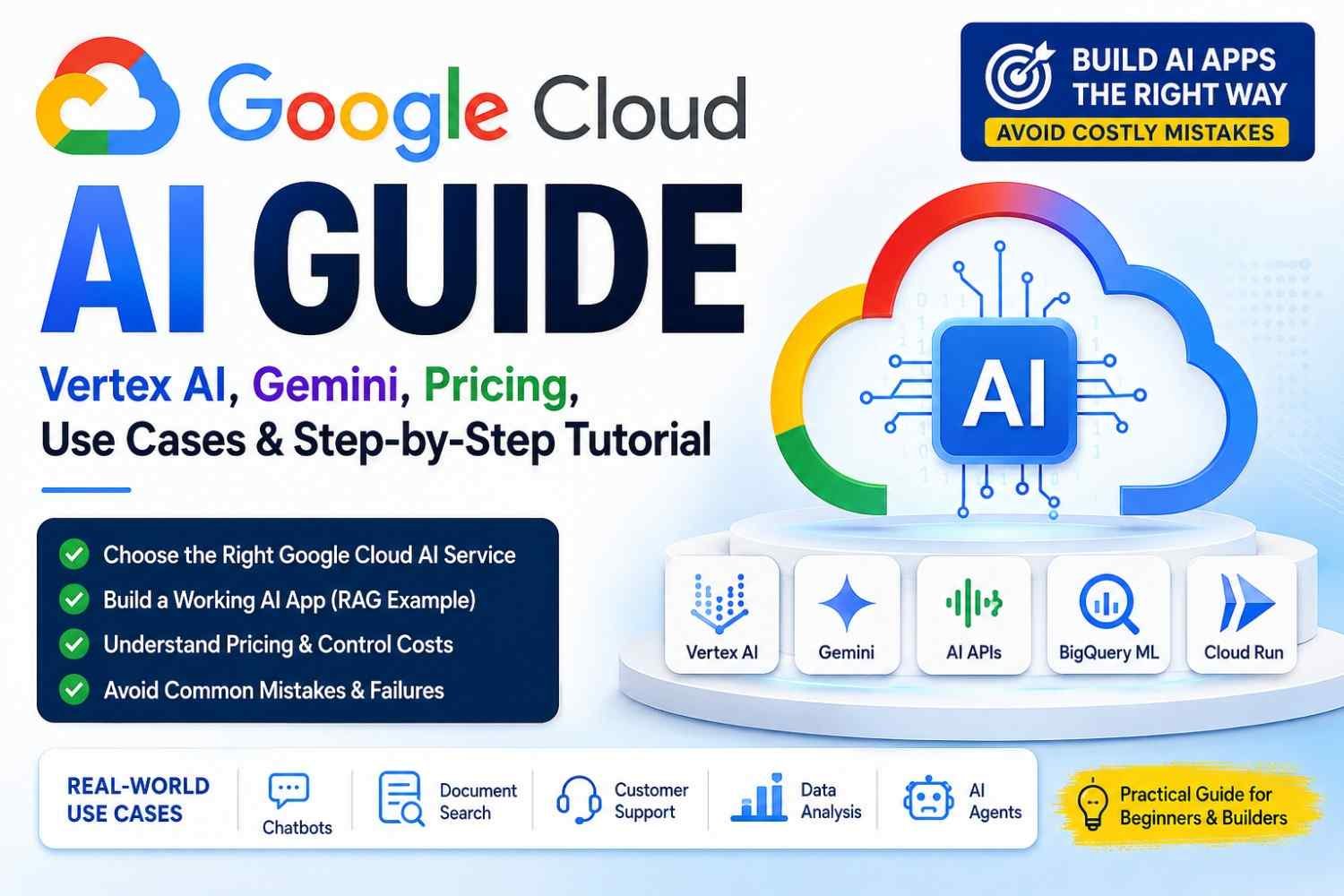
Google Cloud AI is a group of cloud tools used to build, train, and run smart computer systems. It is not one single product sitting in one box.
Gemini gives the thinking model. Vertex AI helps you test, manage, and deploy it. AI APIs handle speech, images, and translation. BigQuery ML works with business data. Agent tools help apps take small actions.
The Google Cloud AI Map: Which Product Does What?
| Your goal | Tool you may use |
|---|---|
| Test Gemini prompts | Vertex AI Studio |
| Build text, image, or mixed AI app | Gemini models through Vertex AI |
| Add speech, translation, or vision | Prebuilt Cloud AI APIs |
| Train your own ML model | Vertex AI Training or AutoML |
| Search private company files | Vertex AI Search or custom RAG |
| Build an AI agent | Gemini Enterprise Agent Platform |
| Study warehouse data with ML | BigQuery ML |
| Run an AI web API | Cloud Run with Vertex AI |
Do not select tool because name sound powerful. Start from your problem. A support bot need private file search. A sales forecast may need BigQuery ML. For a small Gemini test, Vertex AI Studio is enough.
Google present Gemini Enterprise for creating and managing company agents. But other AI services still sit across different Google Cloud products.
Vertex AI vs Gemini API vs Google AI Studio: Which One You Need?
Google AI Studio is good when you only want test Gemini prompts, try ideas, upload a file, and see what answer coming. For learning, personal testing, or small demo, start here.
Gemini API through Vertex AI is better when your app going for real users. You get Google Cloud IAM, security controls, logs, region choice, monitoring, and better connection with company data.
Use the wider Vertex AI platform tools when your project need RAG, model testing, pipelines, custom training, deployment, evaluation, or strong governance.
Simple Choice
- Learning and prompt test: Google AI Studio
- Business proof idea: Vertex AI Studio
- Live production app: Gemini through Vertex AI
- Full machine learning work: Vertex AI platform
Do not choose only because one model gives better answer in one test. Your user traffic, data safety, region, cost, integration, and monitoring matter too.
Before You Start: Account, Billing, APIs and IAM
Create a new Google Cloud project, or select your old one. Attach the billing account. Before one API call, set monthly budget and billing alerts. The alert will warn you, but it does not always stop spending.
Then enable the Vertex AI API. Pick a region where your needed model is available. Wrong place can bring model error, slow response, or data rule trouble.
Service Accounts and Access
- Development account for testing.
- Production account for real users.
- Give only needed IAM roles.
- Never put keys inside GitHub code.
- Keep secrets in Secret Manager.
- Check API quota before load testing.
Install Google Cloud CLI and authenticate it, or use Cloud Shell when local setup feels messy.
Google currently gives eligible new customers a $300 Welcome credit for 90 days. Some products also have limited free monthly usage. But this is not forever-free AI. Token use, storage, endpoints, and other services may still create cost.
Practical Project: Build a Support Assistant from Your Own Documents
We create a support assistant using Google Cloud AI. It reads your product manuals, company rules, help files, or support documents. Then user asks question, and assistant gives answer with source reference.
First, create one Google Cloud project. Make a Cloud Storage bucket and upload two or three PDF or text files. Do not upload hundreds now.
Next, extract the text. Clean broken lines, page numbers, repeated headers, and strange symbols. I once ignored this cleaning step. The assistant gave mixed answers from footer text.
Now divide content into useful chunks.
Do not cut every 500 characters without thinking. A warranty heading and its answer must stay together. A return rule should not join with a safety warning.
Project Flow
Document → Clean text → Chunks → Embeddings → Vector index → User question → Gemini answer
Generate embeddings for each chunk and store them in a vector index. When user asks something, retrieve only the closest passages. Put those passages inside the prompt. Tell Gemini clearly: answer only from given text, show source name, and say “I don’t know” when proof is missing.
Deploy the API through Cloud Run. Watch logs, errors, speed, and usage.
Test Three Question Types
- Easy question with clear answer
- Confusing question with two possible meanings
- Question not covered in documents
A safe “I don’t know” is better than a confident wrong answer.
Also provide a test-question sheet or GitHub repository. Readers can copy, break, repair, and learn from the real project.
How the Architecture Works Behind the Scenes
[User Question]
       ↓
[Login + IAM Check]
       ↓
[Cloud Run API]
       ↓
[Search Document Chunks]
       ↓
[Pick Related Passages]
       ↓
[Build Small Context]
       ↓
[Gemini on Vertex AI]
       ↓
[Safety Check]
       ↓
[Answer + Logs]
First, IAM checks who or what app is calling. Wrong permission means request stop there. The code looked fine, but one missing role wasted nearly whole evening.
Cloud Run holds your app logic. It takes the question and searches document chunks. Gemini does not already know your private company files. RAG brings only useful private text for that one request.
Embeddings find passages having close meaning, not only same words. Very long chunks bring noise. Tiny chunks lose the real meaning.
Never send every document to Gemini. It becomes slow, costly, and confused.
After Gemini writes answer, safety rules check it. Logging then saves errors, response time, and request details.
Google Cloud AI Pricing Without Surprises
Your cost mostly come from:
- Input and output tokens
- Gemini model you choose
- Embeddings and vector searches
- Cloud Run use
- Active endpoints
- Network and logging
- Agent tools
- Re-indexing same files again
Begin with lower-cost model. Test real questions. Maybe small model already doing your work good.
Keep reply length short. Cache common answers. In RAG system, bring only few useful chunks, not whole document. Batch embeddings together. Remove idle endpoints after testing.
Track cost per correct answer. A model costing more can save money when it reduce failed answers.
Prices keep changing. Check the official Google Cloud Pricing Calculator before launch.
Ten Common Google Cloud AI Failures and How to Recover
1. 403 Permission Denied
Cause: Wrong service account, missing IAM role, or app using another login.
Fix: First check active identity. Then give only needed role. Do not give Owner role just because you feel tired.
2. 429 Resource Exhausted
Cause: Too many requests or quota finished.
Fix: Add exponential backoff. Reduce parallel calls. Check quota page and request more limit when business really need it.
3. Model Not Available
Cause: Wrong model name, unsupported region, or old model removed.
Fix: Check current model ID and region support. Sometimes changing region solve it fast.
4. Billing Suddenly Goes High
Long prompts eat money quietly. Large outputs also. Repeated embedding jobs, idle endpoints, logging everything—all become cost.
Fix: Check billing by service. Set budget alert. Limit output tokens. Stop unused resources.
5. Poor RAG Answers
Cause: Bad chunks, weak search, missing tags.
Fix: Split text by meaning. Add metadata. Test retrieval before blaming Gemini.
6. Fake Citations
Never ask model to create source names from memory. It may invent.
Fix: Build citations from real document IDs returned by search.
7. High Latency
Big prompt, many tool calls, far region. User waiting, page feeling dead.
Fix: Send less context. Run safe calls together. Deploy near your users.
8. Invalid Credentials
Refresh login, check key path, and confirm service account is active.
9. Request Timeout
Set clear timeout, retry only safe requests, and break large jobs into smaller work.
10. Safety-Filtered Response
Change harmful or unclear prompt. Give more context. Never remove safety just to get one answer.
When error comes, do not change five things together. Change one. Test. Note result.
Security, Privacy and Responsible AI Checklist
Google Cloud AI security not become safe just because app is inside Google Cloud.
Keep separate service accounts for testing, staging, and live system.
- Pick approved cloud regions.
- Set data saving and deletion rules.
- Use private network where sensitive data moving.
- Remove names, phone numbers, health data, and payment details.
- Test prompt-injection attacks.
- Turn on output safety filters.
- Keep audit logs.
- Save model and prompt versions.
For banking, medical, hiring, or legal answers, human must check result. Tell users when content came from AI. Compliance comes from whole system design, not cloud name alone.
Google Cloud AI vs AWS and Azure: A Practical Decision
No cloud is winner for every company. Your current setup matters more than big brand claims.
Google Cloud AI may suit you when your team already use BigQuery, Cloud Run, Kubernetes, or Google Workspace. Gemini also feel useful for image, text, video, and other mixed data work. Data and AI tools stay close, so moving information become less painful.
AWS can be better when your servers, security rules, and DevOps team already live inside AWS. Changing cloud may bring cost, delay, and many small problems. AWS also gives wide model choices through its cloud ecosystem.
Azure often make sense for companies using Microsoft 365, Entra ID, Windows, and other Microsoft business tools.
Before Choosing, Ask
- Where is our data now?
- Which skills our team already have?
- Which regions support our model?
- What is real monthly cost?
- Can we move later?
I seen teams choose cloud only from demo excitement. Later, permission issues, billing, and migration pain came. Test one real workload first.
Production Readiness Checklist
- [ ] Use case have one clear success number.
- [ ] Ground-truth questions are ready.
- [ ] Check answer accuracy and document retrieval separately.
- [ ] IAM permissions are only what app need.
- [ ] Quotas can handle expected traffic.
- [ ] Billing alerts are active.
- [ ] Private data is hidden and protected.
- [ ] Prompts are saved with version names.
- [ ] Logs show errors, not customer secrets.
- [ ] Retry and timeout rules are tested.
- [ ] Backup model behaviour is decided.
- [ ] Users can report wrong answers.
- [ ] Unknown questions get safe reply.
- [ ] Rollback method is ready.
- [ ] Cost per successful task stay inside target.
Your app is not ready only because answer looks smart. It is ready when failure also stay under control.
A 30-Day Google Cloud AI Learning Roadmap
Week 1
Learn Google Cloud projects, billing, APIs, IAM, and Vertex AI Studio.
Week 2
Call Gemini using Python or REST. Build one small API.
Week 3
Make a document RAG assistant. Upload files, split text, test bad questions too.
Week 4
Add security, logs, cost limits, testing, and deployment.
Keep Proof of Your Work
- GitHub project
- Architecture diagram
- Cost report
- Failure postmortem
Do not hide failures. Explain how you fixed them. That part often shows your real skill more than clean code.
Frequently Asked Questions About Google Cloud AI
Do I Need Python to Use Google Cloud AI?
No. You can test prompts through the Google Cloud console without writing much code. Later, Python is useful when your app need automation, database connection, or many requests. Google also provides APIs and SDK options.
Can Vertex AI Read PDF Documents?
Yes, Gemini on Vertex AI can process PDF files and understand text inside them. You may ask it to summarize, compare pages, find details, or answer questions. For many large files, simple PDF upload becomes messy. Then use Document AI, Cloud Storage, or a RAG setup.
Can I Deploy Open Models on Google Cloud?
Yes. Model Garden lets you discover, test, customize, and deploy Google models and selected open-source models. Still check model licence, hardware need, region support, and running cost. Open model does not mean free hosting.
What Is the Difference Between RAG and Fine-Tuning?
RAG brings useful document pieces into the prompt during every question. Fine-tuning changes how a model behaves by training it with examples. Use RAG when facts change often. Use fine-tuning for style, format, or special behaviour. Many business projects need RAG first, not costly model training.
How Do I Prevent Hallucinations?
You cannot remove hallucination fully, but you can reduce it. Give clear source text, retrieve good document chunks, request citations, limit model freedom, and test difficult questions. Tell the model to say “I do not know” when proof is missing.
Conclusion: Start Small, Measure, Then Scale
Start small with Google Cloud AI. Pick one clear job. Watch cost, access, and real answers. Test first, fix problems, then grow slowly together.
