
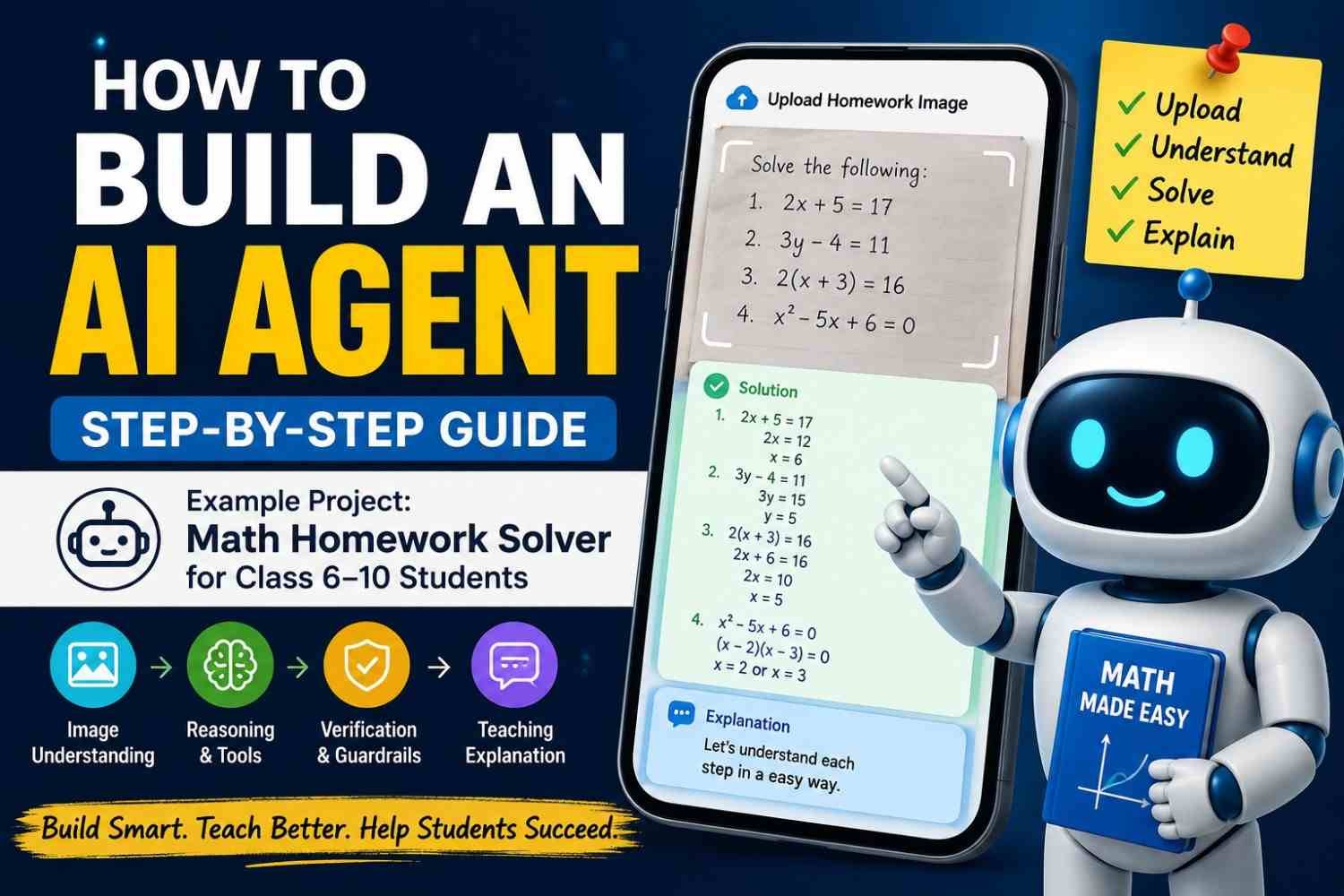
A Class 8 student takes photo of math homework and uploads it. Now our AI agent starts work. It reads Question 1, sees algebra, finds the numbers, solves it, checks answer, then explains each step in simple words. After that, it moves to Question 2.
This is where how to build an AI agent become more clear to me. It is not just chatbot giving one reply.
Our AI homework agent must do many small jobs. It need understand image, pull questions out, decide what problem it is, use math tools when needed, remember which question finished, and verify answer before showing student.
Sometimes photo is dark. Maybe 8 looks like 3. Agent should not guess.
It should stop and say, “This part not clear, upload better photo.”
Upload homework → Read paper → Extract questions → Solve → Verify
That simple flow is our real AI agent example.
What Is an AI Agent?
An AI agent is not just one chat box giving one reply. Think about our homework example. You upload a photo of Class 8 math paper. A normal chatbot may look at one question and give text back. Finished.
But homework AI agent has more work to do. It first see the image, find each question, understand what type of math it is, solve one by one, check answer, then move next. If photo is blur, it should not simply guess. It can stop and ask you for clearer image.
That is little difference, but very important.
| Normal chatbot | Homework AI agent |
|---|---|
| Receives a prompt | Receives image + instructions |
| Produces text | Understands image, plans and acts |
| Usually one interaction | May do many steps |
| Little workflow control | Tracks questions and progress |
| May guess | Can verify, retry, or stop |
| Mainly answers | Works toward one goal |
When people ask what is an AI agent or how AI agents work, I explain it like this:
Model + instructions + tools + state + decision loop + stopping rule
The model thinks. Instructions tell what job to do. Tools help calculation. State remembers progress. The agent loop decides next action. Stopping rule tells when work is done.
This is also why AI agent vs chatbot is not same thing. One mostly answers. Other manages a small workflow.
Next, connect this with AI Agent vs Chatbot vs Automation so readers can see where each one really fits.
Do You Actually Need an AI Agent?
Not every problem need an AI agent. Many people make things too big, then later they spend time fixing what was not even needed.
If a student just types, Solve 4x + 6 = 18, a normal chatbot can do that job. One question comes in, one answer goes out. Simple.
But I look at it different when the student uploads a full homework paper image. Now the system must check image quality, read many questions, split them, know if one is algebra or geometry, solve them, check the math, and explain in a way a Class 6 or Class 10 student can understand.
Then we are not doing one reply anymore. We are building an agentic workflow.
One prompt → chatbot
Several decisions + tools → AI agent
So, when should I use an AI agent? Use it when the work needs many steps, choices, tools, memory, or checking.
If every step is fixed and known before, normal automation may be better. This is the main difference in AI automation vs AI agent. Build the smaller thing first. Add agent behavior only when the real work asks for it.
Our Example AI Agent: Mathematics Homework Tutor for Classes 6–10
Before writing any code, I like to make the job very clear. Otherwise project become messy fast. Here our AI agent has one simple work: help Class 6 to 10 students understand math homework from an uploaded image.
Student Input
A student may upload a JPG, PNG, phone camera photo, screenshot, or scanned homework sheet. Real life paper not always clean. Sometimes shadow comes. Sometimes page tilted. Handwriting also little hard. This is where image understanding matter more.
Our AI homework solver first reads the paper and finds each math question.
Agent Output
Suppose Question 1 says:
Topic: Linear equations
Given: 3x + 5 = 20
The agent may show:
3x = 15x = 5
Then check it:
3(5) + 5 = 20
Final answer: x = 5
But I don’t want this AI tutor agent only throwing answer. It should explain why 5 is removed first, why both sides stay equal, and what student must notice.
Supported Math Topics
It may handle arithmetic, fractions, percentages, ratios, integers, algebra, geometry, mensuration, exponents, linear equations, statistics, probability, coordinate geometry, and basic trigonometry.
One rule is very important. If image is bad, this image math solver must say, “I cannot clearly read Question 4.” Never create fake numbers. That one small rule can save many wrong answers.
AI Agent Architecture
Before we write code, it helps to see the whole system once. Otherwise you may build one part, then later find other part is missing. I done this mistake before. The agent worked for one question, but failed when the homework image had many sums.
Architecture Flow
Student
   ↓
Upload Homework Image
   ↓
Frontend / API
   ↓
AI Agent
   ↓
Image Understanding
   ↓
Question Extraction
   ↓
Question Classifier
   ↓
Math Solver / Tools
   ↓
Answer Verification
   ↓
Teaching Explanation
   ↓
Structured Response
   ↓
Student
This is the basic AI agent architecture for our homework tutor. Student gives a photo. The model layer first sees the image and tries to understand what is written. Then question extraction split the page into separate problems.
After that, the question classifier decide, is this algebra, fraction, geometry, percentage, or some other math topic.
Now the tool layer comes. A calculator may solve number work. Symbolic math tool can help with equations. But we should not trust one answer fast. Validation must come after solving.
The main AI agent components are simple to remember:
- Model: reads image and understands the problem.
- Instructions: tell the tutor how to behave and explain.
- Tools: calculator, math solver, retrieval functions.
- State: remember which questions already finished.
- Guardrails: stop guessing when image is not clear.
- Evaluation layer: check if answer and steps are correct.
This full AI agent workflow is important. If Question 6 is blurry, the orchestrator should not force an answer. It should mark that question and continue others.
That small behavior can make your agentic AI architecture much more useful in real life.
For deeper system design, see AI Agent Architecture Explained.
Step 1 — Define the Agent’s Goal and Rules
Before thinking about an AI agent system prompt, first decide what this thing must do, and what it must never guess. I learned this is where many builds become messy. People start writing a giant prompt, then later agent doing ten jobs nobody planned.
Set One Clear Goal
Our goal is simple:
Help Class 6–10 students understand and solve mathematics homework uploaded as an image.
That boundary matters. OpenAI’s agent guidance also says clear instructions and defined actions reduce confusion and errors during workflow execution.
For our homework agent, I would keep this real requirements checklist:
- Find every visible math question.
- Keep
+,−,×, fractions, powers and roots correct. - Detect topic like algebra, fraction or geometry.
- Solve with proper steps.
- Explain based on student’s class level.
- Check the calculation again.
- Mark blurry question as unclear.
- Never create a missing number from imagination.
This is more important than making some clever prompt.
Make It Teach, Not Dump Answers
I would also set one tutoring rule:
Hint → Student attempt → Explanation → Final answer
A child learn more when some thinking happens first. And when image is bad, agent must stop and ask for better photo. Clear limits, guardrails and human checkpoints are core parts of reliable agent design too.
Step 2 — Choose the AI Model
Choosing the best AI model for agents is where many people waste time. I did too. New model comes, big benchmark comes, then we feel this must be the one. But your homework agent does not care about hype. It care about whether the model can read that slightly tilted Class 8 math paper correctly.
For this project, I would first test a multimodal LLM or vision-language model because the input is an image. It must read fractions, powers, brackets, geometry signs and handwritten numbers. Then it should reason, call a calculator or math tool, and return clean structured data. Current OpenAI models, for example, support image input, function calling and structured outputs, while newer models also provide very large context windows.
I check these things:
| Check | Why it matters |
|---|---|
| Image reading | Wrong number means wrong whole answer |
| Math accuracy | Steps must be correct |
| Tool calling | Calculator and verifier should work |
| Latency | Student should not wait long |
| Cost | Hundreds of homework pages can add up |
| Context | One sheet may have many questions |
| Reliability | Same kind of problem should work again |
One more thing. Structured output can keep your response format clean, but it still cannot guarantee the math itself is right. OpenAI also warns that a model can follow the JSON schema and still make a wrong equation step.
So don’t ask, “Which model is best?”
Ask, “Which model performs best on my 100 real homework samples?”
That small change save lot of bad decisions.
Step 3 — Make the Agent Understand Homework Images
Image understanding is where this homework agent start becoming useful. A student may upload clean paper today. Tomorrow, photo may be dark, tilted, little blurry, or handwriting going over one another. Real homework never look perfect every time.
So first, agent should not rush to solve.
It should go in small order:
- Receive the image.
- Check file type and image size.
- See if page is tilted.
- Find all visible questions.
- Read numbers, signs, fractions, roots, powers.
- Keep math symbols exactly.
- Split every question separately.
- Mark doubtful text before solving.
Suppose image shows:
Q3. Find x if 5x - 7 = 18
The image to math problem AI can change it into clean data:
question_number: 3
question_text: 5x - 7 = 18
subject: mathematics
topic: algebra
confidence: high
This looks easy. But real trouble comes from √, fractions, x², geometry drawings, crossed answers, and poor handwriting.
I would never allow the agent to quietly guess here.
If it is not sure whether the image says √144 or √14, it should tell you.
I think Question 5 says √144, but image is unclear. Please upload a closer photo.
That one small rule can stop many wrong answers.
For testing, use at least three types yourself: one clear image, one tilted page, and one handwritten paper. Then watch where your vision model and document parsing starts making mistake. That is where your real improvement work begins.
Step 4 — Create Tools for the Agent
A model alone can solve many math questions. But I will not trust it for every answer. You also should not.
Tools make our homework agent more steady. Think simple. The model decides what help it need, then it calls that tool.
For a Class 6–10 math agent, I would start with only few useful tools.
Useful tools for our math agent
| Tool | What it helps with |
|---|---|
| Calculator tool | arithmetic, decimals, percentages, answer checking |
| Symbolic math tool | equations, factoring, simplification, algebra checks |
| Geometry helper | area, perimeter, volume, angle formulas |
| Knowledge tool | school-level rules, formulas, and topic explanations |
I learned one thing while testing math flows. Too many tools can make things messy. The agent may choose wrong one, or keep jumping between tools. So keep each function very clear.
Suppose the homework image has:
Solve 4x + 8 = 28
The agent can first see this is algebra. It solves:
4x = 20
x = 5
Now instead of blindly showing this to student, it can call a math verification tool.
A simple tool input/output trace can look like:
{
  "tool": "verify_equation",
  "input": {
    "equation": "4x + 8 = 28",
    "x": 5
  },
  "output": {
    "left_side": 28,
    "right_side": 28,
    "verified": true
  }
}
This is where tool calling AI agent becomes useful. The model is doing thinking, but functions do small jobs with clear rules.
When you build AI agent tools, give every function a narrow job, clean JSON schema, and easy name. Do not create five tools doing almost same work. That usually brings confusion.
This is also why function calling matters. Your agent does not only talk. It can use API tools and execution tools, then check what came back before giving the student the final explanation.
For deeper setup, see AI Agent Tool Calling and Function Calling.
Step 5 — Build the Agent Loop
This part is where your app start behaving like real AI agent, not just one chatbot answering once.
The agent need a loop. Small loop, but controlled one.
Basic AI Agent Loop
Receive homework
↓
Understand image
↓
Choose next question
↓
Decide what action needed
↓
Use tool if required
↓
Read tool result
↓
Verify answer
↓
Explain to student
↓
More questions?
Yes → repeat
No → finish
Think one homework paper having 8 math questions. The agent first reads whole image. Then it should not solve everything in one messy jump. Better it take one question, finish it, mark the work, then move next.
I like keeping small state like this:
Questions found: 8
Solved: 1, 2, 3
Current question: 4
Remaining: 5, 6, 7, 8
Now the agentic loop explained becomes easy. It is mostly reason-act-observe. Agent sees current problem, decides action, maybe calls calculator or math tool, sees result, checks answer, then continue.
This is also how AI agents make decisions inside an autonomous agent workflow. But autonomous does not mean endless freedom.
Give the Loop a Stop Door
Never allow unlimited execution loop. I made this mistake in small tests before. One bad tool result can make agent retry again and again. Cost rise, time waste, student see nothing.
Set hard rules such as:
- maximum iterations
- maximum tool calls
- retry limits
- maximum run time
Agent should also stop when image cannot read, important number missing, every question completed, or same tool failing many times.
A good stopping condition is not weakness. It is control. Your agent should know when to continue, but more important, when to say, “I need clearer homework image.”
Step 6 — Add State and Memory
Your agent must know where the student is now. Not forever. Just now first.
This is called session state.
Suppose a Class 7 student uploads one homework paper with five maths questions. The agent should not solve question 2, then forget question 1 already done. I seen this type problem while testing small workflows. It feels silly, but it happen fast when state is not saved.
Keep simple things like:
- homework ID
- student grade
- extracted questions
- solved questions
- questions still pending
- student own attempts
- image problems
Example:
student_level: Class 7
question_1: solved
question_2: waiting_for_student_attempt
question_3: image_unclear
This AI agent state is short-term. It belongs to this homework session.
Long-term memory is different.
Maybe your agent remembers that one student likes short explanations. Maybe fractions are giving trouble many times. Maybe progress in algebra is getting better slowly. This becomes persistent agent memory.
But do not save everything just because we can.
Student data can include names, school details, handwriting, homework photos and learning history. That needs careful privacy handling.
A good rule I use is simple: save only what helps later.
So when thinking about short-term vs long-term memory, ask one thing: “Does this information need to survive after this homework session ends?”
For deeper setup, connect this section with AI Agent Memory and State Management.
Step 7 — Make the Agent Teach, Not Just Answer
A good AI tutor agent should not throw answer and run away. Student may get x = 4, but maybe learn nothing. I seen this many time with homework tools. Fast answer feels nice for one minute. Next question come little different, student stuck again.
So our AI math tutor should act more like patient teacher.
Teaching Response Format
When question comes, agent can move in this order:
- Tell what kind of problem it is.
- Pick the numbers or facts given.
- Say which rule or formula fit here.
- Give one small hint.
- Let student try first.
- Show steps slowly.
- Check the final answer.
- If student made mistake, show where it started.
Take simple equation:
x + 6 = 10
Bad reply:
x = 4
Better reply:
“You need get x alone. We have +6 near x, so do opposite work. Subtract 6 from both sides. Now x = 4. Put 4 back: 4 + 6 = 10. Yes, it works.”
This step-by-step explanation is where adaptive tutoring really matter.
Change Explanation by Student Grade
Class 6 student may need small words:
“Think like balance scale. What you do one side, do same other side.”
Class 10 student can get more formal way:
“Subtract 6 from both sides to keep the equation balanced.”
Same math. Different teaching.
This is important for any AI homework assistant or AI teaching agent. Your agent should not only know answer. It should know how much help student need, when to give hint, and when to stay quiet for few seconds so student can think.
Step 8 — Add Guardrails and Safety
When we build homework agent for students, I feel AI agent guardrails is not extra thing. It is basic need. One wrong number from blurred image can make whole math answer wrong. Student may trust it because screen showing answer with full confidence. That is the dangerous part.
Guardrails the Agent Really Need
Your agent should stop when it cannot read something. Suppose paper shows 18 ÷ 3, but image is dark and model thinks 13 ÷ 3. It should not silently solve it.
Better response is simple:
“I cannot clearly read this number. Please upload closer image.”
A secure AI agent should also not open strange uploaded code, share another student’s paper, or keep homework images longer than needed. Use input validation, limited tool access, and least privilege. Give agent only the power it really need.
Learning Mode vs Review Mode
I like keeping two modes.
Learning Mode: Give hint first. Let student try.
Review Mode: Show full steps after student attempt.
This small rule make AI homework helper more like teacher, less like answer-copy machine.
Student Privacy Matters
Homework paper can show student name, school name, roll number, or teacher notes. Most of this data is not needed for solving algebra.
Remove it, hide it, or don’t store it.
Good AI agent safety means knowing when to solve, when to stop, and when human oversight is better. Privacy and safe completion should be part of the design from first day, not added after problem happen.
Related: AI Agent Security and Guardrails
Step 9 — Verify Every Mathematics Answer
Solving a math question is only half work. Verification is the other half, and I feel this part gets ignored very easy.
Take one small example.
Question:
2x + 3 = 17
Our math agent may solve it and say:
x = 7
Looks fine. But looking confident means nothing. We should check.
Put 7 back into original question:
2(7) + 3 = 17
14 + 3 = 17
17 = 17
So yes, answer is correct.
This simple habit can improve AI math accuracy a lot because we are not trusting first output blindly.
Verification methods
Different questions need different checking.
- Reverse substitution — put answer back into equation.
- Calculator check — useful for decimals, percentages and long arithmetic.
- Symbolic solving — solve equation again with a math tool.
- Alternative method — solve same problem another way.
- Unit validation — check cm, m, kg, seconds and other units.
- Range check — ask if answer even makes sense.
- Geometry formula check — verify area, perimeter, volume or angle formulas.
I have seen this problem many times while testing math tools. Answer looks neat, steps look clean, but one small sign change makes everything wrong.
That is also where AI agent hallucination becomes dangerous. A wrong answer can still sound very sure.
For better math solver accuracy, keep solving and checking as two separate jobs. Also test many real questions and publish error rate. That gives reader proof, not just nice claims.
Step 10 — Test the Agent With Real Homework Cases
A demo can fool you very fast.
Your agent may solve one clean Class 8 algebra image and you feel, yes, it works. But real homework paper is not that neat. I have seen pages with pencil marks, dark shadow, folded corner, half-cut question, even student wrong working mixed beside the real question. That is where testing start to matter.
Build a Real Test Dataset
Do not test only 10 easy sums.
Keep around 100 to 300 questions from Classes 6 to 10. Mix the paper types. Some clean printed sheets. Some handwriting. Add blurred photos, tilted pages, shadows, diagrams, MCQs, long word problems, and wrong student steps.
One day your agent may read 18 as 13. Small mistake, but whole answer goes wrong.
So I track few simple things.
| Metric | What I check |
|---|---|
| Question extraction accuracy | Did it read the question right? |
| Math accuracy | Is final answer correct? |
| Step accuracy | Are middle steps valid? |
| Tool accuracy | Did it choose right tool? |
| Explanation quality | Can student follow it? |
| Refusal accuracy | Did it stop when image unclear? |
| Latency | How much time one answer takes? |
| Cost | Cost for one homework page |
This is real AI agent evaluation. Not just “looks good to me.”
Keep failed cases also. Very important. I save those failed images into my eval dataset and run them again after every change. That is basic regression testing.
Also check the traces. See where it failed. Image reading? Math step? Tool call? Final explanation?
Your success rate become useful only when you know what success actually mean.
If you publish your evaluation table, readers can see proof, not only claims. That makes your AI agent benchmarks much stronger.
Step 11 — Deploy the AI Agent
Making agent work on your laptop is one thing. Putting it where real students upload homework image, this is another story.
Keep production AI agent backend simple first.
Web / Mobile UI
↓
Backend API
↓
Agent service
↓
AI model
↓
Math tools
↓
Database
↓
Logs + Traces
Student upload should reach your API server, not directly go with secret AI key from browser. OpenAI also says API keys should not be shipped inside client apps; keep them on secure backend or environment secrets.
HTTPS is must. Login also useful, mainly when student homework or saved history involved. OWASP recommends HTTPS for REST services because passwords, API keys and tokens travel through network.
Image upload gave me more worry than model sometimes. Huge files can waste memory and money. Put file type and size limit, process image, then remove temporary copy when no need. OWASP also recommends maximum upload size and proper upload permission checks.
Then add timeout, retry limit and rate limiting. OpenAI API itself uses rate limits, and short request bursts can still hit them.
After cloud deployment, watch logs and traces. If Question 7 failed, you should see why, not just hear student saying, “It not working.”
Common AI Agent Failures and How to Fix Them
When I test a homework agent, clean paper looks easy. Real paper not so kind. A shadow comes, handwriting bends, one number hides. Then small mistake becomes wrong answer.
Image gets read wrong
18 can become 13. Give each extracted question a confidence check. If a number or symbol looks doubtful, agent should ask for a clearer photo. Guessing is worse than stopping.
Answer is right, but steps are wrong
Final answer may match, yet middle calculation has bad logic. Verify important steps, not only last line. For algebra, put the answer back into the original equation.
Broken tool keeps getting called
An AI agent infinite loop can burn time and money. Put retry limits. After two or three failed calls, use fallback or stop. OpenAI recommends limits on retries or actions, with human help when failure limits are crossed.
Agent forgets its place
Question 4 solved, then it starts Question 4 again. Store homework state outside the model: question ID, status, result. External state also helps recovery if a run dies. OpenAI’s April 2026 Agents SDK update describes restoring runs from saved state after failure.
Explanation becomes too hard
A Class 6 child should not get Class 10 language. Pass grade level with every task.
Geometry values get invented
This is agent hallucination. If a side, angle, or unit is missing, mark it missing. Never fill blank space with imagination.
Cost quietly grows
Repeated model calls, retries, and long context add cost. Cache stable results, shorten context, limit loops, and watch traces. OpenAI supports tracing and observability for debugging agent runs. Keep one failed trace beside the fixed one. That proof shows where failure came from.
How Much Does It Cost to Build an AI Agent?
AI agent cost is not one clean number. I learned this fast. You may spend little on one test, then suddenly more when students upload many homework images.
For our math homework agent, money goes in many small places. Model tokens cost money. Image reading also uses model work. Math APIs or checking tools may add another bill. Then server, database, logs, storage, and developer time sitting quietly behind it.
This is where people get confused.
They ask, “How much does AI agent development cost?” or “What is AI agent API cost?” But one API call tells very little.
I prefer this:
Cost per homework page = total monthly system cost ÷ successfully solved homework pages
That number is more useful.
Say your agent reads 1,000 pages but only 700 finish correctly. Paying for 1,000 calls does not mean 1,000 useful results.
So watch token cost, inference cost, image cost, server use, failed retries, and storage together. Your real goal is not cheap calls. It is cheap successful work.
For deeper pricing methods, see How Much Does an AI Agent Cost?
Should You Build One Agent or Multiple Agents?
When you build first AI agent, keep it small. I would start with one homework agent only.
Why? Because one agent can already read the homework image, understand question, solve the math, check answer, and explain it to student. Many people see a multi-agent AI system and feel it must be more powerful. Not always.
I seen this problem many times. We split work too early, then small issue become four issues.
Later, if your homework system grows, you can separate jobs like this:
Image Reader Agent
      ↓
Math Solver Agent
      ↓
Verification Agent
      ↓
Tutor Agent
This setup can help when every job becomes large and different. But four agents also means more waiting, more API cost, more stored state, more debugging, and sometimes two specialist agents may disagree.
So for single agent vs multi agent, I use one simple rule: split only when one agent becomes hard to manage.
If you later build a multi-agent system, use clear agent orchestration. Give every specialist agent one job. Define clean handoffs. A manager agent can control who works next.
More agents is not same as better agent.
Start simple. Let real problems tell you when to split.
Internal link: Single Agent vs Multi-Agent Systems
Complete AI Homework Agent Workflow
Now all pieces come together. This is where your AI homework agent workflow start feeling like a real system, not just one smart chat box.
First, student upload homework image. Maybe photo is clear, maybe shadow is there, maybe half page tilted. So file get checked first. Then model look into image and pull out visible math questions. It also try to understand class level and topic, like fractions, algebra, geometry.
After this, question list get stored.
The agent take Question 1. It decide, “Do I need calculator or math tool here?” If yes, tool gets used. Then answer is solved, but not finished yet. It should verify the math too. I like this step because one small wrong number can spoil full homework.
Then agent make simple teaching explanation for student.
Next question starts.
If one question is blurry, it should not guess. Better say, “Please upload clearer image.”
At end, student may see:
8 questions found
6 solved
1 needs clearer image
1 waiting for your attempt
This full AI agent workflow makes the system more useful, safer, and easier for student to follow.
AI Agent Development Checklist
Before you build AI agent, keep this list near you. I learned this one hard way. Small missing thing can make whole agent act strange later.
- Define one narrow problem first.
- Write what success really mean.
- Pick model based on task, not hype.
- Give clear agent instructions.
- Define tools and tool schemas.
- Build the execution loop.
- Add stop rules. Very important.
- Save workflow state somewhere safe.
- Handle blurry, missing, or unclear input.
- Verify important answers before showing user.
- Add retry and fallback path.
- Protect private data.
- Make small evaluation dataset.
- Capture traces so you know what went wrong.
- Test weird edge cases.
- Measure speed and cost.
- Deploy with secure keys and access.
- Watch real failures after launch.
- Put those failures back into your eval tests.
For our math homework AI agent, one wrong number from image can ruin full answer. So testing is not extra work. It is the work.
You can also keep a full AI Agent Development Checklist as your build sheet while making each new agent.
Frequently Asked Questions About Building AI Agents
Can I build my own AI agent?
Yes, you can. And no, you normally do not need to train some giant model from zero. That part scares many people for no reason.
You can take an existing model, give clear instructions, connect one or two tools, then write small logic around it. For our math homework example, the agent may take one image, read questions, solve them, check them, then explain to student. That itself already become useful agent.
Do I need Python to build an AI agent?
No.
Python is very common because many AI libraries support it well. But JavaScript and TypeScript also work fine. If your website already use Node.js, you may continue there.
I would not change full tech stack just because someone online say Python is must.
Use what you can debug.
That matter more.
Do AI agents need memory?
Not always.
Suppose one student uploads one homework page. Agent solves 10 questions and session ends. Temporary memory may be enough.
But if you want agent to remember that same student struggle with fractions last week, then longer memory can become useful.
Memory without reason also creates mess. More stored data, more privacy concern, more wrong old context.
Does an AI agent need RAG?
No.
RAG become useful when your agent need outside knowledge.
Maybe you want the homework agent to use a Class 8 textbook, school notes, formulas, or teacher material. Then retrieval can help.
If normal model and math tools already solve the work, adding RAG may only make system heavy.
Does an AI agent need a vector database?
Again, no.
A vector database is useful when you need semantic search over many documents.
Do not add it because every tutorial show one.
First ask: What information am I trying to find?
If answer is “nothing,” then you probably do not need it.
Can AI agents understand images?
Yes, multimodal models can work with images.
This is important for our homework solver. Student can upload a phone photo instead of typing 20 math questions.
But image quality matters. Blurry number, bad light, tilted page, handwritten fraction, all can create wrong reading.
A good agent should say, “I cannot read this part clearly,” not quietly guess.
Can an AI agent solve mathematics?
Yes, but do not trust every answer just because it looks neat.
Math should be checked.
For example, after solving:
3x + 4 = 19
Agent gets:
x = 5
Then it can check:
3(5) + 4 = 19
This simple checking can catch many bad outputs.
For harder algebra, symbolic math tools can also help.
What is the easiest AI agent to build?
Start small.
One input.
One job.
One or two tools.
A general “do everything” agent sound exciting, but debugging it can become ugly very fast.
A better first project may be:
- upload one homework image
- read questions
- solve one question at a time
- verify answer
- explain it simply
That is enough to learn lot.
Can an AI agent use multiple tools?
Yes.
Your agent can use calculator, symbolic solver, database, search tool, file reader, or other APIs.
But too many similar tools confuse the model.
If five tools all look like “calculate something,” wrong tool selection become more likely.
Keep tool purpose very clear.
Are AI agents expensive?
They can be cheap or costly.
Cost depends on model calls, image input, tool usage, number of loops, storage, servers, and how much text you send every time.
I prefer watching cost per completed task, not only cost per API call.
One cheap call repeated 20 times is not cheap anymore.
Should I use one agent or multiple agents?
Start with one.
For our homework system, one agent may already read, solve, check, and explain.
Later, if system become difficult, maybe split:
- image reader
- math solver
- answer checker
- tutor
But more agents also mean more calls, more delay, and more places where things break.
Split only when you can explain why.
Can an AI agent replace a teacher?
No, that should not be the goal.
A homework agent can help student practice, understand steps, find mistakes, and ask questions without fear.
But teacher sees things software may miss. Confusion. Motivation. Learning gap. Whether student really understood.
So I see this kind of AI math agent as a helper beside learning, not a replacement for teacher.
The better design is simple: help student think first, then help them solve.
Conclusion — Build the Workflow Before Building the “Agent”
A useful AI agent starts with one clear job. That part looks small, but this is where many projects go wrong.
For our case, the job was not, “build some big education AI.” Too wide. Too messy.
The real job was simple: help Class 6–10 students understand math homework from an uploaded image.
Then we build around that one need. First image reading. Then question finding. After that reasoning, math tools, answer checking, simple teaching, memory, safety rules, testing, and later deployment.
I have seen one common mistake. We focus too much on model name. But model alone cannot save a broken flow.
If image read wrong, answer can go wrong. If tool fail, result can break. If no checking, student may learn wrong method.
So build the workflow first. Make each step clean.
Then your agent become useful, not just impressive.
