
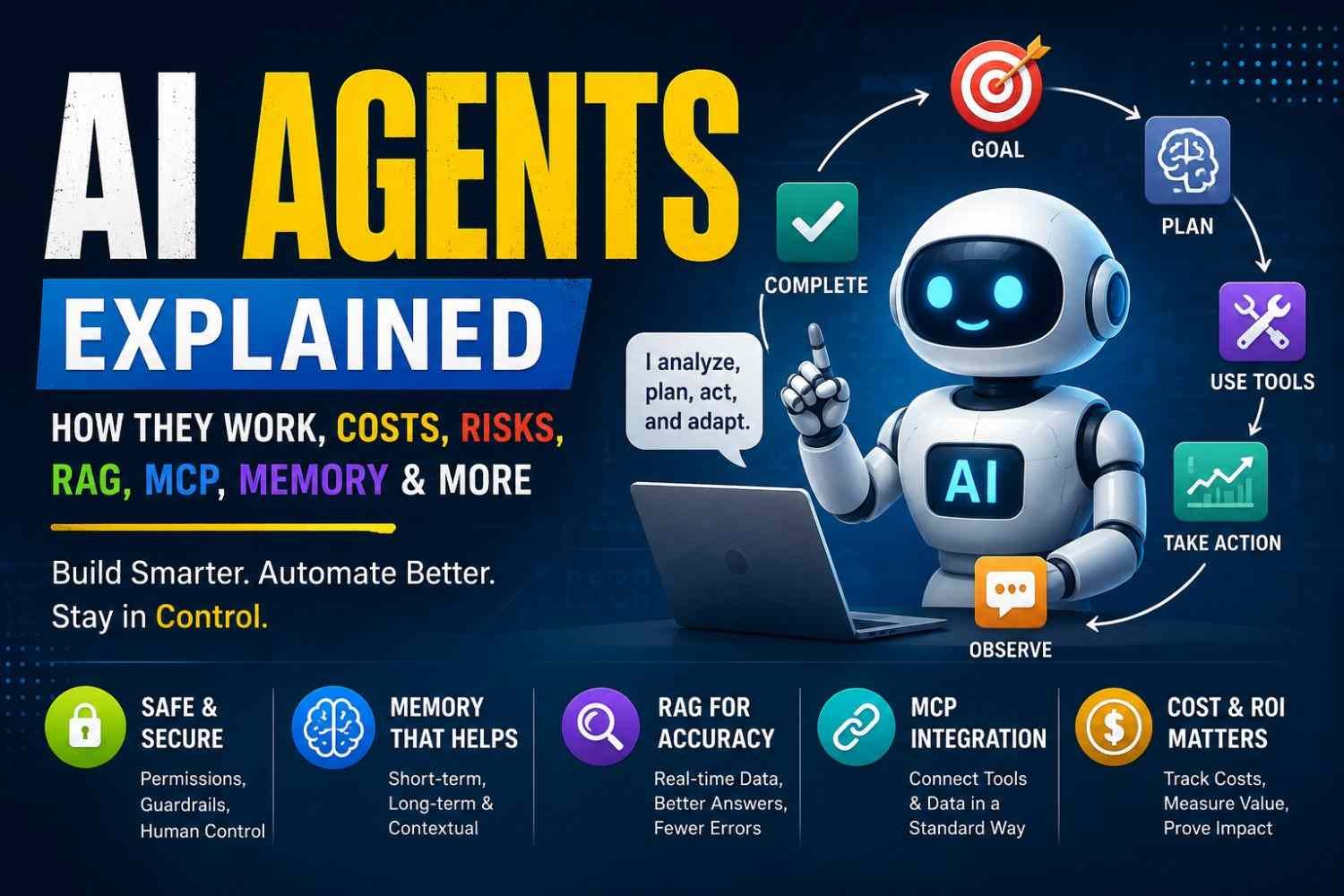
An AI agent is software that get a goal, understand what need doing, choose steps, use tools or data, check what happened, then continue until work finish or a human need step in. Unlike normal chatbot, it not only answer. It can act.
Think this simple loop:
Goal → Context → Reasoning → Tool → Action → Result → Next step → Finish
People ask, “Does an AI agent really think?” Not same like human thinking. Most agents use model predictions, rules, memory, and tool results to choose next action.
Also, every agent not need an LLM. Some use rules, search, planning systems, or other models.
For me, autonomy means this: you give the goal, not every click.
In 2026, bigger question is not “Can AI reason?” It is “Can the full agent system finish real work without breaking halfway?”
AI Agents vs Chatbots vs Generative AI vs Agentic AI vs Automation
These words look same. They are not. I also mixed them before, mainly when every new tool calling itself “AI agent.” That make things more confusing.
| Type | What it mostly do |
|---|---|
| AI agent | Understand goal, choose steps, use tools, take action |
| Agentic AI | Bigger idea of AI working with some independence |
| Generative AI | Creates text, image, code, audio |
| AI assistant | Helps you, usually waits for your request |
| Chatbot | Talks and answers inside conversation |
| Traditional automation | Runs fixed rules |
| RPA | Clicks, copies, enters data in software |
| Deterministic workflow | Same input path mostly gives same planned process |
So, AI agents vs agentic AI? Agent is the working system. Agentic AI is the wider approach behind systems which plan, decide, and act.
AI agents vs generative AI is also simple. Generative AI may write an email. An agent may decide email is needed, find customer data, draft it, ask approval, then send it.
Chatbot mostly talks. Agent can do.
But this is where people make mistake. Adding an LLM into old workflow does not suddenly make it agentic. If every next step already fixed, it still mostly automation.
I use simple LLM call when one answer is enough. Deterministic automation when path already known. RPA works good for old software where API not available.
Practical rule: Use deterministic automation when path is known; use an AI agent when system must understand context, choose actions, or change direction while doing work.
How AI Agents Actually Work
AI agents not just sitting and giving answer. They try doing work. This difference I found important.
Give one agent a goal like, “Find my unpaid invoices and email reminder.” Now work starts.
- Receive goal — Agent first reads what you actually want.
- Gather context — It checks system instructions, your message, memory, files, RAG results, or other allowed data.
- Know current state — What already done? What still missing? This state part looks small, but many workflows become messy here.
- Plan next action — The LLM or reasoning model decides, “First I need invoice data.”
- Choose tool — Maybe database query, API, web search, email function, or software control.
- Do the action — Tool runs outside the model. OpenAI describes tool calling as a multi-step flow between the model and application, not magic happening inside the model.
- See what happened — Agent reads tool result and validates it.
- Continue, ask human, or stop — If goal unfinished, loop goes again. If risky action comes, human approval or guardrail can block it.
This loop is where planning, memory, state, context engineering, APIs, RAG, function calling, evaluation and observability all meet.
One doubt comes often: Can AI agents browse web, query database, send email, click software?
Yes—but only when we give those tools.
I learned to think this simple way: model is brain-like decision part; tools are hands. No email tool, it cannot really send mail. No database permission, database stays closed. OpenAI’s current agent tools can extend models with function calling and other built-in tools, while controlled computer-use systems can interact with graphical interfaces.
Can they run continuously? Yes, system can keep workflows running. Can they remember? Only when memory/state is designed. Can they work without humans? For some bounded work, yes. Risky actions better need approval. Coding also not always required because visual builders exist, though custom production systems normally need engineering work.
4. The Production AI Agent Architecture
A real production AI agent architecture is not only one LLM sitting behind a chat box. That idea sounds nice in demo. In real work, it breaks fast.
I usually see it like this:
User/Application → Agent Orchestrator → Model → Tools → Data → State/Memory → Guardrails → Observability → Human Approval
Each layer has one job. If one layer become weak, whole agent may act strange.
Reasoning and orchestration
The orchestrator is like traffic controller. It decide what should happen next.
The system prompt or policy tells limits. Planner breaks one big task into smaller work. Supervisor watches many workers. Worker does actual job. Routing logic decide which model, tool, or worker should handle request.
This sounds simple. It is not always.
One wrong route and your agent may call payment API when it only needed customer record.
Tool and data layer
Agents become useful when they can touch real systems.
Common tools are:
- REST APIs
- databases
- SaaS apps
- search systems
- internal company services
- code execution tools
But giving tools is also where trouble start. Tool input must be checked. Output too. Never assume API success just because model thinks it worked.
State and memory
This part people often miss.
Workflow state tells where task currently reached. Session context holds current conversation. Checkpoints save progress. Execution history tells what already happened.
Memory is different.
Short-term memory helps current task. Long-term memory may keep useful past details. Semantic memory stores facts or meaning. Episodic memory can keep past events. Vector stores help similarity search. Normal databases may hold exact records.
One rule I learned: do not keep important state only inside LLM context window.
Context can get cut, changed, summarized, or lost. Then agent may forget step 4 and repeat step 2.
Reliability and safety
Production system need boring things. Boring things save you.
Use timeouts, retry limits, idempotency, circuit breakers, checkpoints, and recovery queues.
Then protect action side.
Give least privilege. Sandbox risky code. Check authorization before action. Put approval boundary before money movement, deletion, publishing, or sensitive change. Keep kill switch.
And watch everything.
Logs, traces, tool calls, errors, cost, retries, human approvals.
A smart model can still fail. Good architecture is what stops one bad decision becoming a real business problem.
Memory, RAG, Context Engineering, and MCP
Big prompt is not always better. I learned this hard way. You keep adding text, old chat, files, rules, and soon agent gets more confused, not more smart.
AI agent memory need some control. Short-term memory is what agent need right now. Current question, last action, tool result. Long-term memory is useful later, maybe user choice or old task result.
There is also episodic memory, like “what happened before,” and semantic memory, more like stored facts. Vector storage help when we want similar meaning search. Normal database is better when exact value matter, like order ID, payment status, date, permission.
One problem people miss: bad memory stay bad. If wrong detail enters memory, future decisions may keep using it. So memory should expire when not useful. Important facts need verify again.
RAG is not the same as an AI agent
RAG finds useful information and gives it to model. An agent can decide when to search, what source to use, and what action comes after.
Traditional RAG may do:
Question → Search → Answer
Agentic RAG can do:
Question → Decide → Search → Check → Search again → Compare → Answer
Still, retrieval can fail. Poor chunking cuts meaning. Wrong document comes first. Old page may win. Reranking helps put better result higher. Citation grounding helps reader see where answer came from. But citation itself does not make bad source correct.
This is where context engineering becomes important. Give only useful state: tool schema, rules, user detail needed for task, previous action, current limit. Not whole history just because we have it.
Then comes MCP, Model Context Protocol. Think of it like common connection path between AI apps and outside tools or resources. MCP client asks. MCP server exposes allowed tools and data.
MCP and function calling are related, but not same. Function calling tells model how to call a function. MCP gives a standard way to discover and connect tools.
One warning. Connecting MCP server should never mean “agent can do everything.” Authentication, permission, tool scope, approval, all still matter. Give only access the task really need.
How to Build an AI Agent Step by Step
Building an AI agent looks easy when somebody shows a clean demo. Real work is little different. I learned that first thing is not model. It is the job.
Start with one small goal. Maybe, “check new support tickets and suggest reply.” Not “handle whole customer support.” Big goals make agent confused fast.
Then write what comes inside and what must come outside. Input may be user message, database row, email, API event, or scheduled time. Output may be answer, JSON, ticket update, alert, or action.
Before coding, ask one rude question: Do I really need an agent here? If simple rules can finish the work, use rules. Agent is useful when steps may change based on context.
Python is common choice because API work, data handling, and AI libraries are easy there. Connect your LLM API first. After that, tools.
A tool can be:
- REST API call
- database query
- web search
- email action
- file lookup
- internal company service
Do not give raw power too early. I prefer small tool functions like get_order_status() instead of one huge tool that can touch whole database.
OpenAI’s current Agents SDK supports tools, structured outputs, guardrails and tracing. Tool guardrails can check calls before and after tool use.
State is another place where projects break. If server restarts and your agent forgets everything, that is not production-ready. Save task state in database. LangGraph, for example, supports persistence and checkpoints, including production options such as Postgres-backed storage.
Memory should come only when useful. RAG too. If agent needs company policy, product manuals, or fresh trusted documents, retrieve those instead of hoping model remembers.
Then protect every action. Validate input before tool runs. Validate result after it comes back. Add timeout. Add retry limit. Add maximum steps. Put token and money budget also. One broken API should not make your agent spin whole night.
For payments, deleting data, publishing content, changing access, or other risky jobs, stop and ask human. Pause-and-resume is important here. LangGraph interrupts can save state, wait for approval, then continue later.
Now trace everything. Model call, tool call, error, handoff, time, cost. OpenAI’s tracing records model generations, tool calls, handoffs, guardrails and other run events, which helps when a strange failure happens.
Finally, do not launch to everyone first day. Make test cases from normal users, bad input, missing data, API errors, prompt attacks, and weird edge cases. Deploy small. Watch failures. Fix. Then grow.
Scheduled agents can run by clock. Event-driven agents can start when a ticket, webhook, order, or message arrives. Cloud deployment makes them always available, but durable state and recovery matters more than where server lives.
That part people forget. The agent is not finished when it answers once. It is finished when it can fail, recover, continue, and still do the right work.
Single-Agent vs Multi-Agent Systems
More agents can look more smart. But I don’t see it that way.
A single-agent system is often enough when your job is clear. Maybe the agent reads one support ticket, checks customer data, calls two tools, then gives an answer. One brain, few tools, one job. Easier to see what went wrong too.
I would start here first.
A multi-agent system is more like a small team. One supervisor agent may break the work. Worker agents can research, code, check data, or review another agent’s result. Sometimes agents also talk peer-to-peer, without one boss in middle.
This helps when work can split naturally. Google’s 2026 research found multi-agent setups can gain strongly on tasks that are easy to parallel, but more coordination does not always mean better result.
| Single agent | Multi-agent system |
|---|---|
| Lower cost | More model calls |
| Usually faster | Communication adds latency |
| Easy debugging | Failures can travel between agents |
| Simple state | State must stay synced |
| Good for bounded jobs | Better for separate specialist jobs |
Here is where trouble starts. Agent A may say task finished. Agent B still thinks data is old. Supervisor sends it again. Now we paid three times and still wondering what happened.
This is not rare engineering problem. Research on multi-agent orchestration points to decision latency, efficiency, cost, communication, and governance as things teams must monitor. Another 2026 study notes communication links can increase token cost, latency, redundancy, and even error spread as more agents join.
So don’t build five agents because diagram looks impressive.
First I would test one well-orchestrated agent plus normal code. Give deterministic steps to software. Give uncertain decisions to the agent.
Only add another agent when you can clearly answer: What separate job does this new worker do better?
If you cannot answer that, one agent probably enough.
8. Real AI Agent Use Cases
AI agents become useful when they doing real work, not just talking nice in a chat box.
I seen this difference many time. A demo looks smart. But real office work is messy. Missing data, wrong email, broken API, customer angry, software error. Here agent value start showing, if we give right tools and clear limits.
In customer support, an agent can read customer account, check order, answer simple issue, do approved action, and send hard case to human. It should not guess when account data is unclear.
Sales teams use agents for prospecting, lead qualification, CRM enrichment, market research, competitor checking, and marketing work. One agent may find company details, check if lead fits rules, update CRM, then prepare outreach draft. Human still see before sending important message.
A research agent can work like this:
Search → verify source → extract facts → compare → summarize → cite.
This save lot of boring work. But source checking is very important. One bad page can spoil whole answer.
In software teams, coding agents can inspect issue, read repository, change code, run test, then create reviewable patch. For bug fixing and automated testing this can help much. Still, I would never allow it directly push risky code into production without review.
For IT help desk, DevOps and incident response, agent can diagnose alert, read runbook, check logs, perform approved fix, then escalate if system still broken.
Finance use is also strong. An agent can extract invoice, validate fields, find unusual amount, and route approval. Recruitment, onboarding, document processing, ecommerce, shopping help, supply chain, cyber security, data analysis, and workflow automation follow same idea: reduce repeated work, but keep control.
Tasks That Should Not Be Fully Autonomous
Some work need human hand.
Financial transfer, legal decision, deleting data, publishing public content, changing passwords, giving credentials, safety-critical action, or anything hard to reverse should need human approval.
Agent can prepare. Agent can suggest. Agent can even do small safe steps.
But final risky button? Better human press it.
Why AI Agents Fail in Production
A demo can look beautiful. Ten test tasks work, agent calling right tool, answers coming nice. Then real users enter. Network slows. API gives strange error. Permission expires. Someone types a request nobody tested. Now the same AI agent that looked smart starts behaving very stupid.
This is the part I think people should watch more carefully.
Sometimes the agent simply does not know when to stop
One common production problem is the agent loop. It reasons, calls a tool, sees result, reasons again… then calls same tool again. And again.
You get:
- repeated reasoning;
- endless API retries;
- same search happening many times;
- growing token usage;
- cost going up while useful work stays almost zero.
This is not only theory. A July 2026 study tested a long-running agent across 54 cycles. The agent believed it made progress every cycle, yet 56% of those cycles produced zero or negative measured improvement. Researchers call this kind of false progress a “progress mirage.”
So don’t trust the agent asking itself, “Am I making progress?”
Give hard rules: maximum steps, timeout, spending budget, duplicate-call check, and circuit breaker.
Then comes the forgotten-state problem
Imagine your research agent finished 8 of 10 steps. Server restarts.
It wakes up like nothing happened.
If workflow state lived only inside memory or conversation context, completed work may be lost. Production systems need persistent state and checkpoints, so a failed job can continue near where it stopped instead of starting from zero. Durable execution is increasingly treated as a basic production requirement.
One retry can become two payments
This one scares me more.
Agent sends an API request. Response times out. It thinks payment failed and retries.
But first payment actually happened.
Now two payments.
Same thing can happen with emails, database changes, orders, tickets, or account actions. Use idempotency keys and permanent execution records. Before repeating an action, system must check what really happened.
Never let the model decide what reality is
An agent may say, “Done,” while the API says failed.
Researchers now describe operational hallucination—the agent’s internal view of execution becomes different from real system state, sometimes causing repeated tool calls and livelocks.
The fix is simple in idea, harder in engineering: external system state must be truth.
Validate tool input. Validate output. Return clear states like SUCCESS, FAILED, RETRY, or NEEDS_APPROVAL.
And permissions? Give only what the task needs.
More agents also doesn’t mean better system. Sometimes five agents create five places for things to break. Simplify first.
That is why production is different from demo. Real world brings API outages, malformed input, expired authorization, concurrency, hostile instructions, unclear requests, retries and surprise bills. Even 2026 research evaluating 14 agentic models found capability improvements produced only small reliability improvements.
A smart agent is not automatically a reliable agent. Production proves that very quickly.
AI Agent Observability: How to Know What the Agent Did
An AI agent can fail in a strange way. User see wrong answer, but problem may started five steps before. Maybe model picked bad tool. Tool returned empty data. Agent believed it anyway. Then one retry came, another retry, more tokens gone. Without AI agent observability, you only see final mess.
I learned to look at agent runs more like distributed system, not normal chat.
Your logs should tell full story: user request, model input and response, plan step, state change, selected tool, tool input, tool result, validation, retry, error, human approval, tokens used, cost, latency, and final outcome. OpenAI’s agent tooling includes tracing for viewing agent execution, while LangSmith and Arize Phoenix also focus on full execution traces across model and tool activity.
A trace is useful because one request may become many small actions. You can open failed run and ask, where it first went bad?
Watch numbers too:
| Metric | What it tells you |
|---|---|
| Task success rate | Did user job really finish? |
| Tool-call success | Are tools working correctly? |
| Retry rate | Is agent struggling often? |
| Escalation rate | How often human help needed? |
| Error rate | How often bad outcomes happen? |
| P95 latency | How slow are the slower requests? |
| Tokens per task | How much model usage happening? |
| Cost per successful task | Are you paying for useful result? |
I especially like cost per successful task. Cheap failed runs are not really cheap.
Also add loop detection. If same tool, same input, same failure coming again, stop it early. Store traces so failed runs can be replayed and compared after your fix. OpenTelemetry is also developing common GenAI observability conventions, useful when one agent touches several systems.
That is observability in simple form: not only knowing agent failed, but knowing where, why, how much it cost, and what to fix next.
How to Evaluate AI Agents Before Production
A good answer on screen does not mean your AI agent is ready.
I learned this is where people get fooled. You give agent ten clean tasks. It finish nine. Team feels happy. Then real user sends half information, API goes down, permission missing, and whole flow becomes strange.
So test the behavior, not only final answer.
Start with an agent evaluation dataset. Put real tasks inside it. Easy ones, messy ones, even ugly ones. For each task, write expected outcome and important limits.
Check things like:
- Did agent choose right tool?
- Did it send correct tool parameters?
- Was planning sensible?
- Did it finish full task?
- Did it follow user and system limits?
- Was action safe?
- How much time it took?
- What did each successful task cost?
- Could it recover when something broke?
OpenAI’s agent evaluation guidance recommends looking at traces, because a trace records model calls, tool calls, guardrails and handoffs across the run.
This is trajectory evaluation.
Maybe final answer looks correct. But inside, agent called wrong API three times, ignored one warning, recovered by luck, then gave good text. I would call that risky, not success.
Recent 2026 AgentLens research also evaluates the whole path—how agents follow instructions, use tools, verify work and recover from mistakes—not only whether task passed at end.
Now make testing uncomfortable.
Give ambiguous prompts. Remove data. Return bad API responses. Deny permission. Break network. Run long jobs. Try prompt injection. Add conflicting instructions. Send unexpected tool output.
Anthropic also argues that good evals help teams see failures before users meet them in production.
One rule I keep here:
Capability ≠ reliability ≠ production readiness.
Agent can do a task once. Nice.
Production means it can do right thing again, under bad conditions too.
12. AI Agent Security: Problem Is Not What Agent Says, It Is What Agent Can Do
An AI agent security problem can look small first. One strange prompt. One bad webpage. But when that agent can open files, send email, change database, run code, or call business tools, small mistake become real action.
This is where I get more careful.
A normal chatbot giving wrong answer is bad. An agent giving wrong answer and having permission to execute it is much worse.
NIST warned in January 2025 about agent hijacking, where harmful instructions are hidden inside data an agent reads. This is called indirect prompt injection. The attacker may not even talk with your agent directly. Bad instruction can sit inside a webpage, email, document, or tool result. Agent reads it and may treat that text like an order.
Direct prompt injection is easier to see. User simply tries telling the system to ignore its rules. OWASP lists prompt injection as a major LLM security risk and recommends privilege controls and least privilege.
Then another issue come: permissions.
I would never give one agent a big master credential just because setup becomes easy. Give only what task need. Read-only database access if writing is not needed. One scoped account for one job. Keep secrets outside prompt and memory.
For risky actions, use simple barriers:
- Allow only approved tools.
- Check inputs before action.
- Check outputs after tool returns.
- Sandbox code execution.
- Restrict network access.
- Keep audit logs.
- Ask human approval before payment, deletion, publishing, or database changes.
- Keep a kill switch.
OWASP’s AI Agent Security guidance also recommends least privilege, validating external inputs, structured outputs, human review for high-risk actions, and monitoring agent behavior.
MCP adds another door. MCP can connect agents with files, databases, search systems, and other tools, so a bad or poisoned MCP tool can become security trouble too. OWASP now separately tracks MCP risks such as prompt manipulation, insecure memory, context spoofing, and tool poisoning.
One rule I keep very clear:
Reasoning permission is not execution permission.
Your agent can say, “This customer account should be deleted.”
Fine.
That does not mean it should own the button.
Let the agent recommend. Let policy check it. Let authorization decide. And for dangerous work, let a human make final action.
Governance, Human Oversight, and Continuous Assurance
Giving an AI agent more freedom looks nice at first. Then one wrong action happen, and everybody ask the same thing: who was responsible? The model? Developer? Company? No. In real work, ownership must be clear before agent starts doing anything.
I would keep one simple agent inventory. Who owns it, what job it can do, which tools it can touch, risk level, model version, prompt version, permissions, and last review date. NIST’s AI Risk Management Framework also puts governance across the full AI lifecycle, not only at launch.
Some actions should never quietly pass. Sending money, deleting records, changing access, publishing content, touching sensitive customer data — put human approval there. OWASP guidance also recommends human review for privileged or multi-system agent actions.
Permissions need checking again and again. Not once.
Why? Because your agent today is not exactly your agent six months later. Model changes. Prompt changes. API changes. Tools get replaced. Retrieval data grows. Somebody gives one extra permission. A 2026 continuous-assurance study points to this exact problem: agents can silently become less reliable even when nobody directly edits the workflow.
And there is safety drift. Over many steps, the agent can slowly move away from its first safety limits. Researchers observed this across multi-turn tool-using agents.
So keep audit history, approval logs, incident records, version tracking, and a human escape route.
Autonomy is useful. Unwatched autonomy is another thing.
on.
AI Agent Costs, Latency, and ROI
AI agent cost look small in first demo. Maybe few model calls, little data, one user. Then real users come. Bill also come.
I seen this mistake many teams make in software. They watch price of one model request. But agent may think five times, call three tools, search documents, retry failed API, then another agent talk with it. One simple job became many paid steps.
Main cost usually comes from model calls, long context, reasoning loops, retrieval, tool calls, retries and failed runs. Multi-agent systems can add more because agents keep passing context between them. Recent production guidance also points to repeated calls, large context and retries as major agent cost drivers.
Latency have same problem. One call maybe fast. Ten dependent calls are not.
So I prefer simple rule: cheap work should go to cheap model. Hard work only move to stronger model. Cache repeated context. Put maximum steps. Set token budget and tool-call budget. Compress old context. Run independent tasks parallel where safe. And if normal code can do calculation or validation, let code do it. No need model thinking for everything.
Now ROI.
Do not show management, “Our agent ran 48,000 times.” That number tell almost nothing.
Watch these instead:
| Measure | Why it matter |
|---|---|
| Cost per successful task | Shows real efficiency |
| Time saved | Shows human value |
| Escalation rate | Shows where agent still fail |
| Accuracy | Shows usable quality |
| Revenue/conversion | Shows business gain |
| SLA improvement | Shows service impact |
PwC reported in 2025 that among organizations adopting AI agents, 66% said productivity increased and 57% reported cost savings. But research also warns that high accuracy alone can hide very high operating cost.
My simple ROI check is:
ROI = value created + cost avoided − build cost − running cost.
If this number not improve, your clever agent maybe still only clever demo.
What Real AI Agent Experience Should Be Published for EEAT
Saying “I tested this AI agent” is not much proof. You need show what really happened.
When I test one, I like keeping small records. Architecture diagram first. Then actual workflow, what tool it called, what prompt went inside, and where task went wrong. Sanitized prompts are fine. Never expose private keys or customer data.
Readers want this stuff:
- task success rate
- failure rate
- human escalation rate
- tool failure rate
- P95 latency
- cost per successful task
- test dataset details
- execution traces and screenshots
One failed run can teach more than ten perfect demos.
Maybe agent picked wrong tool. Maybe API stopped. Maybe memory carried bad info into next step. Write that. Explain root cause. Then tell how you fixed it—retry rule, better tool definition, approval step, smaller permission, new evaluation case. After that, show before and after result.
Also mention model version, framework version, testing date, and known limits. This field changes fast. Old proof can become weak proof.
I use one simple rule while writing EEAT evidence:
Vendor claim → what I observed myself → what my test finally showed.
That gap is where real experience lives. Your reader can see you actually built, broke, checked, and repaired the system—not just read its product page.
16. Real Failure-and-Recovery Mini Case Studies
AI agents look smart when demo is clean. Production is different. I seen same small mistake becoming very costly problem.
Case 1: Agent Stuck in Tool Loop
One agent call API. API answer not clear. Agent call again. Again. Then again.
This happen when no clear stop rule exists. Anthropic also notes long-running agents still face problems keeping steady progress across many context windows.
What helped: Set maximum steps, timeout, and detect same tool call repeating. I also track API calls per successful task. If that number suddenly jump, something wrong.
Case 2: One Retry, Two Transactions
This one is scary. Agent send request, response gets lost, then agent retry. First request already worked. Now same action happen twice.
LangGraph documentation recommends idempotency keys, upserts, or read-before-write checks when execution may repeat.
So before retry, check transaction status. Never blindly write again.
Case 3: Server Died, Work Gone
Your agent worked 30 minutes. Server restart. Everything disappear.
I would not keep important workflow state only inside memory. Persistent checkpoints let a run resume after interruption; LangGraph saves state during execution for this reason.
Case 4: API Failed, Agent Said “Done”
Bad tool response sometimes look like success to model.
Return strict states instead:
SUCCESS | FAILED | RETRYABLE | NEEDS_APPROVAL
Simple. Less guessing.
Case 5: Agent Had Too Much Access
Giving one agent wide account access feel easy at first. Later, dangerous.
Use separate identity, minimum permission, approval gate, and audit log. Microsoft recommends starting agents with only essential permissions under least-privilege access.
That is boring work. But boring controls save real systems.
Production-Ready AI Agent Checklist
Before you call your AI agent “ready,” test it like something will go wrong. Because, many times, it will.
First, know the job. One clear business goal. If normal automation can do it, I would not use an agent just because it sounds modern. Define what success means, and also what failure looks like.
Then check the risky parts.
- [ ] Give only needed tools and permissions.
- [ ] Keep reasoning separate from action power.
- [ ] Save workflow state outside the model.
- [ ] Add checkpoints, so failed work can restart.
- [ ] Stop duplicate emails, payments, or API actions with idempotency.
- [ ] Validate tool input and output.
- [ ] Set retry limits, timeouts, and maximum steps.
- [ ] Put token and money limits.
- [ ] Ask human approval before risky actions.
- [ ] Trace actions and log state changes.
- [ ] Measure task success and cost per successful task.
- [ ] Test bad inputs, API failure, permission errors, and server restart.
- [ ] Keep escalation path, audit trail, and kill switch.
One thing I learned from production systems: a smart demo means little when recovery is weak. Your agent should fail safely, show what happened, and let humans take control. Keep testing after launch. Also write down its limits. Users need to know where it works, and where it may not.
Also, learn how to make money with AI Agents?
FAQ: High-Intent AI Agent Questions
Are AI agents safe?
Yes, but only when you control what they can touch. Small permission is better. I never like giving one agent full access to files, money, email, or code. One wrong step can become big problem.
Can AI agents run without humans?
They can. For small and low-risk work, this is useful. But for payment, deleting data, sending public message, or changing important system, I prefer human approval. You should too.
Do AI agents need RAG?
No. Not every AI agent needs RAG. Use it when your agent must read fresh documents, private company data, support files, manuals, or changing information. Otherwise, extra RAG setup may only add more mess.
Do AI agents need memory?
Sometimes yes, sometimes no. Memory helps when your agent must remember a user, past task, or unfinished work. But bad memory is dangerous too. Wrong saved fact can affect many future answers.
Why do AI agents get stuck in loops?
I have seen this happen when agent keeps trying same tool again and again. Usually no clear stop rule exists. Add retry limit, timeout, step limit, and check what already happened.
Are multi-agent systems better?
Not always. More agents means more talking between systems, more cost, more delay, and harder debugging. Start with one agent first. Add more only when separate roles really give better result.
How much does an AI agent cost?
There is no one price. Your AI agent cost depends on model choice, token use, tool calls, RAG, task length, retries, hosting, and how many users are running it.
What is MCP for AI agents?
MCP, or Model Context Protocol, helps AI applications connect with tools and outside data in a more standard way. Useful, yes. But you still need strong access rules, because connection is not same as trust.
