
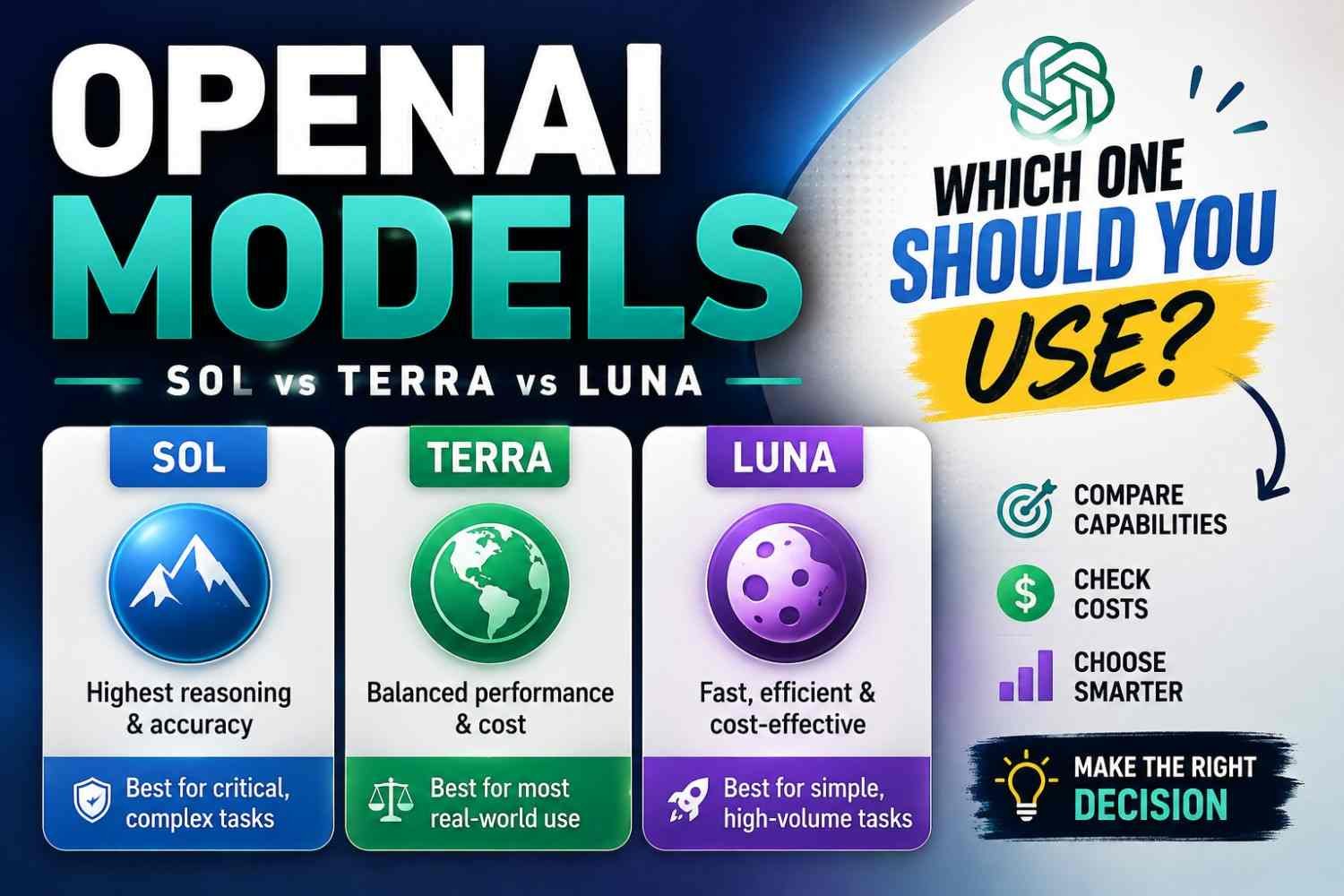
Which OpenAI model should you use now? This question became harder in 2026, not easier. OpenAI now gives three main GPT-5.6 choices: Sol, Terra, and Luna. Sol is the flagship model for hard coding and reasoning. Terra sits in middle, where quality and cost both matter. Luna is made for cheaper, high-volume work.
I would not pick biggest model just because name looks powerful. Your task matters more. A simple job may waste money on Sol. Hard professional work may suffer on cheaper model.
This guide helps you compare the latest OpenAI models 2026 and choose the right GPT model in under five minutes.
OpenAI Models at a Glance: The 30-Second Answer
If you only want quick answer, current OpenAI models choice is not very confusing once workload is clear. GPT-5.6 comes mainly in three levels: Sol, Terra, and Luna. Sol sits at top for hard professional work. Terra tries keep strong quality without Sol-level cost. Luna goes other direction, cheap and useful when thousands or millions simple jobs need running. OpenAI itself describes these three in nearly this way.
| Model | Best For | Intelligence | Relative Cost | Context | Choose It When |
|---|---|---|---|---|---|
| GPT-5.6 Sol | Hard coding, reasoning, professional work | Highest | $$$ | 1.05M | Quality matters most |
| GPT-5.6 Terra | General production workloads | High | $$ | 1.05M | Quality and cost both matter |
| GPT-5.6 Luna | High-volume, limited-scope jobs | Efficient | $ | 1.05M | Scale and low cost matter |
Interesting part, all three have same 1.05 million-token context window and up to 128,000 output tokens. So bigger model does not simply mean bigger memory space here.
For difficult coding or reasoning, I would look at Sol first. For bulk extraction, classification, routing, or other repeated work, Luna can make more sense. Terra sits in middle, and for many production apps I would test Terra first, then move up or down after seeing real results. That last part is practical advice, not an OpenAI rule.
- Strongest overall: Sol
- Best balance: Terra
- Cheapest GPT-5.6: Luna
- Mass routine work: Luna
- Hard reasoning/coding: Sol
What Are OpenAI Models?
OpenAI models are AI systems built to take some input, understand patterns, then give an output. That input may be your text, an image, code, or other data. The answer may be text, a summary, code, or an action through tools.
I used to see people mix OpenAI vs ChatGPT like both are same thing. They are not. ChatGPT is the app you use. The model works behind that app. Developers can also reach OpenAI models through an API, without using the normal ChatGPT screen.
Modern GPT models are LLMs, or large language models. Many are also multimodal, so they can work with text and images, not only words. Some can call tools too. OpenAI’s current model docs describe general models with text and image input, text output, multilingual ability, and vision support.
ChatGPT vs GPT vs OpenAI API
| Term | Simple meaning |
|---|---|
| OpenAI | Company and AI platform |
| GPT | Model family |
| ChatGPT | App people use |
| API | Developer way to connect models |
The important part is choice. One model may be smarter. Another may answer faster. Another may cost less. So the best OpenAI model depends on what you are actually trying to do.
The Current GPT-5.6 Family Explained
GPT-5.6 is not one model sitting alone. OpenAI made it as a family with Sol, Terra, and Luna. Same generation, but each one solving different money, speed, and work problem. This matters. Many people ask what is GPT-5.6? and then simply pick biggest model. I would not do that. Bigger power can become wasted cost when your job is small.
GPT-5.6 Sol
GPT-5.6 Sol is the flagship model. OpenAI itself says start with Sol for complex reasoning and coding. Model ID is gpt-5.6-sol, while the shorter gpt-5.6 alias also routes API requests to Sol.
Think about a developer opening one ugly codebase with bugs moving between many files. Or an agent must read documents, use tools, make a plan, then check its own work. Here Sol starts making sense.
It supports reasoning effort at none, low, medium, high, xhigh, and max. Medium is default in the API docs. You should not throw max at every request though. Simple work does not become smart just because more thinking was purchased.
I see Sol more like the senior worker you call when wrong answer becomes expensive.
GPT-5.6 Terra
Then comes GPT-5.6 Terra, model ID gpt-5.6-terra.
Terra sits in that uncomfortable but useful middle place. You still need good intelligence, but your API bill also looking at you. OpenAI describes Terra as balancing intelligence and cost, and says it roughly matches the role that “mini” models had in earlier GPT-5 families.
For production apps, customer workflows, normal coding jobs, or moderate-complexity agents, I would test Terra before automatically paying for Sol.
That is really the GPT-5.6 Sol vs Terra question: Does Sol’s extra ability change your real result enough to pay extra?
GPT-5.6 Luna
GPT-5.6 Luna goes other direction. Cheap, fast, lots of work.
Its model ID is gpt-5.6-luna. OpenAI built Luna for cost-sensitive, high-volume workloads, roughly taking the old nano-tier role.
Useful jobs can be:
- classify thousands of support messages
- pull names or values from text
- make short summaries
- change one text format into another
- run small, bounded worker-agent tasks
Luna currently costs $0.20 input and $1.20 output per 1 million tokens, so scale becomes interesting here.
My simple rule: hard uncertain work → Sol; strong everyday production work → Terra; clear repetitive volume work → Luna. Then test with your own prompts, because a model chart never sees the messy data your real users will send.
GPT-5.6 Sol vs Terra vs Luna: Which Should You Choose?
Choosing between GPT-5.6 Sol, Terra, and Luna is not really about finding one “best” model. I see it more like choosing a vehicle. You don’t take a heavy truck to buy one coffee. And you probably don’t take a small scooter to move a house.
OpenAI itself puts Sol for complex professional work and difficult reasoning, Terra for balance between intelligence and cost, and Luna for cost-sensitive, high-volume jobs.
Here is a simple way I would decide.
| Your workload | Better starting choice |
|---|---|
| Hard coding, deep planning, complex research | Sol |
| Production app with many serious requests | Terra |
| Classification, extraction, short summaries | Luna |
| Multi-tool agent where mistakes cost money | Sol |
| Large volume support routing | Luna |
| Good quality needed but Sol bill becomes heavy | Terra |
Choose Sol when wrong reasoning can hurt your business, customer, code, or decision. It costs $5 per million input tokens and $30 per million output tokens, so I would not throw every easy task at it.
Choose Terra when Sol works well, but your API bill starts making you uncomfortable. Terra is $2 input and $12 output per million tokens. It still keeps the same 1.05 million token context window, so it can handle very large work too.
Choose Luna when work is small, clear, repeated thousands of times. It costs only $0.20 input and $1.20 output per million tokens. That changes things for batch jobs.
I use a small test called QCL:
- Q — Quality failure cost: What happens if answer is wrong?
- C — Complexity: How much thinking, planning, tools, or code is involved?
- L — Load: How many requests will you send?
High Q + C → Sol.
Medium Q + C → Terra.
Huge L, but simple work → Luna.
So, if you ask “which GPT-5.6 model should I use?”, don’t start with model fame. Start with what failure costs you. Then check complexity. Then volume. That usually gives a much cleaner answer.
OpenAI Model Pricing: What Each Model Actually Costs
Prices checked: August 2026
OpenAI model pricing look simple first. But when you run API every day, price can become little tricky. Input is one cost. Output is another. Cached input can save money. Tools may also add their own fees. So looking only at “input price” can give wrong idea.
| Model | Input / 1M tokens | Cached Input | Output / 1M tokens |
|---|---|---|---|
| GPT-5.6 Sol | $5.00 | $0.50 | $30.00 |
| GPT-5.6 Terra | $2.00 | $0.20 | $12.00 |
| GPT-5.6 Luna | $0.20 | $0.02 | $1.20 |
These are OpenAI’s current API text-token prices. Sol is highest cost. Terra sits middle. Luna is clearly the cheapest OpenAI model inside this GPT-5.6 family.
One important thing happened on July 30, 2026. OpenAI cut GPT-5.6 Terra pricing by 20% and Luna by 80%. Terra moved from $2.50 input/$15 output to $2/$12. Luna dropped much harder, from $1/$6 to $0.20/$1.20. Sol price stayed same.
So if you see older GPT-5.6 pricing article showing $2.50 for Terra or $1 input for Luna, check its update date. It may be using launch price.
Your real calculation is closer to:
Request cost = input-token cost + output-token cost + tool costs, when used
This matter more than people think.
Imagine 100,000 small classification requests. Luna may save lot because outputs stay tiny. But take one large analysis job where model reads a long document and writes thousands of tokens. Output cost can become bigger part of bill.
Same for agents. An agent may call tools, think, retry, then produce long answer. Cheap input does not automatically mean cheap job.
For me, better question is not “Which model cost less per token?”
Ask: “Which model gives acceptable result at lowest total cost?”
That small change in thinking can save real money when API usage grows.
Best OpenAI Model by Use Case
There is no one OpenAI model that fits every job. I think this is where many people waste money. They see GPT-5.6 Sol as strongest, then use it for almost everything. Small question, simple data sorting, ticket tagging, all going through the biggest model. It works, yes. But your bill may also work very hard.
OpenAI itself gives a simpler direction. Start with GPT-5.6 Sol for complex reasoning and coding, use Terra when you want good intelligence with lower cost, and choose Luna for cheap, high-volume work.
| Use case | Start with | Move up or down when |
|---|---|---|
| Everyday questions | Luna | Try Terra if answers miss detail |
| Writing | Terra | Sol for difficult technical or deep editing; Luna for simple copy |
| Brainstorming | Terra | Luna for fast idea lists; Sol for complex strategy |
| Difficult reasoning | Sol | Test Terra if similar quality comes cheaper |
| Coding | Sol | Terra may fit normal coding tasks |
| Code review | Terra | Sol for security, architecture, hard bugs |
| Large-codebase work | Sol | Terra for smaller, clearly scoped changes |
| Data extraction | Luna | Terra if messy data causes errors |
| Classification | Luna | Move to Terra only when accuracy is not enough |
| Document summarization | Luna/Terra | Sol for difficult cross-document reasoning |
| Research | Terra | Sol for deep synthesis; Luna for simple gathering |
| Customer support | Luna | Terra for complex customer cases |
| AI agents | Terra | Sol for difficult planning; Luna for bounded worker jobs |
| Multi-agent workflows | Mixed | Sol planner + Terra/Luna workers can save usage |
| High-volume API processing | Luna | Upgrade only where error cost justifies it |
| Prototyping | Luna/Terra | Sol when testing complex logic |
| Production applications | Terra | Move based on real quality and cost tests |
| Vision/image understanding | Terra | Sol for harder visual reasoning |
For best OpenAI model for coding, Sol is safest starting point when code problem is hard. But I would not keep Sol running just because project has code. A small JSON parser fix is not same as debugging a large system. OpenAI positions Terra as the middle choice between intelligence and price. Terra currently costs $2 per 1 million input tokens and $12 per 1 million output tokens.
For the best GPT for classification, Luna makes more sense first. Test it on your own old data. If 1,000 support tickets give good enough routing accuracy, why pay more? But if bad classification sends billing complaints into wrong queue, then Terra may save more money than it costs.
I also notice developers now trying mixed-model setups. One recent Codex discussion described Sol as lead, Luna for coding/research, and Terra for review. Another user used Luna to send harder planning jobs toward Sol and implementation toward Terra. These are user experiments, not controlled studies, but the idea is useful: one expensive brain does not need to do every small job.
So for your best GPT model for agents, think roles, not one winner. Sol can plan. Terra can handle middle-level work. Luna can repeat small jobs many times. Test your failure rate first, then cost. That small habit usually tells more than a benchmark chart.
Reasoning Effort: Why the Model Name Is Only Half the Decision
Picking GPT-5.6 is not end of choice. There is another small setting that can change speed, cost, and sometimes answer quality: reasoning effort.
GPT-5.6 supports six levels: none, low, medium, high, xhigh, and max. Medium is the default. OpenAI says people moving from GPT-5.5 or GPT-5.4 should first test the same reasoning level they already use, then test one level lower. GPT-5.6 can sometimes keep similar quality while using fewer tokens.
I would not simply put everything on max. It sounds safer, but often wasteful.
More reasoning may help when task got many steps, uncertain facts, hard coding, or planning. But it can also bring more latency and token use. For a simple label like “spam or not spam,” deep thinking hardly makes sense.
A practical testing rule:
| Task | Start testing |
|---|---|
| Classification, extraction | none / low |
| Normal writing or generation | low / medium |
| Multi-step work | medium / high |
| Hard coding or reasoning | high / xhigh |
| Very difficult quality-first work | xhigh / max |
This is testing heuristic, not OpenAI universal rule.
One thing I learned with model testing: don’t ask “GPT reasoning high vs medium, which is better?” Ask, “Did higher setting improve my real result enough to pay for it?” OpenAI itself recommends using high or xhigh only when measured quality improves, and keeping max for hardest quality-first jobs.
So when wondering does reasoning effort cost more, think beyond API price. Time also cost. Failed result cost too.
Test 20 real prompts at two nearby levels. Your own results usually tell more than model name alone.
Context Window, Output Limits and Long Documents
GPT-5.6 gives a 1.05 million token context window, with maximum 128,000 output tokens. That is big. Very big for documents, code files, reports, or many pages pushed into one request.
But I would not think, “I can put everything there, so model will remember everything perfectly.” Long context is capacity, not perfect memory. Important detail can still get lost between too much text. I seen this problem often when one useful fact sitting inside hundreds pages.
Also cost starts becoming real issue. OpenAI says GPT-5.6 Terra and Luna prompts above 272K input tokens get 2× input pricing and 1.5× output pricing for the full request.
So, how much text can GPT-5.6 process? Technically a lot. Your better question is: how much text actually needs to go inside?
For long files, I prefer smaller clean context. Search first, retrieve related pages, then send only useful parts. Good retrieval and context engineering usually better than dumping whole knowledge base. Bigger GPT token limit gives freedom. It should not become excuse for messy input.
What Happened to GPT-4o, GPT-4.1, o3 and Older OpenAI Models?
You may still search “is GPT-4o still available?” or “is GPT-4.1 deprecated?” because many old tutorials still use these names. I see this confusion a lot. One page says retired. Another API page still shows the model. Both can be true.
On February 13, 2026, OpenAI removed GPT-4o, GPT-4.1, GPT-4.1 mini, o4-mini, and GPT-5 Instant/Thinking from ChatGPT. But OpenAI clearly said there was no API change at that time. So, ChatGPT retirement does not always mean API retirement.
This small difference matters if your app still calls an older model.
I would look at it like this:
| Older model | What happened |
|---|---|
| GPT-4o | Retired from ChatGPT; API continued |
| GPT-4.1 | Retired from ChatGPT; API continued |
| o3 | OpenAI says GPT-5 succeeded it |
| o4-mini | Succeeded by GPT-5 mini |
| GPT-5 mini | Still documented, but OpenAI now suggests GPT-5.6 Terra for many new high-volume workloads |
OpenAI still describes o3 as a reasoning model “succeeded by GPT-5,” while o4-mini is listed as succeeded by GPT-5 mini.
GPT-5 mini itself has not simply vanished. Its API page remains available, with a 400,000-token context window, but OpenAI now recommends starting many new low-latency, high-volume jobs with newer GPT-5.6 options.
So if you compare GPT-4 vs GPT-5.6, do not ask only, “Which is newer?” Ask something more useful: Is my old model still supported where I use it, and is migration worth the cost and testing?
ChatGPT Models vs OpenAI API Models
You open ChatGPT. GPT-5.6 not showing. First thought comes, “Did OpenAI remove it?” Maybe no.
This part confuse many people.
A model can be available in the OpenAI API, but still not appear inside your ChatGPT model selector. Same thing can happen between ChatGPT web, desktop app, Codex, or mobile. OpenAI says GPT-5.6 availability depends on product and plan. Sol, Terra, and Luna are available through the API, while ChatGPT access can change by subscription level and rollout.
For example, OpenAI currently says Plus users get GPT-5.6 Sol at Medium and High reasoning, while Pro, Business, and Enterprise plans get more options. Free and Go users instead use GPT-5.6 Luna as it rolls out.
I seen this kind of problem many times with new model launches. One screen shows model. Other screen not.
Reddit users reported GPT-5.6 missing in Codex desktop while it appeared in Codex CLI or mobile. Some people in Canada and Ethiopia mentioned different access during rollout.
So if you search “why can’t I see GPT-5.6?”, check these first:
- your ChatGPT plan
- app version
- web vs desktop vs Codex
- workspace admin settings
- rollout status
- supported region
Missing picker does not always mean missing model. API models vs ChatGPT models are simply not exposed in same way.
Read-> What is Enterprise AI?
Benchmarks vs Real-World Performance: What Numbers Don’t Tell You
Benchmarks are useful. I check them too. But I never choose a model only because one score looks big.
A benchmark may test math, coding, reasoning, agent work, or instruction following. GPT-5, for example, scored 74.9% on SWE-bench Verified and 88% on Aider Polyglot in OpenAI’s August 7, 2025 developer report. Yet even inside same report, results changed a lot depending on task. On function-calling tests, GPT-5 scored 62.6% for airline, 81.1% for retail, and 96.7% for telecom. One model. Very different numbers.
That is why asking “is GPT-5.6 actually better?” need more than benchmark chart.
In real work, I would watch these things:
- response speed
- same answer quality after many runs
- failed tasks
- token use
- prompt sensitivity
- tool-call mistakes
- JSON or format breaking
- final cost per useful answer
Users also see things benchmark cannot measure cleanly. One July 2026 Reddit discussion said GPT-5.6 felt easier to read and more natural than GPT-5.5. Other users in same discussion complained about reasoning, memory, or robotic writing.
There were also users confused because GPT-5.6 appeared in Work or Codex but not regular ChatGPT, or model selection behaved different between devices.
These stories matter, but they are not proof.
My simple rule: take your own 20–50 real prompts. Run both models. Count failures, time, tokens, corrections, and money. The model with lower cost per successful task may be the real winner, even when benchmark number looks smaller.
Common OpenAI Model Selection Mistakes
Choosing OpenAI model looks easy first. Pick strongest one, done. But this is where money can quietly go waste.
- Picking biggest model for every job. Many teams do this. Hard coding task may need strong model, but simple tagging or text cleanup often not. Your best model for production AI is not always the smartest one. It is model doing job correct, stable, and cheap enough.
- Watching benchmark score only. Benchmark is useful, yes. But your customer prompt may behave very different. I prefer testing real prompts, ugly prompts also, not only clean examples.
- Ignoring output-token price. People check input cost and stop there. Long answers can change total bill fast. For OpenAI API cost optimization, measure full request cost.
- Using max reasoning for tiny work. Simple extraction does not need deep thinking. More reasoning can add delay and extra cost.
- Mixing alias and snapshot names. Alias may later point toward newer model version. Snapshot is fixed. Know which one your production app depends on.
- Building around old or deprecated model IDs. This becomes painful during migration.
- Testing one prompt and deciding. Bad method. Test many real production cases, failures, strange inputs, retries.
Also avoid believing longer context means better answer, using one model for every agent step, following Reddit hype alone, or thinking ChatGPT subscription price is same as API pricing.
When asking how to choose OpenAI model, test quality, retries, speed, and cost together.
A Better Way to Test OpenAI Models Before Choosing
Do not choose an OpenAI model because one benchmark looks big. I seen this mistake many times. Model looks cheap, then real work starts failing. Now cheap is not really cheap.
Best way is simple. Take your real workload and test GPT models with same prompts 20–50 times. Same data. Same rules. Same expected output. Then compare what happened.
Track these 7 things:
- Task success rate
- Factual or technical accuracy
- Human corrections needed
- Response latency
- Input tokens
- Output tokens
- Cost for each successful result
I like one simple number:
Useful Cost = Total API spend ÷ Acceptable outputs
This matter more than price per million tokens.
OpenAI currently positions GPT-5.6 Sol for complex reasoning and coding, Terra for balance between intelligence and cost, and Luna for cost-sensitive, high-volume work. But your workload may tell different story.
Imagine SaaS company sorting support tickets. Use 500 old tickets already checked by humans. Run Luna and Terra on same set. Measure correct routing, wrong routing, token cost, and cost per 1,000 tickets.
Luna may be enough. Then paying Terra price gives little value. But if Luna sends billing complaints into technical support again and again, Terra may save human fixing time.
OpenAI also cut Luna API price to $0.20 input and $1.20 output per million tokens on July 30, 2026, while Terra became $2 input and $12 output. Still, lower token price should not decide whole thing.
For LLM evaluation for production, test your own failures. Not somebody else’s benchmark.
That is how model choice become measurable, not guess work.
Are OpenAI Models the Best Choice? Alternatives to Consider
OpenAI is strong, yes. But I would not call it best for every job. I tried to think this way before and it cost more than needed.
Your real question should be: what model works better for my work, money, and control?
Claude from Anthropic can be worth testing for coding, long writing, and agent work. Google Gemini may fit better when your work already sits inside Google tools. Then there are open-weight models from Meta, Mistral, DeepSeek, Qwen, and others. You can run some of them on your own servers, which matters when data control or self-hosting is important.
This market is moving fast. Reuters reported in August 2026 that cheaper open-weight models are putting more pressure on closed AI systems, while Chinese models are getting stronger in coding and agent tasks.
I would compare like this:
- Cost is biggest issue: test lower-cost API or open-weight models.
- Need self-hosting: OpenAI may not be your first choice.
- Data residency matters: check where data is processed before choosing.
- Need open weights: look outside OpenAI.
- Your own tests show Claude or Gemini wins: use that result, not brand name.
Still, OpenAI can make more sense when model quality, API reliability, tools, developer support, and your existing workflow all work nicely together.
There is no permanent winner in OpenAI vs Claude, OpenAI vs Gemini, or OpenAI vs open source models. Test the exact task you pay money for. That small test tells more than twenty benchmark charts.
What Real Users Are Saying About OpenAI Models in 2026
Real users are not asking only, “Which OpenAI model is best?” They ask more messy things. Why Sol showing for one account but not another. Why Luna hit capacity. Why Terra cost this much. Which one good for coding, and which one just wastes tokens. Reddit threads around the July 2026 GPT-5.6 launch show this confusion very clearly. Some Plus and Business users reported different model access during rollout, while others were unsure how Sol, Terra, and Luna even ranked.
Price also became big argument. On July 30, users reacted strongly after OpenAI cut Terra and Luna prices, with many seeing Luna as much more useful for cheap, repeated work.
I would not trust benchmark hype alone here. One user reported GPT-5.6 Sol finding 47 improvements in a 15,000-line coding system, but even replies warned that “more improvements” does not always mean better software.
Across X and YouTube, same pattern keeps coming: coding tests, price-per-task, model battles, agent setups. So your better question is not “Which model wins?” Ask: Which OpenAI model solves my exact job with least cost, errors, and retries?
That answer often matters more than leaderboard score.
Frequently Asked Questions About OpenAI Models
What is the latest OpenAI model?
The newest main OpenAI model family is GPT-5.6, released on July 9, 2026, after an earlier Sol preview on June 26. It includes Sol, Terra, and Luna. OpenAI built each one for different work, not just “good, better, best.” That part matters when you choose.
What is the most powerful OpenAI model?
For normal GPT-5.6 use, GPT-5.6 Sol is the flagship model for hard coding, research, science, design, and deep work. One small detail though: OpenAI now says GPT-5.6 Sol Pro is its highest-capability GPT-5.6 option for difficult and longer-running jobs.
What is the cheapest GPT-5.6 model?
That is GPT-5.6 Luna. Since July 30, 2026, API price is $0.20 per 1 million input tokens and $1.20 per 1 million output tokens. OpenAI cut Luna price by 80%. For lots of small jobs, this change is quite big.
Is Terra better than Luna?
Not always. Terra gives more ability for harder work. Luna gives much cheaper running cost. If I am sorting support tickets or pulling simple fields from text, Luna may be enough. If mistakes become costly or prompts get messy, I would test Terra next.
Is Sol worth the extra cost?
Sometimes yes, sometimes waste of money. Sol makes more sense when one bad answer may cost you hours, code fixes, or business trouble. For simple repeat work, paying flagship price may bring little useful gain. Test your own prompts first.
Which OpenAI model is best for coding?
For complex coding, Sol is the stronger starting point. OpenAI describes GPT-5.6 Sol as its flagship reasoning model for coding and other difficult professional work. For basic code edits or repetitive developer tasks, Terra or Luna may lower cost enough to matter.
Which OpenAI model is best for high-volume API calls?
Look first at GPT-5.6 Luna. OpenAI positions it for cheap, high-volume workloads. Think classification, document sorting, extraction, short summaries, and worker tasks. But cheap output is not useful if it keeps failing your quality check.
Are GPT-4o and GPT-4.1 still available?
They were retired from ChatGPT on February 13, 2026. But that did not mean instant API removal. OpenAI said GPT-4o and GPT-4.1 would continue in the API, with advance notice before future API retirement. So ChatGPT availability and API lifecycle are different things.
Does a bigger context window mean a better model?
No. Bigger context only means the model can accept more information in one request. It does not promise better reasoning, fewer mistakes, or better recall. Huge prompts can also cost more. Good context is often more useful than simply adding more context.
Should beginners use the strongest OpenAI model?
Usually no need. Start from your task. If you want simple summaries, extraction, or testing ideas, a cheaper model may do it fine. Move upward when you actually see quality problems. Model number looks exciting. Your real result is what matters.
Final Decision: Which OpenAI Model Should You Use?
Which OpenAI model should you use? I would not pick only by model name. Your real work decides it.
Choose GPT-5.6 Sol when mistakes can cost money, time, or serious rework. OpenAI lists Sol for complex reasoning and coding.
Pick GPT-5.6 Terra when you still need strong thinking, but API cost is sitting in your mind every month. It is built for balancing intelligence and cost.
For clear, repeated jobs at big volume, GPT-5.6 Luna makes more sense. Its current API price is $0.20 input and $1.20 output per 1 million tokens.
Still confused? I do one simple thing. Run the same 20–50 real prompts on Terra and one nearby model. Count good answers, failures, and total spend.
Cheap model is not really cheap when you keep fixing its work.
