
A lot of business work still happening in very old way.
One person copy data from email. Another person paste same thing into CRM. Someone read customer message, decide where it should go, then forward it again. Reports get prepared by hand. Leads waiting. Files sitting inside inbox. Small work, but when it happen hundred times, it becomes big waste.
I have seen this problem many times. First thought usually is, “Let us automate everything.”
But that also create another problem.
Traditional automation is good when rule is clear. If payment received, send receipt. If form submitted, create record. Simple.
AI workflow automation becomes useful when work is not so clean. A customer may write strange message. Invoice may come in different format. Lead may look good but information is mixed. Here, AI can read, understand, sort, summarize, or help decide next step.
Still, putting AI in every place is not smart.
The better setup usually look like this:
normal rules + AI where needed + checking + human approval
That combination is more safe and easier to control.
In this guide, you will see how AI workflow automation works, real examples, AI workflows vs agents, useful AI tools, building steps, failures, security problems, costs, ROI, and what actually helps when moving automation into real business use.
What Is AI Workflow Automation?
AI workflow automation means using artificial intelligence inside a normal work process, so some part of the work can understand, decide, write, sort, or choose what should happen next.
So, what work can AI automate?
It is not just pressing one button.
A workflow may start when something happen.
Maybe customer send email.
The system catches that email. Then AI reads it. It try to understand, “Is this billing problem, delivery issue, refund request, or just normal question?”
Then another step start.
Customer record may come from CRM. AI prepare a reply. Some rule check the reply. If the matter is risky, human person see it first. After approval, email goes out and CRM gets updated.
So the flow may look like this:
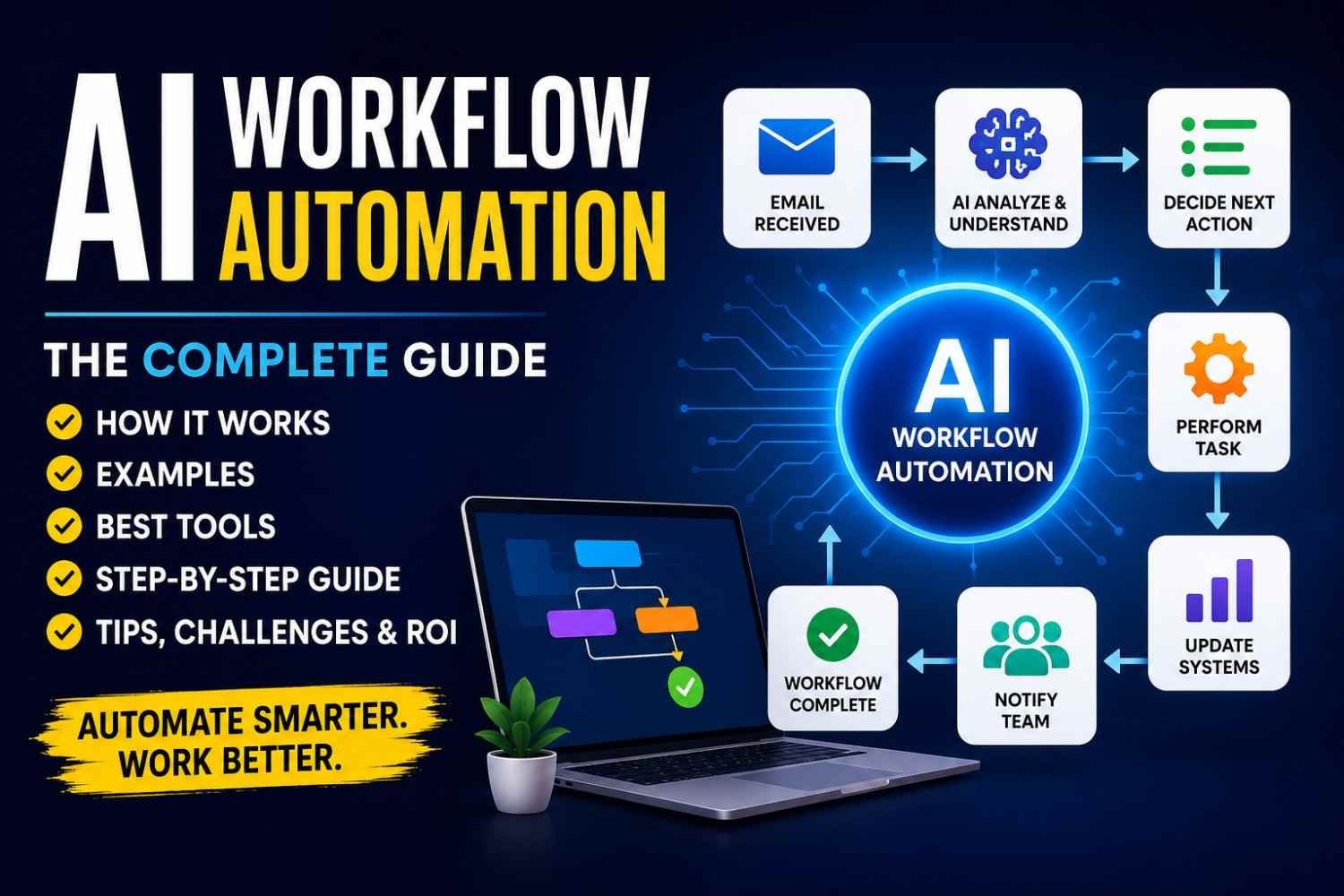
Customer email → AI understands intent → CRM data comes → reply drafted → checked → human approval if needed → email sent → CRM updated
This is where many people confuse ChatGPT with AI workflow automation.
ChatGPT alone is mostly like:
You ask → AI answers.
But AI workflow is more like:
Something happens → workflow starts itself → AI handles one thinking task → other tools take action.
That difference is small to read, but big in real work.
I noticed this when seeing simple automation projects. People first try to make AI do everything. Read, decide, send, update, even approve. It looks smart in demo. Then one strange email comes and whole thing goes wrong.
Better way is keeping parts separate.
A useful AI workflow normally has these pieces:
- Trigger — what starts the process.
- Input — email, form, file, message, record.
- Business rules — fixed rules the system must follow.
- AI model — understands or creates something.
- Validation — checks whether result looks correct.
- Action — send, update, create, notify.
- Human approval — when risk is high.
- Logging — keeps record of what happened.
Simple architecture is:
Trigger → Data → AI → Validation → Action → Monitoring
Can AI automate entire business processes?
Sometimes yes. But “can” and “should” are different things.
A low-risk process like sorting emails can run almost fully automatic. But payment, legal reply, account deletion, or important customer decision may need human check.
That is the practical meaning of AI workflow automation.
Not making AI do everything.
Making work move better, with machine thinking only where thinking is really needed.
Traditional Automation vs AI Workflow Automation
Traditional automation is simple in one way.
If X happens, do Y.
That is it.
Order comes in → send order email.
Payment failed → send alert.
Stock goes below 10 → tell the store team.
I like this kind of automation because it behave same almost every time. No guessing. You give rule, system follow rule.
But AI workflow automation work little different.
Here, system may need to first understand what happened.
Customer sends message:
“I paid already, but why again money taken from my card?”
Normal rule may not know what this means.
AI workflow can read the message, understand it may be a billing problem, see urgency, check some details, then send it to right team. Maybe it also make a reply draft.
So flow becomes:
Message received → understand message → decide meaning → choose action → complete task.
That extra “understand” part is where AI becomes useful.
| Traditional automation | AI workflow automation |
|---|---|
| Rule-based | AI + rules |
| Best with structured data | Can handle messy text and documents |
| Same input gives same path | Output may change a little |
| Fixed workflow | Can understand context |
| Easier to test | Need more checking |
But one mistake I see people doing, they put AI in every step.
No need.
If you only want to calculate tax, use normal formula.
If you want database value, just look it up.
If customer type is already “Refund,” you do not need AI to guess the type again.
Same with fixed alerts, exact validation, simple routing.
AI brings more cost, more delay, and sometimes wrong output. So use it where human-like understanding is really needed.
My simple rule is this:
If answer is already clear, use normal automation. If meaning must be understood, then add AI.
This small decision can make your AI workflow automation much easier to build, test, and maintain.
How AI Workflow Automation Works
AI workflow automation looks smart from outside. But inside, it is mostly small steps connected one after another.
I like to think it like a shop worker passing one paper to next person. One checks it. One reads it. One decide what to do. One takes action. Same thing happen in software, only faster.
A normal AI workflow usually move through seven main steps.
Step 1: Something Must Trigger the Workflow
Nothing starts by magic.
Some event must happen first.
It may be:
- a new email coming
- customer submitting a form
- payment getting completed
- new lead entering CRM
- file uploaded
- webhook received
- scheduled time reached
For example, customer sends support email.
That email is the trigger.
Now workflow wakes up.
This part looks simple, but many real problems start here. Sometimes trigger fires twice. Sometimes webhook comes late. Sometimes system sends same event again. So before doing anything big, we should know exactly what event started the workflow.
Step 2: Check the Input First
Do not send everything straight to AI.
That mistake creates strange problems later.
First check the data.
Is customer email present?
Is file type correct?
Is order number missing?
Did same request already come before?
I have seen workflows fail not because AI was bad, but because input was dirty. Empty fields, wrong dates, broken files, duplicate records. Small things.
So validation should happen early.
Step 3: Let AI Do the Thinking Part
Now comes the useful part.
AI can read the input and do things like:
classify, extract, summarize, translate, rank, match, write, or recommend.
Suppose support message says:
“My payment went through but order still showing unpaid.”
AI may classify this as billing issue, mark it as high priority, and make a short summary for support team.
This is where AI workflow automation becomes different from normal rule-based automation.
Step 4: Apply Business Rules
Do not let the model decide everything.
Put your own rules around it.
Example:
Confidence 90% or more → continue
Confidence below 90% → send to human
This small rule can save many bad actions.
If money, legal issue, account delete, refund, or important customer reply is involved, human review may be better.
Step 5: Validate AI Output
Even good models can return wrong shape.
You may expect:
{
  "category": "billing",
  "priority": "high",
  "confidence": 0.94
}
But sometimes one field may be missing.
So check the output before next step.
Never trust a generated answer only because it looks clean.
Step 6: Take the Action
After checks are done, workflow can act.
It may:
- update CRM
- send email
- create ticket
- notify Slack
- save database record
- make report
- schedule a task
Now the work becomes useful, because something actually changed in the business system.
Step 7: Record What Happened
This step is boring until something breaks.
Then suddenly it becomes the most important part.
Save:
execution time, input, output, error, result, delay, and cost.
A full support flow may look like this:
Support ticket → AI classification → knowledge search → answer draft → confidence check → send or human review → save result
That is how AI workflow automation works in real life.
Not one magic brain.
More like many small checks, decisions, and actions working together.
AI Workflows vs AI Agents: They Look Same, But They Work Very Different
I used to think AI workflow vs AI agent is mostly new names for same thing. It is not.
The difference becomes clear when something goes wrong.
An AI workflow normally already knows the road.
Trigger → AI task → rule → action
Maybe customer sends email. AI reads it. Workflow decides this is billing issue. Then ticket goes to finance team. Very little freedom is given.
This boring part is actually useful.
When business process happens 500 times, you usually don’t want system inventing a new road every time. You want same safe process.
That is why normal AI workflows make more sense for invoice handling, ticket routing, CRM updates, approvals, reports, and other repeat work.
An AI agent is different.
You give it more of a goal than exact road.
Say:
“Find why this customer cannot receive the order and help solve it.”
Agent may decide:
- Check CRM.
- Open order details.
- Search shipping information.
- Read company support documents.
- Choose possible solution.
- Draft response.
OpenAI describes agents as systems that can plan, call tools and keep enough state to finish multi-step work.
This freedom feels exciting.
Also, this freedom is where trouble starts.
Agent can choose wrong tool. Take unnecessary steps. Spend more tokens. Get stuck in loop. Or touch information it should not touch.
Anthropic’s work on trustworthy agents also puts strong attention on human control, security, privacy and transparency.
So I would not make every automation “agentic” just because agentic workflow automation is popular now.
Microsoft itself makes similar practical distinction. Its 2026 guidance says there are cases where agentic AI should not be used at all; normal deterministic software can still be better.
There are the some best Agentic AI Tools you can read and analyse.
A simple way I decide:
| Situation | Better choice |
|---|---|
| Same steps every time | AI workflow |
| Strict approvals needed | AI workflow |
| Financial or risky action | Workflow + human |
| Path changes with situation | AI agent |
| Must search several tools | AI agent |
| Open-ended investigation | AI agent |
The useful question is not “AI agents vs automation—which is newer?”
Ask this:
Does this job really need freedom to choose its own next step?
If no, keep workflow.
If yes, use agent—but give it boundaries.
Reliable automation first. Clever automation later.
What Can You Automate With AI?
Many people ask me one simple thing first: “What can I automate with AI?”
The answer is large. But do not start large.
I have seen people thinking about some huge automation system first. It connect 10 apps, reading emails, updating CRM, sending messages, making reports, doing everything. Nice on paper. Then one small API fail and whole thing sitting there like dead machine.
Better look at work you already doing again and again.
Customer Support
Customer support is one easy place to notice this.
Every day same type questions coming. “Where is my order?” “How I cancel?” “Why payment failed?”
Here AI workflow automation can read ticket, understand topic, find useful knowledge, draft reply and send difficult case to human support person. IBM also describes customer-service AI use cases around answering queries, knowledge retrieval and order tracking.
But I would not allow system to answer everything blindly.
Angry customer, refund problem, account closing? Better human see it.
Sales
Sales people lose surprising amount of time doing small work.
New lead comes.
Someone checking company. Someone entering CRM. Someone deciding whether lead is good. Then follow-up forgotten after two days.
You can automate:
- lead enrichment;
- lead qualification;
- CRM updates;
- follow-up reminders;
- basic personalized email drafts.
Microsoft currently lists sales qualification and CRM updating among tasks its agents can handle.
Still, AI should help salesperson. Not decide every valuable customer by itself.
Marketing
Marketing has many repeat things.
Research notes become content brief. One long article becomes five social posts. Campaign numbers become weekly summary.
That part can move faster.
You can use automation for content briefs, research summaries, campaign reporting and content repurposing. IBM’s 2026 marketing-automation material also describes AI being used around routine customer requests and marketing processes.
Editing still matters. A machine can produce ten posts quickly. It also can produce ten boring posts quickly.
That problem people forget.
Finance and Documents
Invoices are good example.
Invoice arrive → information extracted → expense category checked → approval person notified → accounting record updated.
Contracts, receipts, forms and applications can follow similar flow.
Finance teams also use AI around budgeting, forecasting, analysis and performance work, according to Microsoft’s finance scenarios.
But money action need more care. Extraction can automate. Final payment approval should usually have proper rule or human check.
HR
Think employee onboarding.
Same instructions. Same documents. Same questions.
AI can create candidate summaries, route employee questions, help onboarding and process routine HR requests. IBM notes AI-powered employee self-service systems can answer common HR questions and process routine requests.
IT and DevOps
This area become interesting very fast.
Server alert comes at 2 AM.
Instead of engineer opening five places, workflow can collect logs, classify alert, summarize incident and bring correct runbook. Atlassian now describes AI features that analyze logs, changes, runbooks and previous incidents to help teams investigate problems.
Still, I will not let first version automatically delete server, restart production database, or change firewall because model “felt confident.”
No.
Start small.
So, What Should You Automate First?
Look at your daily work.
A good automation candidate normally has few signs:
Frequent + repetitive + time-taking + measurable + digitally available.
If your staff does same task 50 times every week, that is interesting.
If task happens once in six months and every case is completely different, maybe leave it.
The best AI workflow automation usually starts with one boring problem.
And boring problem, when happening every day, can become expensive problem.
6. 15 Practical AI Workflow Automation Examples
AI workflow automation becomes easy to understand when you stop looking only at tools and start looking at normal work. Emails, invoices, leads, support tickets, reports. These small jobs eat many hours. I noticed this many times. One tiny task looks harmless, but when team doing it 100 times, then problem becomes big.
Here are practical AI workflow automation examples you can actually understand and maybe build.
1. Customer Support Automation
A customer sends ticket. System read it, find what problem it is, search help documents, then prepare reply. If answer looks weak or risky, ticket goes to human. This is better than making bot answer everything blindly.
Flow: Ticket → classify → find knowledge → draft reply → confidence check → send or escalate.
2. Email Triage
Inbox can become messy very fast. Sales mail, complaint, refund, spam, urgent client mail, all mixed. Automation can read email, understand intent, mark urgency and send it to correct person.
Flow: Email → understand intent → set priority → route team → draft reply.
3. Lead Qualification
Not every lead is useful. I have seen teams waste time calling people who never going to buy. A workflow can collect lead details, enrich company data, score the lead and push good ones into CRM.
Flow: Lead → enrich data → score → update CRM → notify sales person.
4. Invoice Processing
Invoices come in different formats. PDF, image, email attachment. Instead of typing every field, workflow can extract vendor name, amount, date and invoice number. Then rules check it before approval.
Flow: Invoice → extract fields → validate → approve → accounting software.
5. Meeting Follow-Up
Meeting ends. Everybody says, “I will do this.” Two days later, half tasks forgotten. Workflow can turn transcript into summary, action items and follow-up message.
Flow: Meeting → transcript → summary → tasks → follow-up email.
6. Recruitment
Recruiters may receive hundreds of applications. Workflow can pull experience, skills, location and other needed details, then create a short summary. Final hiring decision should stay with people, not machine.
Flow: Application → extract details → summarize → recruiter review.
7. Employee Onboarding
New employee joining sounds simple. It is not. Email account, tools, documents, training, access, manager notice. One missing step creates confusion. Automation can build and track the checklist.
Flow: New hire → checklist → accounts → training tasks → notifications.
8. Content Workflow
Content teams repeat same work again and again. Research topic, collect notes, make outline, write draft, review it. A workflow can handle early steps, but editor should still check facts and quality.
Flow: Topic → research → outline → draft → editor approval → publish queue.
9. SEO Workflow
SEO work has many small tasks. Keyword grouping, search intent checking, topic mapping, brief making. Automation can speed this part. But I would never publish content only because some tool says keyword is good.
Flow: Keywords → cluster → intent check → content brief → editor review.
10. Ecommerce Support
Customer asks, “Where is my order?” Workflow can fetch order status, understand the question and prepare correct answer. Refund or damaged order may need human review.
Flow: Question → order data → issue type → answer or escalate.
11. Reporting
People still copy numbers from many dashboards into one weekly report. This is boring and mistakes happen. Workflow can gather data, compare changes and create a simple summary for team.
Flow: Pull data → check change → summarize → send report.
12. IT Incident Triage
An alert comes at 2 AM. Engineer first needs to know what happened. Workflow can collect logs, summarize the error, find matching runbook and notify right engineer.
Flow: Alert → logs → summary → runbook → engineer notification.
13. Contract Review
Long contracts take time to scan. Workflow can pull dates, payment terms, renewal clauses and risky sections. But legal review still matters because one wrong interpretation can cost much.
Flow: Contract → extract clauses → flag issues → legal review.
14. Review Management
A bad customer review can sit online for days. Workflow can detect sentiment, prepare a calm reply and send it for approval before publishing.
Flow: Review → sentiment → reply draft → approval → publish.
15. Knowledge Assistant
Employees often ask same questions: leave policy, process steps, product details. A knowledge assistant can search internal documents and answer from approved sources instead of guessing.
Flow: Question → search documents → grounded answer → show source.
The lesson is simple. Do not try to automate whole company in one shot. That usually creates big mess, more debugging and people stop trusting the system.
Most successful workflows automate one clearly measurable process rather than attempting to automate an entire department immediately.
Start with one pain. Measure time before. Build small workflow. Watch where it fails. Fix that. Then expand. This slow way sometimes looks boring, but in real work, boring and reliable usually wins.
7. Best AI Workflow Automation Tools
Choosing the best AI workflow automation tool looks easy first. Then you open three or four tools and problem starts. Every website say their platform is simple, powerful, fast. In real work, it is not about which tool have most features. It is about what type of work you doing.
I learned one thing while looking at automation tools. A small workflow can work almost anywhere. Gmail comes, data goes to sheet, Slack alert sends. Fine. But when workflow becomes 30 steps, many APIs, error paths, AI calls and client data, your tool choice starts hurting or helping.
n8n
If you like more control, n8n is one strong option.
It suits technical people, developers, API-heavy projects and teams wanting self-hosting. n8n officially supports self-hosting and promotes modular workflows that can be debugged and changed as needs grow.
You can connect APIs, write logic, transform JSON, call AI models and build long workflows.
This freedom is the good side.
Same freedom also creates headache.
A beginner may see many nodes, expressions, credentials and JSON fields and think, “Where I even start?”
So I would not pick n8n only because people online call it powerful. Pick it when you actually need that control.
Best for: technical teams, custom APIs, complex logic, self-hosting.
Zapier
Zapier feels different.
You choose trigger, choose action, connect apps, test. For many small business tasks, this is easier to understand.
Zapier currently says its platform connects with more than 9,000 apps, and it also supports workflows, agents, tables, forms and other automation features.
That huge app library can save time when your business already uses many SaaS tools.
But volume matters.
Zapier pricing is task based, and since June 15, 2026, AI by Zapier usage also depends on selected model tier.
One little automation may feel cheap. Thousands of runs with many steps? Check numbers before building everything.
Best for: beginners, small business, fast SaaS automation.
Make
I like Make when I want to see the workflow.
Boxes connect. Branches split. Data move through modules. You can understand the path with your eyes.
Make describes itself as a visual automation platform and currently supports hundreds of AI app integrations plus AI-agent features.
This is useful for workflows where data needs changing, filtering and moving through many routes.
But there is one problem I see with visual tools.
Small scenario looks beautiful.
Then 60 modules come.
Lines cross everywhere.
Now finding why one value became empty is not beautiful.
Best for: visual workflows, branching logic, data transformation.
Microsoft Power Automate
If your company already lives inside Microsoft 365, Azure, Teams, SharePoint or Dynamics, Power Automate deserves serious look.
Microsoft combines cloud flows, desktop automation and AI Builder capabilities inside Power Platform.
This makes more sense for enterprise and internal company processes than chasing another separate tool just because it looks trendy.
Workato and UiPath
For large enterprise automation, also look at Workato and UiPath.
Workato focuses heavily on enterprise orchestration, governance and observability.
UiPath combines agents, traditional automation, robots, APIs and human work inside enterprise processes.
These platforms become more relevant when security, audit, control and large-scale operations matter.
So, which one should you choose?
Do not count integrations only.
Ask:
- Can my team understand it?
- Can it handle our APIs?
- How pricing grows with usage?
- Can we monitor failures?
- Do we need self-hosting?
- What security controls exist?
- Can another employee maintain this workflow after six months?
- Will it still make sense when volume becomes ten times bigger?
For easy SaaS work, Zapier may feel enough. For visual control, Make can fit better. For deeper technical freedom, n8n may win. Microsoft-heavy companies should examine Power Automate first. Large enterprises may need governance-heavy platforms such as Workato or UiPath.
There is no one best AI workflow automation tool.
There is only the tool that creates less trouble for the workflow you actually need.
Select what are the best AI productivity tools which suites to your business.
How to Choose What to Automate First
One mistake I see again and again is this: people first pick the most exciting process.
That not always the right one.
Your first AI workflow automation should be little boring, actually. Something happening again. And again. Staff already know the steps. Data already there. Result also easy to check.
Microsoft’s process-mining guidance says teams can study how work really happens and use that view to find automation opportunities, including common task mistakes. IBM also describes repetitive work as a natural place for business automation.
I would check six things before touching any tool.
| Check | Ask yourself |
|---|---|
| Frequency | How many times this task happen? |
| Time | How many minutes or hours people lose here? |
| Repetition | Are most steps same each time? |
| Input Quality | Is the needed data already digital and clean enough? |
| Risk | If system makes mistake, how bad it become? |
| Measurability | Can we prove time, money, or errors saved? |
A task happening 200 times every week may deserve attention before a fancy task happening twice in month.
Look around your office work. Maybe someone opening email, downloading attachment, copying three values into spreadsheet, then sending same kind reply. Nobody calls this an important process. But that small thing may quietly eat many hours.
This is where good automation starts.
UiPath has also long pointed toward stable, definable and repeated processes as stronger automation candidates, while constantly changing processes are harder to automate well.
So, your ideal first automation usually has high frequency, clear steps, big manual effort, low or medium risk, and an outcome you can measure.
Be careful with opposite type.
A rare task. Nobody agrees how it should work. Every case has another exception. Wrong decision can hurt customer or money.
Don’t start there.
And one rule I learned is very simple:
Do not automate a broken process just because it is slow.
First watch how people really do the work. Remove useless steps. Fix unclear rules. Then automate the cleaner version.
Otherwise you are not solving the mess.
You are only making the mess run faster.
How to Build Your First AI Workflow: Step by Step
Reading about AI workflow automation is easy. Building one which works with real emails is little different story.
So we take one useful example here.
An AI customer email triage workflow.
The job is simple on paper. Customer sends email. System reads it, understands why customer contacted, checks how urgent it is, then sends that email to correct team.
Looks small.
But small things start showing problems when real people send real emails.
Somebody writes only, “My money gone, help.”
Another person sends three problems inside one long email.
Someone writes billing issue in subject but technical problem in message.
So we build carefully.
Step 1: Define What You Actually Want
Do not start by opening n8n, Zapier, Make, or another tool.
First write your goal.
For example:
Automatically identify customer email type and send it to correct department.
Then put measurement around it.
Maybe your support worker spends two hours every day only reading and moving emails. Your first target could be reducing that manual sorting work.
This matter because without a number or clear result, you may build many smart-looking steps but still don’t know whether workflow helped anybody.
Step 2: Draw the Current Manual Process
Before automation, watch how work happens now.
Usually something like:
Email received → employee reads it → understands problem → checks urgency → selects department → forwards or assigns email.
I would literally write this on paper first.
Then ask: where is human thinking happening?
Reading email and deciding its meaning is the interesting part. Moving that email from one queue to another is mostly normal automation.
This difference saves a lot of trouble later.
Step 3: Choose the Trigger
Your workflow needs something that says, “Start now.”
For email triage, trigger may be:
- new Gmail message;
- Outlook email;
- helpdesk ticket;
- contact form submission;
- webhook from another application.
Gmail’s API supports accessing messages, searching/filtering mailbox data, managing labels and programmatically sending messages, so it can be used as part of this type of workflow.
Keep trigger boring. Boring is good here.
New email arrives. Workflow starts.
Step 4: Collect Only Useful Information
Now pull information the model actually needs.
Usually:
Sender
Subject
Email body
Customer ID
Account or order information, when needed
Do not throw every customer field into the prompt because you can.
More data is not automatically better.
Sometimes subject plus message is enough.
If customer says, “Order 452 was charged twice,” then order information can be fetched later after the workflow knows it is a billing problem.
Step 5: Ask the Model for Specific Decisions
Now comes the AI part.
Do not ask:
“Please understand this email.”
That is too open.
Ask for clear things:
- category;
- priority;
- short summary;
- department;
- confidence.
For example, categories may be:
Billing
Technical Support
Sales
Account
Refund
Other.
Suddenly the model has a fence around its job.
That fence is useful.
Step 6: Request Structured Output
I would not allow the model to answer with a beautiful paragraph.
Your workflow doesn’t need beautiful.
It needs predictable.
For example:
{
  "category": "billing",
  "priority": "high",
  "department": "finance",
  "confidence": 0.94
}
Now another workflow step can easily read category or confidence.
This is where many beginner workflows become more stable. Machines work better when the next step knows exactly what shape of data is coming.
Step 7: Validate Before Doing Anything
Suppose model returns:
category = banana
Your automation should not happily continue.
Check whether category is inside your approved list. Check priority. Check confidence exists.
If output is wrong:
retry → fallback → human review.
Never make “AI answered something” equal to “AI answered correctly.”
Step 8: Apply Normal Business Rules
Now we move away from AI again.
Billing → Finance.
Technical problem → Support.
Sales request → Sales.
Urgent complaint → immediate alert.
This part doesn’t need clever reasoning. Simple conditions are often safer.
Step 9: Add Human Approval
This is one part people skip because full automation feels more impressive.
Don’t.
Maybe:
Confidence above 90% → automatically route.
Confidence below 90% → send to human review.
The exact threshold should come from your own testing, not from copying 90% from this example.
In some current workflow platforms, approval gates can even pause an AI-driven workflow before a tool action continues.
Human review is not failure.
It is a safety lane.
Step 10: Perform the Action
Once decision passes validation, workflow can:
update helpdesk ticket;
apply a Gmail label;
notify an employee;
assign department;
create CRM activity;
or prepare a reply draft.
Google’s Gmail API supports message modification and sending, including sending an existing draft, so those actions can be automated when permissions are configured properly.
For your first version, I prefer drafting a response instead of automatically sending it.
Less scary. Easier to inspect.
Step 11: Log What Happened
Save enough information to understand failure later:
classification;
model used;
execution time;
confidence;
error;
final action.
Because one day somebody will ask:
“Why did this customer email go to Finance?”
Without logs, you are guessing.
Step 12: Try to Break Your Own Workflow
Don’t test only nice emails.
Send:
blank message;
spam;
very long complaint;
two issues together;
different language;
angry customer;
missing customer ID;
strange symbols;
email with only attachment.
Real users don’t follow our test script.
That is where workflow quality really gets exposed.
Step 13: Launch Slowly
First week, let the system classify emails but let employees still approve routing.
Watch mistakes.
Change categories.
Fix rules.
Collect bad examples.
Then automate the safest cases.
Maybe billing classification becomes very reliable. Automate that first.
Leave confusing messages for people.
That is how I would build a first AI workflow in real business. Not “switch everything on and hope.”
Start with recommendation.
Measure.
Fix.
Then give the workflow little more freedom.
A useful AI workflow should earn your trust before you give it more control.
APIs, Webhooks and Structured Data
AI workflow automation starts feeling real when one app can talk with another app. That is mostly where APIs come inside.
An API is like a small door between two software systems. Your workflow sends something through that door, the other app does a job, then gives a response back.
For example, your automation may send customer details to a CRM API.
Workflow → API request → CRM processes it → response comes back
That API normally has an endpoint, which is the address where your request goes. Many services also ask for an API key or another login method. Keep that key safe. I have seen workflows fail for a very silly reason — wrong key, expired key, or one extra space pasted in a field.
The request may carry data in JSON.
{
  "name": "Ravi",
  "email": "ravi@example.com"
}
Then comes the response.
Sometimes it works. Sometimes not.
HTTP status codes help you understand what happened. A 200 range normally means success, while 400 range points toward request-side errors and 500 range means server-side trouble.
Then Webhooks Enter
Webhooks solve another problem.
Suppose a customer completes payment. Your automation should not sit there asking every few seconds, “Payment happened? Now? Now?”
That is polling.
A webhook works the other way.
Payment completed → payment service sends event → workflow starts
Stripe, for example, can send real-time event information to a registered HTTPS webhook endpoint as JSON when activity happens in an account.
This feels simple until duplicate events, bad payloads, or changed API versions come. So validate the webhook before doing important actions.
Structured AI Output Matters More Than It Looks
Here I made mistakes before.
You ask the model:
“Check this support ticket.”
It replies with a nice paragraph.
Nice for human. Bad for workflow.
Your next step may need:
{
  "category": "billing",
  "priority": "high",
  "confidence": 0.92
}
Now your automation knows exactly where each value belongs.
Structured-output systems can constrain responses to a defined JSON schema instead of hoping normal text follows your format.
Still, I would validate important fields before the next action.
Because the safe flow is not:
AI said it → do it.
It is:
AI returned it → check it → trust only valid data → continue.
Human-in-the-Loop Automation
Many people think automation means human should disappear from the work. I don’t see it like that.
Sometimes removing human is actually the bad automation.
Imagine AI reads a customer email and says, “Close this account.” Should it just do it? Maybe the customer only asked how to close account. Small misunderstanding, big damage.
This is where human-in-the-loop automation become useful.
The machine can do boring part very fast. Read data, sort it, find things, prepare answer. But when decision carries money, legal risk, security problem, or customer damage, a person can stop and check.
Even regulators look at this seriously. The EU AI Act says high-risk AI systems should allow human oversight so people can monitor, understand, and override decisions when needed. NIST also treats governance and risk management as important parts of using AI systems responsibly.
I would especially keep approval before:
- sending sensitive customer emails;
- moving or paying money;
- deleting accounts or important files;
- making legal-related decisions;
- running security actions;
- approving large transactions;
- accepting AI answers where confidence is low.
But another problem comes here. Human review itself can become lazy.
A person may see the AI answer again and again, mostly correct, then just click Approve without thinking. Researchers call this automation bias, where people may over-trust automated suggestions.
So simply placing an “Approve” button is not enough.
I prefer gradual automation.
Stage 1 — AI Recommends
AI gives suggestion. Human still makes the decision.
Stage 2 — AI Drafts, Human Approves
Good for emails, reports, refunds, support replies.
Stage 3 — Low-Risk Work Runs Automatically
After enough testing, simple trusted actions can happen without waiting for person.
Stage 4 — Humans Handle Exceptions
Normal cases move automatically. Strange, risky, or low-confidence cases come to people.
That is usually where automation starts feeling useful instead of scary.
The rule I keep in mind is simple:
Automate confidence; escalate uncertainty.
Human involvement is not proof your AI workflow failed.
Sometimes, that human checkpoint is exactly what makes the automation safe enough to use in the real world.
RAG, MCP and Advanced AI Workflows
Simple AI workflow is fine until you ask it something your model never really knows.
This problem comes fast in real work. Imagine customer asking, “Can I return this product after 45 days?” AI may write a very nice answer. Nice does not mean correct. Your company policy may say 30 days.
This is where RAG, or Retrieval-Augmented Generation, become useful.
RAG: Let AI Find Before It Answers
Instead of asking model to remember everything, workflow first search your trusted data.
Customer question → Search company knowledge → Find useful document → Give it to model → Generate answer
Your trusted source could be:
- company policy;
- support documents;
- product manuals;
- internal knowledge;
- approved files.
Modern AI platforms can search stored files and vector stores before generating responses, which is one common way of building retrieval-based workflows.
I like one simple rule here: if answer must come from your business data, don’t depend only on model memory. Find the source first.
Still, RAG does not magically fix bad data. Old document comes in, old answer may come out. So your knowledge base also need cleaning.
MCP: One More Way AI Can Reach Tools
Then comes MCP, or Model Context Protocol.
MCP is an open protocol made for connecting language-model applications with external tools and data sources through a common structure. The official specification describes it as a standardized way for AI applications to access the context and tools they need.
An MCP server may expose tools that let a model query a database, call another API, or perform some approved operation.
But don’t throw away APIs and webhooks.
They still doing huge work.
MCP is another connection layer, not magic replacement for every integration.
Tool Calling Needs Small Permissions
Advanced workflow may let model choose a tool:
Find customer → Check inventory → Create support ticket
Useful? Very.
Also risky.
If model only need inventory lookup, don’t also give permission to delete inventory.
Give smallest access required.
That little rule may save you from a very big automation mistake.
Why AI Workflow Automations Fail
Building an AI workflow is sometimes the easy part. Making it work every day is another story.
You test it with five emails. Perfect. You feel, “Okay, this thing is ready.”
Then real customers come.
One email has no subject. Another person writes three problems in one message. Someone attaches wrong file. API becomes slow. Same webhook comes two times. Suddenly your beautiful workflow looks very different.
This is where many AI workflow automation problems actually begin.
1. You Try to Automate Too Much
A common mistake is building one giant workflow.
Lead comes → AI checks → CRM → email → proposal → payment → report → follow-up.
Looks powerful on screen. But one small failure somewhere makes finding problem painful.
Start smaller.
Automate lead classification first. Make it stable. Then CRM update. Then follow-up.
Small workflows are usually much easier to test and repair.
2. You Use AI for Things That Don’t Need AI
This one I always question when looking at a workflow.
Why ask an AI model whether price > 1000?
A normal condition can answer it exactly.
AI brings value when something needs understanding: messy emails, documents, intent, summaries, classification.
For fixed rules, use fixed logic.
It is cheaper. Faster too. And less surprise.
3. Your Test Data Is Too Clean
Your demo customer writes:
“Please cancel order 1024.”
Real customer writes:
“hey I bought this sometime last week maybe wrong one can u stop it???”
That second world is production.
Test missing values. Huge messages. Wrong formats. Duplicate records. Strange spellings. Empty fields. Multiple requests in one message.
n8n’s own current guidance tells builders to inspect executions and build error workflows instead of assuming every execution will finish correctly.
4. You Trust the AI Output Directly
This can become dangerous.
Suppose your next step expects:
priority = high
but model gives:
“Seems quite urgent.”
Now your condition may fail.
Make the model return structured fields. Then validate them before touching CRM, database, email, payment, or another system.
Don’t let generated text freely control important business actions.
5. You Have No Plan When an API Fails
APIs fail. Network becomes slow. Rate limits happen.
Your workflow should already know what to do.
Retry temporary failures. Wait longer between repeated attempts. Use fallback path. If still failing, send it to a person.
Microsoft’s Power Automate reliability guidance specifically recommends retry policies for temporary network or service failures and supports fixed or exponential retry intervals.
6. The Same Action Happens Twice
This looks small until customer receives two emails—or two orders get created.
Duplicate triggers and retries are real workflow problems. Microsoft even documents duplicate trigger runs as something Power Automate users may need to troubleshoot.
Use a unique event or transaction ID.
Before creating something, ask:
“Did I already process this?”
That idea is called idempotency: repeating the same request should not create another final effect after the first successful one.
7. Nobody Is Watching the Workflow
The worst failure is sometimes not red error screen.
It is silence.
Workflow stopped three days ago and nobody knows.
Log failures. Track successful runs. Send alerts. Save enough execution data to understand what happened.
8. AI Costs Slowly Grow
One model call looks cheap.
Thousands of unnecessary calls don’t.
Don’t send every tiny decision to your strongest model. Use normal rules first. Smaller models can handle simpler classification or extraction where quality is enough.
Measure cost per useful completed workflow, not only token cost.
9. You Give AI No Human Exit
Sometimes the correct answer is:
“I am not sure.”
Your workflow needs that option too.
Low confidence? Strange customer request? High-value action?
Send it to human review.
Do not force automation just because automation exists.
10. Only One Person Understands Everything
This is a future failure waiting quietly.
The builder leaves. API changes. Nobody knows why one strange condition exists.
Write notes. Name workflow steps clearly. Split big workflows. Record credentials ownership, error path, input, output, and what each important rule is doing.
Because production automation is not about showing that everything works.
It is mostly about what your system does when something goes wrong—and how easily you can recover it.
14. How to Make AI Workflows Reliable
Building AI workflow automation is easy in demo. Real life is different.
One day workflow runs nice. Next day API slow. One customer sends weird data. Model gives wrong format. Same event comes two times. Suddenly your “smart automation” is creating two tickets, two emails, maybe two payments. This is where reliability really matter.
I normally think one thing first: what happens when this step fails?
Use Structured Outputs
Do not allow model to return anything it wants.
Ask fixed structure.
For example:
{
  "category": "billing",
  "priority": "high",
  "confidence": 0.92
}
Schema make next steps safer. OpenAI also introduced Structured Outputs specifically to make model responses follow developer-defined schemas more reliably.
Validate Input Before AI
Bad input usually gives bad result.
Check required fields first.
No email body? Stop.
Wrong file type? Reject.
Customer ID missing? Send to review.
Don’t waste model call for broken data.
Use Confidence Thresholds
I don’t like workflow blindly trusting every answer.
Maybe:
Confidence above 90% → continue.
Below 90% → human check.
For sensitive work, threshold can be even stricter.
Retry, But Don’t Attack the API
Temporary errors happen. Network fail. Server busy. API gives 429 or 5xx.
Retry can help.
But retrying immediately 20 times is bad idea.
AWS and Google both recommend exponential backoff, where each retry waits longer, often with random jitter added. This reduces extra pressure on an already busy service.
Think:
1 second → 2 → 4 → 8.
Not forever.
Stop Duplicate Actions
This one hurts.
Imagine payment webhook arrives twice.
Your workflow should know, “I already handled this.”
This is called idempotency. Same request can come again without creating another unwanted result. AWS and Microsoft both treat this as important reliability design.
Never Throw Failed Work Away
After retries fail, keep the job in an error queue or dead-letter queue.
Microsoft recommends dead-letter handling for jobs that cannot complete after retry attempts.
Then alert somebody.
Fix problem.
Replay that same job.
No customer data should silently disappear.
Monitor What Actually Happens
At minimum watch:
- success rate
- failure rate
- response time
- AI accuracy
- human-review rate
- workflow cost
A workflow is reliable not because it never fails.
It is reliable because when something fails, we know it, contain it, recover it, and don’t damage the business while doing so.
Security and Privacy in AI Workflow Automation
Security usually looks boring until something goes wrong.
You build an AI workflow. It reads customer emails, checks a CRM, sends data to an AI model, then updates another system. Everything looks fine. But now stop for a minute. That workflow may hold API keys, customer names, private documents, passwords, account details, or access to tools that can actually change things.
That is where the risk starts.
OWASP lists sensitive information disclosure and excessive agency among important security risks for LLM-based applications. In simple words, an AI system may expose private data or get more permission than it really needs.
I would never put an API key directly inside workflow code if I can avoid it. Store secrets inside a proper credential or secret manager. If somebody gets your exported workflow file, they should not also get the keys to your business.
The same thinking applies to permissions.
Suppose your workflow only needs to read customer orders. Why give it permission to delete orders?
Give every workflow the smallest access it needs. CISA security guidance also supports the principle of least privilege, meaning accounts should not hold unnecessary powerful access.
Customer data needs another look.
Do you really need to send the full customer profile to the AI model just to classify one support message?
Probably not.
Send only the information required for that task. Remove private details where possible. Also check how your AI provider stores, processes, and retains submitted data. NIST’s AI risk guidance treats privacy, security, transparency, and accountability as important parts of managing AI systems.
Webhooks also need protection. A public webhook can become a door into your workflow if requests are not verified. Use authentication or signatures where supported, validate incoming data, and reject strange requests before they reach important actions.
Keep logs too. Not every piece of private data, but enough to know:
- who triggered the workflow;
- what action happened;
- when it happened;
- whether a human approved it;
- whether something failed.
Before putting an AI workflow into production, I ask four questions:
What data enters the model?
Where is that data processed?
Who can access the workflow and its credentials?
What actions can the AI actually trigger?
That last question matters a lot.
Reading a support ticket is one thing. Sending money, deleting records, changing permissions, or emailing thousands of customers is completely different.
For sensitive actions, put a human approval step in between.
Automation should remove work. It should not remove control.
For deeper protection methods, see our AI Workflow Automation Security Guide.
16. AI Workflow Automation Costs
AI workflow automation cost is not only one monthly software bill. This is first mistake I see people doing. They look at tool price, maybe $20 or $30, and think, “Okay, my automation cost only this much.” No. Real cost starts showing after the workflow starts running every day.
You may pay for:
- automation platform;
- AI model or API usage;
- outside APIs;
- server or cloud hosting;
- database and file storage;
- building the workflow;
- monitoring;
- fixing and maintaining it.
A simple way I use to think about it is:
Monthly Cost = Platform + AI Usage + Integrations + Infrastructure + Maintenance
For example, n8n currently lists its Starter cloud plan at €20 per month when billed annually. Zapier says its Professional plan starts at $19.99 per month billed annually and includes 750 tasks per month. These numbers look small at beginning. But your real AI workflow automation pricing depends more on how often the thing runs.
This is where surprise comes.
Imagine one lead enters your form. Your workflow checks the CRM, calls an AI model, enriches company data, creates a record and sends another action. One lead can create several paid operations.
Then 100 leads becomes 1,000.
Your bill moves with it.
AI usage also has another small leak. Long prompts, sending same large document again, using expensive model for easy classification, retrying failed calls. Each one looks tiny alone. Together, not tiny.
I learned one useful rule here: do not measure only cost per AI request. Measure cost per successful business result.
Suppose one workflow costs $80 monthly but removes 20 hours of manual work. That may be cheap.
Another costs only $25, but keeps failing and someone spends five hours every week fixing it. That $25 automation is not really $25.
A 2026 study of more than 6,000 public n8n agent workflows also found that explicit fallback, repair, alerting and human-review mechanisms were still uncommon. That matters, because poor reliability later becomes maintenance cost.
So before building, ask yourself: What will this workflow cost when it runs 10 times, 1,000 times, and 100,000 times?
That question saves money later.
How to Calculate AI Automation ROI
AI automation ROI sound easy when we see one formula. But in real work, it is not only formula. You need first know what work really happening before automation. Many people skip this part, then ROI number become fancy number only.
Start with one manual task.
Say one task taking 15 minutes.
It happens 1,000 times every month.
So manual work become around 250 hours in one month.
Now you automate this work. But maybe automation not remove all human work. Some items still need checking. Some wrong output comes. Some customer case is strange. So human review still taking 30 hours per month.
Then actual saved time is:
250 hours − 30 hours = 220 hours saved every month.
This 220 hours is where real calculation start.
Now put realistic labor cost. Do not use random big salary number just to make automation look great.
If worker cost is $20 per hour, then:
220 × $20 = $4,400 labor value saved per month.
But don’t stop here. I see this mistake often. People show $4,400 saving and call everything profit. No. Automation also eating money.
You may paying for:
- workflow software
- AI API usage
- other API tools
- server or hosting
- initial development
- fixing broken workflow
- monthly maintenance
Suppose total monthly automation cost becomes $1,400.
Then simple ROI formula is:
ROI = (Total Benefit − Total Cost) ÷ Total Cost × 100
Using above example:
($4,400 − $1,400) ÷ $1,400 × 100 = about 214% ROI.
Looks good. But still check real world.
Maybe faster reply brings more sales. Maybe invoice mistake goes down. Maybe your team can handle more work without hiring new person. These are extra benefits, but only count them when you can show some proof.
I never like vendor claim saying “save 70%” or “10X ROI” without seeing how they counted. Your business process may be totally different.
Track few numbers every month:
| KPI | Why it matters |
|---|---|
| Hours saved | Shows manual work removed |
| Processing time | Shows speed change |
| Failure rate | Shows workflow quality |
| Cost per execution | Shows real running cost |
| Human-review rate | Shows how much work still need people |
| Revenue impact | Shows whether automation helping business result |
Best way is simple. Measure before automation. Measure again after 30, 60, or 90 days. Then compare.
Your AI automation ROI should tell one honest thing: Is this workflow really saving money, time, or business effort, after all costs are included?
18. AI Workflow Automation Best Practices
I learned one thing very fast with AI workflow automation. Do not start big.
People see one cool demo and suddenly they want AI reading emails, changing CRM, sending replies, making reports, even taking business decisions. Sounds nice. Then one strange customer message comes. Whole thing goes wrong.
Start with one boring problem first. Maybe your team spend 2 hours daily sorting support emails. Good. Measure that. Then map how people currently doing it. Where message comes, who checks it, what decision they make, where data finally goes.
Only after this, automate.
For simple things, keep normal rules. If invoice amount is above ₹50,000, you don’t need an AI model to understand that. A normal condition can do it. Save AI for messy work like understanding text, finding intent, extracting details, or writing summary.
One mistake I don’t like is letting model output move straight into another system.
Suppose AI returns:
priority = "high"
Fine.
But what if tomorrow it returns:
priority = "very very urgent!!!"
Your next step may break.
So ask for structured output. Check fields. Validate them. If result looks strange, stop it.
OWASP lists improper handling of model outputs and prompt injection among important risks for LLM applications, which is one reason output checking cannot be treated like optional work.
I also keep a confidence gate when workflow has uncertain judgement.
High confidence → continue.
Low confidence → human checks it.
This matters more when workflow touches money, customers, account access, legal documents, or security actions. NIST’s AI risk guidance also recommends identifying where human oversight is needed instead of blindly treating every AI action same way.
Then prepare for bad days.
API timeout.
Wrong JSON.
Duplicate webhook.
Expired key.
Model unavailable.
Customer sends 20-page email.
These are not strange cases after production. They become normal cases.
Add retry paths. Prevent duplicate execution with unique IDs. Keep credentials outside workflow text. Log failures. Watch cost also. OWASP’s 2025 guidance even includes “unbounded consumption” because repeated or expensive model calls can create serious resource and cost problems.
And please document the workflow. I have seen automations where only builder knows why one small condition exists. Builder leaves, nobody touches it because everyone scared to break it.
Give each workflow an owner. Keep prompt versions. Keep workflow versions. Record why rules exist.
Most importantly, measure business result, not how many AI nodes you added.
Did response time improve?
Did manual work reduce?
Did errors fall?
Did cost stay sensible?
Look at failed executions every week. They teach more than successful ones.
Then give automation little more freedom. Not before.
Reliability should increase before autonomy increases.
How to Learn AI Workflow Automation
Learning AI workflow automation looked easy to me first. Connect two apps, add AI, done. No. Real work starts when data comes wrong, API stops, webhook fire two times, or your workflow just sit there doing nothing.
So, don’t start with AI agents first.
Start very small.
Learn triggers, actions, conditions and variables. A trigger start the workflow. Maybe new email came. Then action happen, like save data in Google Sheets. n8n itself describe webhooks as triggers which receive data and start workflow, so understanding this basic flow matter lot.
Next learn JSON, APIs, webhooks and authentication. This part sometimes feel boring. But later you will thank yourself. Almost every serious automation need one of these.
Then bring AI inside.
Practice:
- email classification;
- data extraction;
- structured outputs;
- prompt writing;
- routing based on AI result.
Don’t only make AI write paragraphs. Make it return clean fields like category, priority, customer_name. This makes next workflow step much easier.
After few projects, learn production things. Database, error handling, retries, monitoring and security. I think this is where beginner become real automation builder. n8n documentation also recommend planning error handling, and its nodes can retry failed operations.
Then go deeper into RAG, tool calling, AI agents, MCP and model routing. MCP now provides an open standard for connecting AI applications with outside tools and data.
But please don’t watch 50 tutorials before touching anything.
Build one email classifier. Break it.
Build lead qualification workflow. See bad data.
Try invoice processor. Face missing fields.
Make support assistant and reporting workflow.
That broken workflow teach more than five perfect videos.
And one thing I learned slowly: knowing automation software is not enough. You must understand the business process. If you don’t know why people doing the work, what can go wrong, and who need the final result, even beautiful workflow become useless.
Frequently Asked Questions About AI Workflow Automation
People ask many small questions before they start AI workflow automation. I also had same type doubts when I first looked at these tools. Some things looks easy in demo. Real work is little different. Below are the questions I see again and again.
What is AI workflow automation?
AI workflow automation means using software and artificial intelligence together to finish work with less manual effort. A trigger happen, then system reads data, thinks around it, and takes next action.
For example, one email comes. AI reads it, finds what customer wants, and workflow sends it to right team.
Simple idea. But behind this, many small steps are working.
What is an example of AI workflow automation?
Customer support is easy example.
A ticket comes in. System reads message. It may mark it as billing, technical issue, refund, or urgent complaint. Then it can search company knowledge, prepare reply, and send it to staff for checking.
If confidence is high, maybe workflow continue. If not, human can take it.
That small safety step matters a lot.
What tasks can AI automate?
More than people first think.
You can use AI automation for:
- reading invoices;
- sorting emails;
- qualifying leads;
- updating CRM;
- making meeting summaries;
- preparing reports;
- extracting data from files;
- routing support tickets;
- drafting content.
But every task should not be automated. Sometimes manual work is safer and even faster.
First of all, begin with small task automation that give you real experience.
Do I need coding skills?
No, not always.
Tools like Zapier, Make, and other low-code platforms let you build many workflows by connecting blocks.
But later, problems come.
API errors. JSON format. Webhooks. Authentication. Strange data.
At that stage, basic technical knowledge helps a lot. You don’t need to become programmer first. Learn while building one real workflow.
What is the best AI workflow automation tool?
There is no one best tool for everybody.
One person needs simple Gmail to Google Sheets automation. Another company need large system connecting CRM, database, support desk, and internal APIs.
So look at:
cost, integrations, technical control, hosting, security, and how hard maintenance will become.
The “best” tool is mostly the one your team can run without daily pain.
Is n8n good for AI workflow automation?
Yes, n8n can be useful when you want more control over workflow logic, APIs, custom steps, and self-hosting.
But it can feel hard in beginning.
You may see nodes, JSON, expressions, credentials, webhooks. First time it looks messy.
After few workflows, things start making sense.
AI workflow or AI agent: which should I use?
Use normal workflow when the steps are mostly known.
Example:
Form submitted → check data → classify lead → update CRM.
Use an AI agent when system needs freedom to decide what tool or path it should use.
My simple rule is this:
If process is clear, use workflow. If problem needs open thinking, then consider agent.
Do not use agent only because it sounds advanced.
Can AI workflow automation make mistakes?
Yes. Very easily, if you trust output without checking.
AI may misunderstand one email. It may extract wrong amount from document. It may choose wrong category.
That is why good workflow has validation, rules, confidence checks, and human review.
Automation without checks is not smart. It is only fast mistake.
How do I stop AI hallucinations?
You cannot remove every wrong answer, but you can reduce them.
Give trusted data. Keep task narrow. Ask for structured output. Validate important fields. Use RAG when system need company knowledge.
For high-risk work, let human approve.
I would never let uncertain AI directly make money, legal, or customer-sensitive action without control.
What is human-in-the-loop automation?
It means automation does most work, but human checks important parts.
For example:
AI drafts refund reply → employee approves → message sends.
This slows process little, but it can save you from bigger problem.
What is RAG?
RAG means Retrieval-Augmented Generation.
In simple words, AI first finds useful information from trusted files or knowledge base, then it prepares answer from that information.
It is useful when your workflow must answer from company documents, policies, manuals, or internal knowledge.
What is MCP?
MCP stands for Model Context Protocol.
It is a way for AI systems to connect with tools and data using a more standard method.
For normal user, think like this: instead of building every connection in completely different way, MCP can help tools communicate in more organized form.
Is AI workflow automation expensive?
It can be cheap or costly.
A small workflow may cost very little.
Large workflow may include automation platform fee, model usage, API charges, database, hosting, monitoring, and maintenance.
Do not check only software monthly price.
Look at total cost.
How should automation ROI be measured?
Start with real work.
How many hours were used before?
How many hours now?
Did errors reduce?
Did response become faster?
Did sales or service improve?
Then compare those benefits with total automation cost.
Do not celebrate because workflow ran 10,000 times. Ask what useful result those 10,000 runs produced.
What causes AI automations to fail?
Usually not one big reason.
Bad input. Poor workflow design. API problem. Missing validation. No retry. Too much complexity. Nobody monitoring.
I have found one simple lesson useful:
Build small first.
Make it stable.
Then add more.
Can AI workflows run 24/7?
Yes, if they are hosted properly.
But 24/7 running does not mean 24/7 working correctly.
APIs can fail. Credentials expire. Servers stop. Data comes in strange format.
So production AI workflow automation needs logs, alerts, retry rules, and a way for human to step in when something goes wrong.
Future of AI Workflow Automation
AI workflow automation is moving fast, but I don’t think future means every task will become fully automatic. In real work, that can create more trouble also.
We already see AI agents getting better at using tools, checking files, calling APIs, and doing many steps without someone telling every next action. OpenAI, Google, Microsoft and others are building more agent-based systems, while MCP is growing as a common way for AI apps to connect with outside tools and data.
But here is the part I would watch carefully.
More freedom for an AI agent also means more chances to pick wrong tool, repeat some action, lose context, spend too many tokens, or make one bad decision inside a real business process. Production teams are already treating observability, evaluation and human review as serious parts of agent systems, not optional extras.
RAG will still matter because sometimes the model should not “think from memory.” It should first fetch trusted company data, then answer. Smaller task-specific models may also take simple jobs such as classification or extraction, while stronger models handle hard reasoning.
I expect more model routing too. One workflow may not depend on one model for everything.
And full autonomy? I would be careful.
For payments, customer actions, security changes or legal work, human approval still makes sense.
So future AI workflow automation may look less like one giant robot doing everything, and more like this:
fixed workflow + AI understanding + controlled agents + human check when risk gets high.
That looks less exciting on demo screen.
But in real company work, it may survive much longer.
Conclusion
Do not start AI workflow automation by asking, “Which AI agent should I build?” That question look exciting, but many time it takes us in wrong road.
Start with your daily pain.
Which work is eating time again and again? Which task make your team tired? Where mistakes keep coming? Maybe email sorting. Maybe invoice checking. Maybe moving customer data from one tool to another.
Pick only one.
Map the process first. I seen many automation ideas fail because people jump into tools before understanding the work. On screen the workflow look beautiful. In real work, one missing field, bad API response, or strange customer message can break whole thing.
So go small.
Measure how much time the task takes now. Automate simple rule-based steps first. Use AI only when the work need understanding, such as reading text, finding intent, summarizing, or choosing from unclear information.
Then test it with bad inputs also, not only perfect examples.
If the decision can hurt money, customer trust, security, or important records, keep human review.
Watch failed runs. Fix them. Measure time saved and cost.
The best AI workflow automation is not the biggest workflow.
It is the one your team still trust, understand, and maintain months later.

1 Comment