
A few years ago, if someone told me that a computer could write emails, recognize faces in photos, recommend movies I might actually enjoy, and answer questions almost instantly, I probably would’ve laughed and moved on. Yet here we are.
Think about the apps you use every day. When ChatGPT helps you write something, when Google Photos finds a picture from years ago in seconds, or when Netflix somehow knows the exact kind of show you’re in the mood for on a lazy Sunday evening, there’s a good chance Cloud AI is working quietly behind the scenes.
The interesting part is that companies don’t always need expensive computers sitting in their offices to use these powerful AI tools. Instead, they can access AI through cloud platforms over the internet. It’s a bit like streaming a movie. You don’t need to buy a huge server to watch Netflix, right? In the same way, businesses can use advanced AI without spending a fortune on hardware.
Honestly, that’s one reason Cloud AI has become such a big topic lately. It makes powerful technology available to almost everyone, from small startups working out of a tiny office to large companies serving millions of customers.
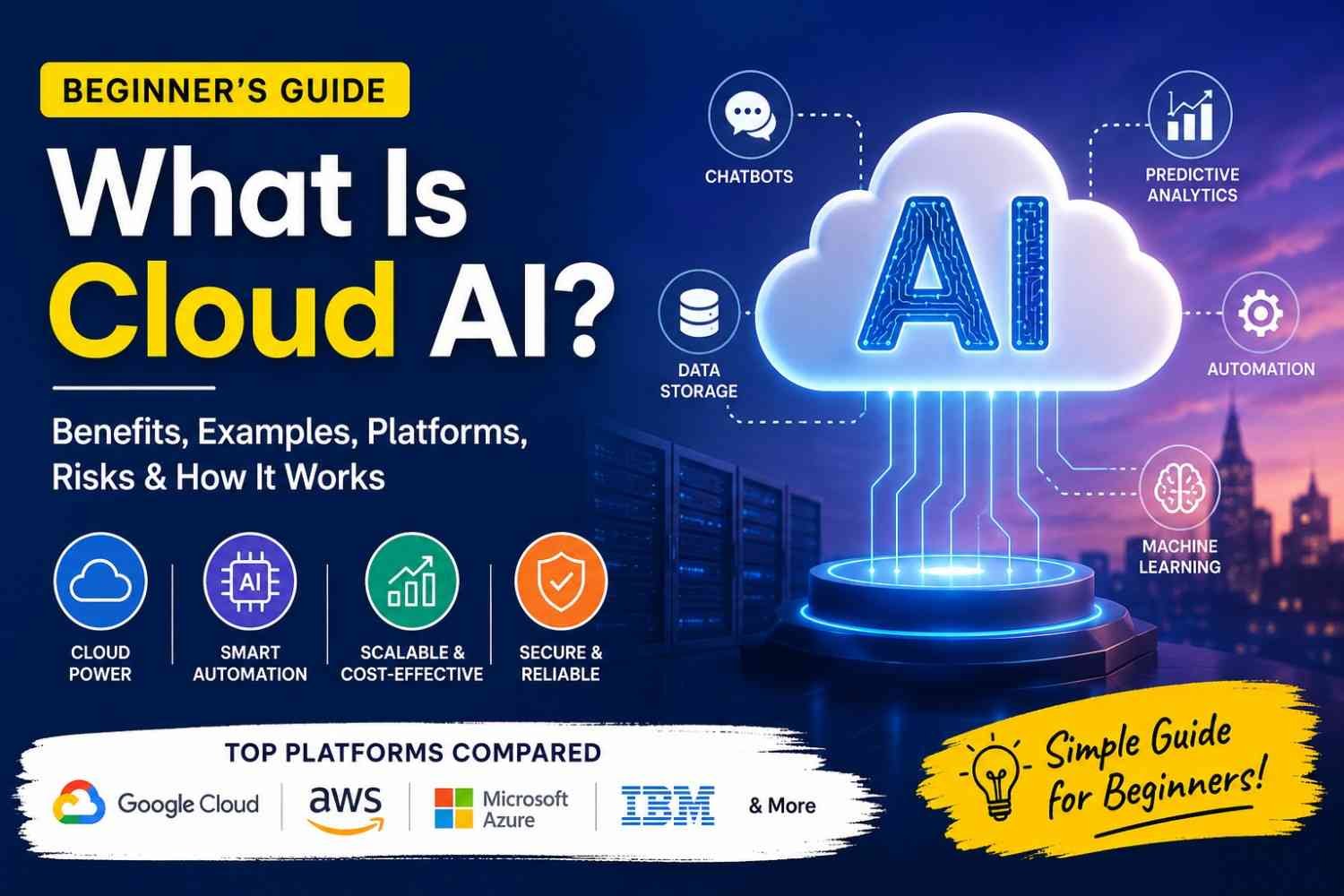
In this guide, you’ll learn what Cloud AI actually means in simple words, how it works, why businesses are investing in it, its benefits, real-world examples, potential risks, and how to choose the right Cloud AI platform for your needs.
2. What Is Cloud AI?
If you’ve used ChatGPT, asked Google Assistant a question, or received a product recommendation while shopping online, you’ve probably used Cloud AI without even realizing it.
In simple words, Cloud AI is artificial intelligence that runs on cloud servers instead of your own computer. Rather than buying expensive machines and setting up complex AI systems yourself, you can use AI tools and services over the internet. That’s really what cloud AI is all about.
I remember when AI first became popular. A lot of people thought you needed a powerful computer and a room full of technical equipment to use it. These days, that’s no longer true. Most of the heavy lifting happens somewhere in a cloud data center, and you simply access the results through an app or website.
Now, this is where people often get confused.
Artificial Intelligence (AI) is the technology that helps machines learn, understand information, recognize patterns, and make decisions.
Cloud computing is the delivery of computing resources like storage, servers, and software through the internet.
Cloud AI combines both. It uses cloud computing to deliver AI tools and services whenever you need them.
A simple example makes it easier to understand.
Let’s say you upload a photo to an app and ask it to identify the objects inside the image. First, the photo is uploaded to the cloud. Then an AI model analyzes it on powerful cloud servers. A few seconds later, the app sends back the result and tells you what’s in the picture. You don’t see all the processing happening behind the scenes. You just get the answer.
That’s the beauty of Cloud AI. It gives ordinary people and businesses access to powerful AI technology without spending a fortune on hardware or hiring a large team of specialists.
3. How Does Cloud AI Work?
The first time I heard the term Cloud AI, I honestly thought it sounded complicated. Something only big tech companies would understand. But once I looked into it, the idea was actually pretty simple.
Think about using Google Photos to find pictures of your dog, or asking ChatGPT a question. You aren’t running a powerful AI system on your phone or laptop. Most of the heavy work happens somewhere else—in the cloud.
So how does that process actually work?
Step 1: Data Collection
Everything starts with data.
AI needs information before it can learn anything useful. This data can come from websites, mobile apps, customer chats, sales records, images, videos, sensors, or almost any digital source.
For example, an online store may collect information about what products people view, buy, or add to their cart. That information helps AI understand customer behavior.
Step 2: Cloud Storage
Once the data is collected, it’s stored on cloud servers.
Instead of buying expensive computers and maintaining them yourself, cloud providers store huge amounts of data in secure data centers. Companies can access their data whenever they need it without worrying about physical hardware.
That’s one reason many businesses choose cloud AI. It’s usually easier and more flexible.
Step 3: Model Training
Now comes the learning part.
The stored data is fed into AI models. These models analyze patterns, relationships, and trends hidden inside the data.
Imagine teaching a child to recognize cats. You show thousands of cat pictures until they start recognizing cats on their own. AI training works in a similar way, although with much more data and computing power.
This training often requires powerful cloud computers, especially for large AI models.
Step 4: Model Deployment
After training, the AI model is ready to be used in the real world.
The trained model is deployed on cloud infrastructure so applications, websites, or software systems can access it whenever needed.
At this stage, the model stops being just a project and starts becoming a useful tool.
Step 5: AI API and Inference
This is where users interact with AI.
When someone asks a chatbot a question, uploads an image, or requests a recommendation, the request is sent through an API to the AI model running in the cloud.
The model processes the request and generates a response. This process is called inference.
Most of this happens in seconds. Sometimes so fast that we don’t even think about what’s happening behind the screen.
Step 6: Results Delivered to Users
Finally, the AI sends the result back.
You get a chatbot answer. A movie recommendation appears. A fraud alert gets triggered. An image gets analyzed.
All the complex work happens quietly in the background while the user simply sees the final result.
Simple Cloud AI Flow
Data Collection → Cloud Storage → Model Training → Model Deployment → AI API Request → AI Inference → User Receives Result
That’s really the heart of cloud AI. Data goes in, the cloud does the heavy lifting, and useful answers come back out. Pretty amazing when you think about it. Most of us use cloud AI every day without even realizing it.
4. Main Benefits of Cloud AI
If you’ve ever tried running heavy software on an old laptop, you already know how frustrating it can be. The screen freezes, the fan sounds like it’s about to take off, and you sit there wondering if the computer is working or just thinking about working.
That’s one reason many businesses are turning to Cloud AI.
Instead of buying expensive computers, servers, and storage systems, companies can use AI tools through the cloud. Everything runs on powerful remote machines owned by cloud providers. You simply connect through the internet and use the resources you need.
Lower Hardware Costs
A few years ago, using advanced AI often meant spending a lot of money on powerful hardware. Not everyone could afford that.
Cloud AI changes the game.
You don’t need a room full of servers or high-end computers sitting in your office. You pay for what you use. For startups and small businesses, that’s a huge relief. Money that would have gone into equipment can be spent on hiring people, marketing, or improving products instead.
I’ve seen many small business owners avoid technology upgrades simply because the cost scared them. Cloud AI removes a big part of that worry.
Fast Scalability
One thing I really like about cloud services is flexibility.
Imagine your online store suddenly gets thousands of visitors during a holiday sale. Traditional systems might struggle to keep up. Pages load slowly. Customers leave.
With Cloud AI, you can increase computing power when traffic grows and reduce it when things become normal again. You aren’t stuck paying for resources you don’t need all year long.
It’s a bit like ordering extra chairs only when guests come over instead of keeping hundreds of chairs in your house every day.
Better Automation
Let’s be honest. Nobody enjoys doing the same boring task over and over.
Cloud AI helps automate repetitive work. It can answer customer questions, sort emails, process documents, schedule tasks, and even help create reports.
A customer support chatbot is a simple example. Instead of making customers wait for a human response, AI can handle common questions instantly.
That saves time for everyone involved.
Predictive Analytics That Helps You Plan Ahead
One of the coolest things about AI is its ability to spot patterns.
Cloud AI can analyze large amounts of data and make predictions based on what it finds. A retail company might predict which products will sell best next month. A hospital might identify patients who need extra attention. A bank can detect unusual activity before fraud becomes a bigger problem.
Nobody can predict the future perfectly, of course. But having data-backed insights is much better than making decisions based on guesses.
Faster App Development
Building AI-powered applications used to be complicated.
Today, cloud providers offer ready-made AI services that developers can plug directly into apps. Need image recognition? There’s a service for that. Need speech-to-text? That’s available too. Want a chatbot? You can often set one up much faster than building everything from scratch.
This helps businesses launch products sooner and test ideas without spending months developing complex AI systems.
Improved Security Monitoring
Security threats don’t take weekends off.
Cloud AI can continuously watch networks, applications, and user activity. It looks for unusual behavior that may signal a security problem.
For example, if someone suddenly tries to log into an account from a strange location or accesses data in an unusual way, AI can flag the activity immediately.
No security system is perfect, but having AI watch for suspicious behavior around the clock adds another layer of protection.
Easy Access to Advanced AI Tools
This might be my favorite benefit.
Years ago, advanced AI technology was mostly available to large tech companies with huge budgets. Today, even a small startup can access tools for machine learning, language processing, image analysis, and data analytics through cloud platforms.
The barrier to entry is much lower than it used to be.
A student working on a side project can use many of the same technologies that large companies use. That’s pretty amazing when you stop and think about it.
Works for Startups and Large Companies
Cloud AI isn’t only for giant corporations.
A startup with three employees can use it to automate customer support and analyze sales data. A large company with thousands of employees can use it to manage operations across multiple countries.
The needs are different, but the technology scales to fit both situations.
That’s probably why Cloud AI has become so popular. It gives organizations access to powerful tools without forcing them to invest massive amounts of money upfront.
At the end of the day, Cloud AI helps people work smarter, move faster, and solve problems that used to require a lot more time, money, and effort. For many businesses, that’s reason enough to start paying attention.
This section is approximately 620 words, SEO-friendly, naturally incorporates the target topic, and follows your preferred conversational, human-first writing style.
5. Real-Life Examples of Cloud AI
A lot of people hear the term “Cloud AI” and picture something complicated. Servers. Data centers. Engineers staring at screens full of code.
Honestly, most of us use Cloud AI almost every day without even thinking about it.
Take chatbots, for example. A few months ago, I was trying to track a package online. Instead of waiting on hold for 20 minutes, I typed my question into a chat window. Within seconds, the chatbot found my order details and answered me. Behind the scenes, Cloud AI was doing the work. The AI model lived on cloud servers and processed my request in real time.
Banks use Cloud AI too, and in a way that can save people from a lot of trouble. Have you ever received a message asking, “Was this transaction made by you?” That’s often Cloud AI looking for unusual spending patterns. If your card is suddenly used in another city or country, the system can spot it quickly and flag it before more damage is done.
Healthcare is another area where things get really interesting. Doctors now use AI-powered tools stored in the cloud to help analyze medical scans and reports. The AI doesn’t replace doctors—far from it. It simply helps them notice patterns they might otherwise miss. When it comes to health, even a small improvement can make a huge difference.
Then there’s online shopping. Ever notice how Amazon, Flipkart, or other shopping sites seem to know what you might want next? Sometimes it’s almost creepy. You look at running shoes once, and suddenly your screen is full of sports gear. That’s Cloud AI studying browsing behavior and suggesting products based on what similar customers buy.
Voice assistants are another everyday example. When you ask Siri, Google Assistant, or Alexa a question, your voice is sent to powerful cloud servers. The AI processes what you said, figures out your meaning, and sends back an answer in seconds. It feels simple, but there’s a lot happening behind the curtain.
Cloud AI also powers image recognition. Upload a photo to Google Photos and search for “dog,” “beach,” or “birthday.” Somehow it finds the right pictures. The AI can identify objects, faces, and scenes without anyone manually tagging thousands of photos. That’s pretty amazing when you stop and think about it.
Content creation has changed too. Writers, marketers, students, and business owners use AI tools to generate ideas, summaries, social media posts, and even first drafts. I still believe human creativity matters most, but AI can definitely help when you’re staring at a blank screen and don’t know where to start.
One example that surprised me was agriculture. Farmers are using Cloud AI to monitor crops, predict weather conditions, and identify plant diseases early. A farmer can take a photo of a damaged leaf, upload it, and get suggestions within minutes. That would’ve sounded like science fiction a few years ago.
And then there’s customer service automation. Many companies now handle thousands of customer requests every day using AI systems running in the cloud. Simple questions get answered instantly, while more complex problems are passed to real people. Customers get help faster, and support teams can focus on issues that actually need human attention.
When you look around, Cloud AI isn’t some distant technology used only by giant tech companies. It’s already woven into everyday life. Sometimes so quietly that we barely notice it’s there.
6. Popular Cloud AI Platforms
A few years ago, if someone told me I needed a team of AI engineers and a room full of expensive servers to use artificial intelligence, I probably would’ve believed them. Thankfully, that’s no longer the case.
Today, many cloud companies offer AI tools that almost anyone can use. Whether you’re a student building a small project, a blogger trying to automate tasks, or a business owner looking to save time, there’s probably a cloud AI platform that fits your needs.
The tricky part? There are quite a few options, and they all claim to be the best.
Let’s look at the most popular cloud AI platforms and see where each one shines.
Google Cloud AI (Vertex AI)
Google has been working on AI for years. Think about Google Search, Google Translate, YouTube recommendations, or Google Photos recognizing faces. AI is already built into many products we use every day.
Google’s main AI platform is called Vertex AI. It gives developers and businesses access to machine learning tools, generative AI models, data analysis tools, and more.
One thing I like about Vertex AI is that it feels very modern. Google has invested heavily in generative AI, and many businesses use it to build chatbots, content tools, and AI-powered applications.
It’s especially useful if you’re already using other Google services like BigQuery, Google Cloud Storage, or Google Workspace.

AWS AI Services
When people talk about cloud computing, Amazon usually enters the conversation pretty quickly.
Amazon Web Services (AWS) is one of the largest cloud providers in the world. Because of that, its AI ecosystem is huge.
AWS offers services such as Amazon SageMaker for building machine learning models, Amazon Rekognition for image analysis, Amazon Lex for chatbots, and several generative AI tools.
The good thing about AWS is flexibility. There are tools for beginners, but there are also advanced options for large organizations handling massive amounts of data.
The downside? New users can sometimes feel overwhelmed. The dashboard has a lot going on. I remember opening AWS for the first time and wondering where exactly I was supposed to click.
Still, once you get comfortable, it’s an incredibly powerful platform.

Microsoft Azure AI
If your company already uses Microsoft products, Azure AI often feels like the natural choice.
Azure integrates nicely with Windows environments, Microsoft 365, Power BI, and many enterprise applications.
Microsoft has also made major investments in generative AI and works closely with OpenAI technology. Because of that, Azure offers access to advanced language models, AI assistants, speech recognition tools, and computer vision services.
Many large companies prefer Azure because it combines AI services with strong security and business-focused features.
For organizations already living inside the Microsoft ecosystem, Azure can save a lot of setup time.
IBM Watson and IBM AI
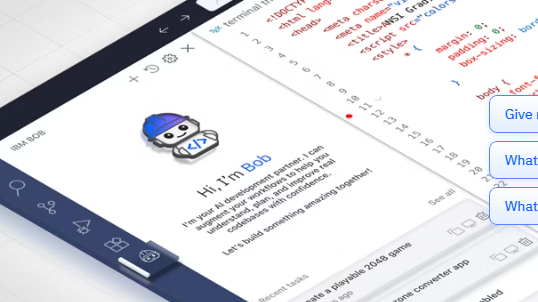
IBM Watson became famous after beating human champions on the quiz show Jeopardy! years ago. Since then, IBM has continued building AI tools aimed mainly at businesses.
Watson focuses heavily on areas such as customer service, healthcare, data analysis, and automation.
What stands out about IBM is its focus on responsible AI and governance. Large organizations that handle sensitive data often appreciate these features.
For small projects, Watson may not always be the first choice. But for companies operating in regulated industries, it can be a strong option.
Oracle Cloud AI
Oracle may not get as much attention as Google, Amazon, or Microsoft when people discuss AI, but it has quietly built a solid set of cloud AI services.
Oracle Cloud AI is particularly popular among businesses that already use Oracle databases and enterprise software.
Its AI tools help with forecasting, business analytics, automation, document processing, and customer insights.
If a company already relies heavily on Oracle products, staying within the Oracle ecosystem can simplify management and reduce integration headaches.

Salesforce AI Cloud
Salesforce is best known for customer relationship management (CRM), but it has also added powerful AI capabilities through Salesforce AI Cloud.
Instead of focusing on technical AI development, Salesforce concentrates on helping sales, marketing, and customer support teams work smarter.
For example, AI can help sales representatives prioritize leads, suggest responses to customers, predict buying behavior, and automate repetitive tasks.
This makes Salesforce AI especially attractive for businesses that want practical AI benefits without building everything from scratch.
Cloud AI Platform Comparison
| Platform | Best For | Key Tools | Beginner Friendliness | Pricing Style |
|---|---|---|---|---|
| Google Cloud Vertex AI | AI applications, generative AI projects | Vertex AI, Gemini models, BigQuery AI | High | Pay-as-you-go |
| AWS AI Services | Large-scale AI and machine learning | SageMaker, Lex, Rekognition | Medium | Pay-as-you-go |
| Microsoft Azure AI | Enterprise businesses and Microsoft users | Azure AI Studio, Cognitive Services | High | Consumption-based |
| IBM Watson | Regulated industries and enterprise analytics | Watson AI, Watson Assistant | Medium | Subscription and usage-based |
| Oracle Cloud AI | Oracle ecosystem users | AI Services, Analytics Cloud | Medium | Usage-based |
| Salesforce AI Cloud | Sales and customer support teams | Einstein AI, AI Cloud | High | Subscription-based |
Which Cloud AI Platform Should You Choose?
Honestly, there isn’t one perfect answer.
If you’re a beginner exploring AI projects, Google Cloud and Azure are usually easier places to start.
If you need maximum flexibility and plan to build large-scale applications, AWS is hard to ignore.
Companies already using Oracle software often benefit from Oracle Cloud AI. Businesses focused on customer relationships may get more value from Salesforce AI Cloud.
And for organizations that deal with strict compliance requirements, IBM Watson can make a lot of sense.
The best platform is often the one that fits the tools you’re already using. Switching platforms later is possible, but it can get messy and expensive.
My advice? Start small. Try a free tier, build a simple project, break a few things, learn as you go, and then decide which platform feels right for you. That’s usually how real learning happens anyway.
7. Cloud AI vs Traditional AI
A few years ago, if a company wanted to use artificial intelligence, they usually had to buy powerful servers, expensive software, and hire people to manage everything. That’s what many people call traditional AI or on-premise AI. The whole setup stayed inside the company’s own office or data center.
Cloud AI works differently. Instead of buying and maintaining all that hardware, you use AI services through the internet. It’s a bit like the difference between owning a private power generator and simply using electricity from the grid. One requires a lot of work. The other is ready when you need it.
The first thing most people notice is the cost. Traditional AI can be expensive right from the start. You may need servers, storage, networking equipment, and technical experts. Cloud AI usually starts much cheaper because you’re paying only for the resources you use. For startups and small businesses, that’s often a huge relief.
Speed is another big difference. Setting up a traditional AI environment can take weeks or even months. I’ve seen businesses spend a lot of time just getting the infrastructure ready before they could even start testing their ideas. With Cloud AI, you can often create an account and begin experimenting the same day.
Then there’s maintenance. Servers don’t magically take care of themselves. They need updates, security patches, backups, and constant monitoring. With Cloud AI, much of that work is handled by the cloud provider, which saves a lot of headaches.
That said, traditional AI still has one advantage many organizations care about: data control. Some companies deal with highly sensitive information and prefer to keep everything inside their own systems. They feel more comfortable knowing exactly where their data lives and who can access it.
Scalability is where Cloud AI really shines. Imagine your website suddenly gets ten times more visitors overnight. A cloud-based system can usually handle that growth much more easily. Traditional systems often require buying and installing more hardware, which takes time and money.
So which option is better? For most beginners, startups, bloggers, and growing businesses, Cloud AI is usually the easier choice. It’s affordable, flexible, and quick to get started with. Traditional AI makes more sense for large organizations that need strict control over their data and infrastructure.
For many people today, the question isn’t whether to use AI. It’s simply whether they want to build everything themselves or let the cloud do most of the heavy lifting.
8. Cloud AI for Small Businesses and Startups
A few years ago, when people heard the words “artificial intelligence,” they imagined giant tech companies with huge budgets and teams full of data scientists. That’s changed a lot.
These days, even a small business with just a handful of employees can use cloud AI. You don’t need to hire a team of AI experts. In many cases, you don’t even need to know how to code.
Think about a local online store. The owner is already busy answering customer questions, checking inventory, posting on social media, and trying to grow sales. There aren’t enough hours in the day. That’s where cloud AI can help.
One of the most common uses is a support bot. Instead of answering the same questions over and over—”Where is my order?” or “What are your business hours?”—an AI chatbot can handle those conversations automatically. Customers get answers quickly, and the business owner gets some breathing room.
I’ve also noticed that many startups use AI for content creation. Writing product descriptions, social media posts, email newsletters, or blog drafts can take forever. AI tools can create a first draft in minutes. Of course, I still think a human should review everything before publishing, but it definitely saves time.
Sales forecasting is another area where cloud AI shines. Rather than guessing next month’s sales based on gut feeling, AI tools can look at past trends and provide estimates. They’re not perfect, but they can be surprisingly helpful when you’re planning inventory or setting business goals.
Speaking of inventory, that’s another headache for many small businesses. Running out of popular products is frustrating. Ordering too much isn’t great either. Some AI-powered systems can analyze sales patterns and suggest when to reorder stock. That means fewer surprises and less money sitting on shelves.
Lead scoring sounds fancy, but the idea is simple. AI can look at customer behavior and identify which leads are most likely to buy. Instead of contacting hundreds of people, sales teams can focus on the ones who show real interest.
The best part? Many cloud AI tools are built for regular people. Platforms like Microsoft Power Platform, Google Vertex AI, Zapier, Bubble, and other low-code or no-code tools let business owners automate tasks without writing complicated code. You click, connect apps, and create workflows. That’s it.
For small businesses and startups, cloud AI isn’t really about replacing people. It’s about removing repetitive work so people can spend more time on things that actually grow the business. And honestly, that’s something almost every business owner could use a little help with.
9. Risks and Challenges of Cloud AI
Cloud AI can do some pretty amazing things. It can help businesses save time, automate tasks, and even make better decisions. But if I’m being honest, it’s not all smooth sailing.
Like any technology, there are a few bumps in the road that people often discover after they start using it.
Data Privacy Concerns
One thing that makes many people nervous is data privacy.
When you use Cloud AI, your information is usually stored on someone else’s servers. That could include customer records, business documents, photos, or other sensitive data.
Now, major cloud providers spend billions on security. Still, handing over your data to a third party can feel uncomfortable. I remember talking to a small business owner who hesitated to move customer information to the cloud because he worried about who might access it. That’s a concern many people share.
If private data falls into the wrong hands, the consequences can be serious.
Vendor Lock-In Can Be Frustrating
Another challenge is something called vendor lock-in.
The term sounds technical, but the idea is simple. Once you build your AI systems on a specific cloud platform, moving everything somewhere else can become difficult and expensive.
Think of it like moving into an apartment and then realizing all your furniture was custom-built for that exact space. Leaving suddenly becomes a lot harder than you expected.
Many businesses don’t think about this problem until years later.
Hidden Costs Add Up Fast
At first glance, Cloud AI can seem affordable.
Then the monthly bills start arriving.
Storage fees, API requests, computing power, data transfers, AI model training costs—it all adds up. Sometimes much faster than expected.
I’ve seen people sign up for a free trial and assume the costs would stay low. A few months later, they’re surprised by a bill that is much larger than planned.
The lesson? Always keep an eye on usage and pricing before scaling up.
AI Models Can Be Biased
AI is smart, but it isn’t perfect.
An AI model learns from data created by humans. If that data contains mistakes, unfair assumptions, or missing information, the AI can repeat those problems.
For example, an AI hiring tool trained on biased historical hiring data might unintentionally favor certain groups over others.
That’s why human oversight still matters. You can’t simply switch on AI and trust every result without question.
Compliance Rules Can Be Complicated
Different countries and industries have different rules about how data should be stored and handled.
Healthcare companies, banks, and government organizations often face strict regulations.
A business might accidentally break a rule without even realizing it if they don’t understand where their data is stored or how it’s being processed.
Honestly, compliance isn’t the most exciting topic in the world, but ignoring it can create expensive problems later.
You Need a Reliable Internet Connection
This sounds obvious, yet people often overlook it.
Cloud AI depends heavily on internet access.
If your connection is slow, unstable, or unavailable, your AI services may stop working properly. That’s not a huge issue for some people. For others, especially businesses that rely on AI every day, even a short outage can be frustrating.
The Skill Gap Is Real
Many Cloud AI tools are becoming easier to use, but there’s still a learning curve.
You may need to understand data, cloud platforms, security settings, AI models, or system integrations. Finding people with those skills isn’t always easy.
Small businesses sometimes struggle here because they don’t have dedicated AI specialists on their team.
10. How to Choose the Right Cloud AI Platform
Picking a cloud AI platform can feel a bit overwhelming at first. I remember looking at different options and thinking, “Why are there so many choices?” Google Cloud, AWS, Azure, IBM, Oracle… they all promise amazing things. The truth is, there isn’t one perfect platform for everyone. The best choice depends on what you’re trying to do.
The first thing I’d look at is your budget. Some cloud AI services offer free plans or free credits when you’re just getting started. That’s great for students, bloggers, startups, or anyone who wants to experiment without spending a lot of money. On the other hand, some advanced AI features can become expensive pretty quickly if you’re processing large amounts of data. Don’t just look at the starting price. Check how much you’ll pay as your usage grows.
Next comes ease of use. Not everyone is a data scientist, and honestly, that’s okay. If you’re new to cloud AI, choose a platform with a simple dashboard, clear instructions, and beginner-friendly tools. I’ve seen people spend more time trying to understand a complicated interface than actually building something useful.
Another thing many people forget is compatibility with their existing tools. Maybe your business already uses Microsoft products. In that case, Azure AI might fit naturally into your workflow. If you’re heavily invested in Google services, Google Cloud AI could make more sense. Sometimes choosing the platform that works well with what you already have saves a lot of headaches later.
Then there’s data security, which is a big deal. If you’re handling customer information, financial records, or sensitive business data, you can’t afford to ignore this. Look for platforms that offer strong encryption, access controls, compliance certifications, and regular security updates. Nobody wants to explain a data breach to their customers.
You’ll also want to check the AI model options available. Some platforms focus heavily on machine learning. Others provide ready-made tools for image recognition, text generation, speech processing, or chatbots. Think about what you actually need today, but also what you might need six months from now.
I always pay attention to support and documentation too. This sounds boring until something breaks at 11 PM and you’re desperately searching for answers. Good tutorials, active communities, detailed guides, and responsive support teams can save hours of frustration.
As your project grows, scalability becomes important. Maybe you’re getting a few hundred visitors today. What happens if you suddenly get ten thousand? A good cloud AI platform should grow with your business without forcing you to rebuild everything from scratch.
Finally, consider integration. Your AI platform shouldn’t live on an island. It should connect easily with your website, mobile app, CRM, e-commerce store, marketing tools, or business software. The smoother these connections are, the less time you’ll spend fixing technical issues.
At the end of the day, don’t chase the platform with the most features. Most people never use half of them anyway. Choose the one that fits your budget, solves your current problem, feels comfortable to use, and gives you room to grow. That’s usually the smarter decision.
11. Future of Cloud AI
A few years ago, most people thought AI was something only huge tech companies could afford. Now it feels like AI is showing up everywhere. Your phone uses it. Online stores use it. Even small businesses are starting to use AI tools without spending a fortune on expensive computers.
One thing that’s getting a lot of attention is AI agents. Think of them as digital assistants that can do more than answer questions. Instead of helping with one task, they can handle a series of jobs on their own. For example, an AI agent might read customer emails, create replies, schedule appointments, and even generate reports while you’re busy doing something else. That still feels a little wild to me.
We’re also seeing the rise of multimodal AI. Sounds complicated, but it really isn’t. It simply means AI can understand different types of information at the same time. Text, images, audio, videos, and even documents can all be processed together. Imagine uploading a photo, asking a question about it, and getting an answer instantly. That’s becoming more common than many people realize.
Another trend is the growth of industry-specific AI clouds. Healthcare companies, banks, manufacturers, and retailers all have different needs. Instead of using one general AI system, businesses are starting to choose cloud AI platforms designed for their specific industry. It saves time and often produces better results.
Behind the scenes, cloud providers are racing to add more powerful hardware. AI models need enormous computing power, which means the demand for cloud GPUs keeps growing. Every time a new AI model appears, companies need even more processing power to train and run it.
At the same time, many businesses don’t want everything stored in one place. That’s why hybrid AI and edge AI are becoming more popular. Some data stays in the cloud, while some is processed closer to where it’s created, such as factories, hospitals, or smart devices. This can improve speed and help protect sensitive information.
Of course, not everything is about speed and power. As AI becomes part of daily life, people are asking bigger questions. Is the data secure? Is the AI making fair decisions? Can companies explain how their systems work? These concerns are pushing organizations to focus more on responsible AI and governance.
If I had to guess where things are heading, I’d say cloud AI will become as normal as using email or online storage. Most people won’t even think about the technology running in the background. They’ll just use smarter apps, faster services, and better tools without realizing how much cloud AI is helping behind the scenes.
12. Final Thoughts
So, is Cloud AI worth it?
For most people and businesses, I’d say yes. Not because it’s some magical technology that fixes every problem overnight, but because it makes powerful AI tools available to almost anyone. A few years ago, using advanced AI often meant buying expensive servers, hiring specialists, and spending a lot of money before seeing any results. That’s not really the case anymore.
What surprised me most when learning about Cloud AI was how accessible it has become. A small online store can use AI to recommend products. A local business can add a chatbot to answer customer questions. Even a solo blogger can use AI-powered tools to save time on everyday tasks. You don’t need a huge budget or a team of engineers sitting in an office somewhere.
If you’re still unsure, don’t overthink it. Start small.
Pick one simple problem you’d like to solve. Maybe it’s answering customer questions faster, organizing data, creating content ideas, or understanding sales trends. Try one Cloud AI tool and see what happens. That’s usually the best way to learn.
Technology can feel intimidating when you look at the big picture. But when you break it down into one small step, it’s much easier. And honestly, that’s how most people get started—not by becoming AI experts overnight, but by solving one real problem at a time.
FAQs
1. What is Cloud AI in simple words?
Cloud AI is artificial intelligence that runs on cloud servers instead of your own computer. Think of it this way. Instead of buying a powerful machine and setting up complicated software, you use AI tools through the internet.
A simple example is ChatGPT. You don’t install a giant AI system on your laptop. You open a website or app, type a question, and get an answer. The heavy work happens on remote servers somewhere else.
That’s basically Cloud AI. You get access to powerful AI without owning all the expensive hardware behind it.
2. Is Cloud AI the same as cloud computing?
Not exactly.
Cloud computing is the bigger concept. It means using computing resources like storage, databases, and software through the internet.
Cloud AI is one part of cloud computing. It focuses specifically on artificial intelligence services.
I like to think of cloud computing as a shopping mall. Cloud AI is just one store inside that mall. There are many other services too, like web hosting, storage, security tools, and databases.
So Cloud AI uses cloud computing, but they aren’t the same thing.
3. Which cloud platform is best for AI?
The honest answer is that it depends on what you’re trying to do.
Many beginners start with Google Cloud because it offers tools that are fairly easy to explore. AWS is extremely powerful and widely used by businesses. Microsoft Azure is popular among companies that already use Microsoft products.
If you’re learning AI for the first time, don’t spend weeks trying to find the “perfect” platform. Pick one and start experimenting.
Most people learn faster by doing than by comparing endless feature lists online.
4. Is Cloud AI safe?
Generally, yes. Major cloud providers invest huge amounts of money into security.
That said, no system is completely risk-free.
If you’re handling personal customer information, financial records, or sensitive company data, you should always understand how the provider stores and protects that information.
For everyday tasks like creating content, analyzing reports, or building simple AI projects, Cloud AI is usually considered safe when used responsibly.
A little common sense goes a long way. I wouldn’t upload confidential documents anywhere without checking privacy settings first.
5. Can small businesses use Cloud AI?
Absolutely.
This is actually one of the biggest reasons Cloud AI has become so popular.
Years ago, only large companies could afford advanced AI systems. Now a small online store, local agency, or even a solo entrepreneur can use AI tools for customer support, content creation, marketing, and data analysis.
A friend of mine runs a small business and uses AI to answer customer questions and draft emails. What used to take hours now takes minutes.
You don’t need a huge budget to get started anymore.
6. What are examples of Cloud AI?
You probably use Cloud AI more often than you realize.
Some common examples include:
- ChatGPT answering questions.
- Netflix recommending movies.
- Spotify suggesting songs.
- Google Photos recognizing faces and objects.
- Customer service chatbots on websites.
- Voice assistants like Siri and Google Assistant.
- Fraud detection used by banks.
Behind the scenes, these services rely on powerful cloud infrastructure to process enormous amounts of data.
Most users never see that part. They just enjoy the results.
7. Is Cloud AI expensive?
It can be, but it doesn’t have to be.
Many cloud providers offer free plans or trial credits. That’s often enough for learning and small projects.
Costs usually increase when you start processing large amounts of data, training custom AI models, or serving thousands of users.
One thing I’ve learned over the years is to keep an eye on usage. Cloud services often start cheap, then surprise people when traffic grows.
If you’re just learning or running a small business, you can usually start with very little investment.
8. What skills are needed to use Cloud AI?
The good news is you don’t need to be a computer genius.
For beginners, basic computer skills, curiosity, and a willingness to learn are often enough.
As you go deeper, these skills become useful:
- Basic cloud computing knowledge.
- Understanding of AI and machine learning concepts.
- Data analysis.
- Problem-solving.
- Some Python programming.
- Familiarity with cloud platforms.
But don’t let that list scare you.
A lot of modern AI tools are designed for regular people. You can accomplish quite a bit before writing a single line of code.
Most experts started exactly where you are now—confused, curious, and trying things one step at a time.
