
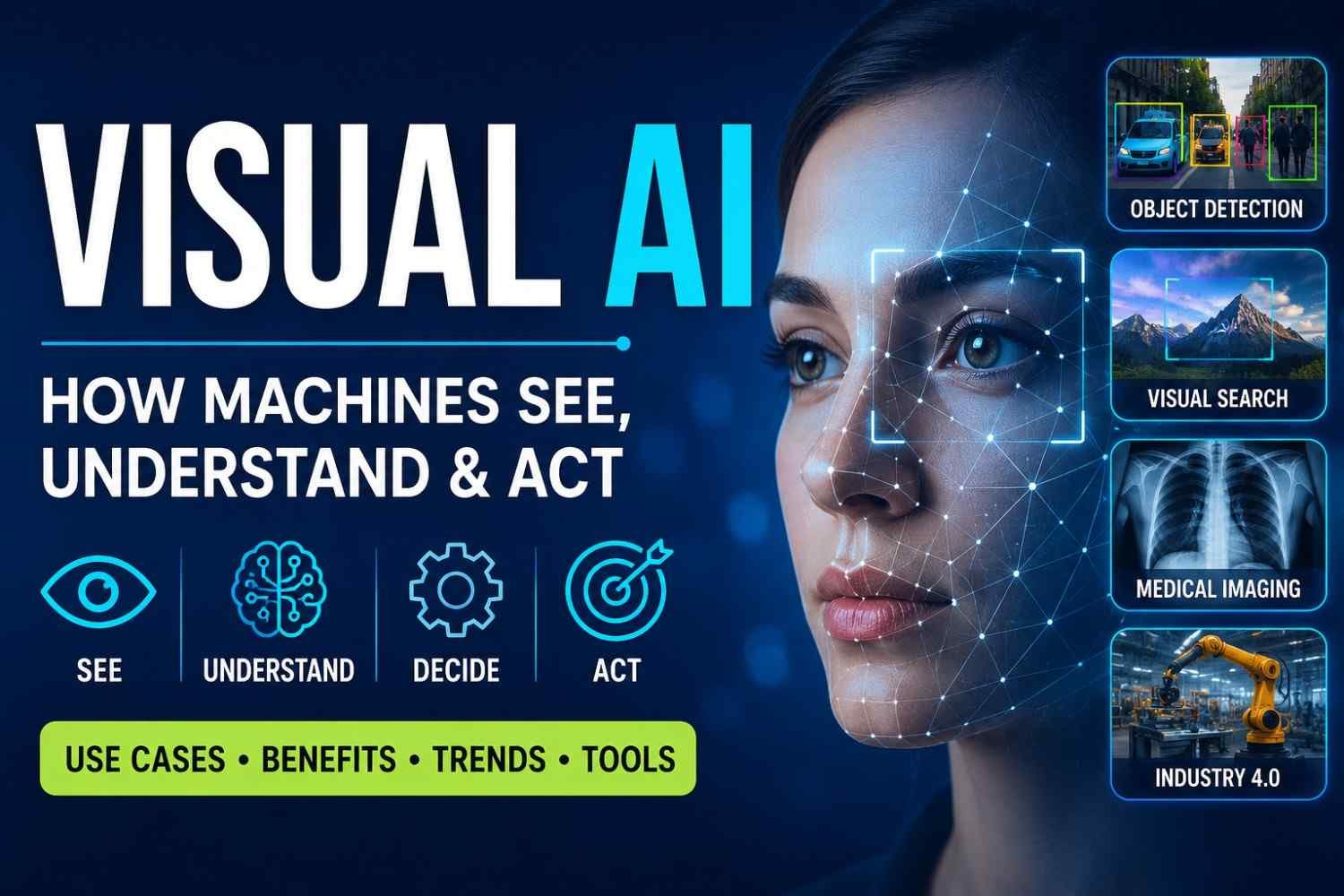
Visual AI is a type of artificial intelligence that can look at images, videos, documents, or even live camera feeds and understand what’s happening inside them. In simple terms, it helps machines “see” and make decisions based on what they see.
You probably use Visual AI more often than you realize. When your phone recognizes a face in a photo, when an online store lets you search using an image instead of words, or when a security camera spots unusual activity, that’s Visual AI at work.
A few years ago, most people thought this kind of technology belonged in science-fiction movies. Now it’s showing up everywhere. Retail stores use it to track inventory. Doctors use it to help analyze medical scans. Manufacturers use it to catch defects before products leave the factory.
What makes Visual AI interesting isn’t just that it can identify objects. The real value comes from its ability to understand context and take action. A system doesn’t just see a car anymore—it can recognize traffic conditions, predict risks, and respond in real time.
If you’ve searched for “what is Visual AI,” “Visual AI meaning,” or “Visual AI explained,” you’re in the right place. In this guide, we’ll break down how Visual AI works, where it’s being used today, the benefits and challenges it brings, and the trends that are shaping its future. Along the way, you’ll see practical examples that make the technology much easier to understand.
What Is Visual AI?
Visual AI is a type of artificial intelligence that helps computers understand and make sense of what they “see” in images, videos, documents, screens, and even live camera feeds.
Think about how quickly you can look at a photo and recognize a dog, a traffic sign, or a friend’s face. For humans, that’s easy. For machines, it used to be incredibly difficult. Visual AI changes that. It teaches computers to identify objects, read text, spot patterns, and sometimes even understand what’s happening in a scene.
If you’ve ever unlocked your phone with your face, searched for a product using a photo, or watched a security camera automatically detect movement, you’ve already used Visual AI without realizing it.
At its core, Visual AI builds on a field called computer vision. Google describes computer vision as technology that can interpret and analyze visual information from the world around us. In simple terms, it’s about helping machines see and understand visual data instead of just storing it.
What makes modern AI vision different is that it doesn’t stop at recognizing what’s in an image. Today’s systems can often explain what they’re seeing, answer questions about a picture, summarize a video, or even suggest the next action. That’s a big leap from the older image-recognition tools many of us were used to.
One thing I’ve noticed over the last couple of years is how quickly Visual AI has moved into everyday life. A few years ago, it felt like something only large tech companies used. Now it’s everywhere—from online shopping apps and healthcare tools to factories and social media platforms.
If you’ve searched “what is visual artificial intelligence” or “what does Visual AI mean,” the simplest answer is this:
Visual AI gives machines the ability to understand and work with visual information in a way that feels surprisingly close to how people do it.
And honestly, we’re only seeing the beginning of what it can do.
Visual AI vs Computer Vision vs Generative AI: What’s the Difference?
If you’re wondering whether Visual AI and computer vision are the same thing, the short answer is: not exactly.
A lot of people use these terms interchangeably, and honestly, that’s understandable. They overlap quite a bit. But there are some important differences that become clear once you see how they’re used in the real world.
| Term | What It Does |
|---|---|
| Computer Vision | Detects, recognizes, and analyzes visual information |
| Visual AI | Combines vision with reasoning, decision-making, and actions |
| Generative Visual AI | Creates, edits, or transforms images and videos |
Think of computer vision as the eyes of an AI system. Its job is to look at images or videos and figure out what’s there. For example, a security camera can detect a person entering a building, or an app can identify a dog breed from a photo. It sees and understands visual information.
Visual AI goes a step further. It doesn’t just see. It interprets what it sees and decides what to do next. Imagine a factory camera spotting a damaged product on a conveyor belt and automatically removing it from production. That’s more than recognition—it’s action. In many modern systems, this is where Visual AI becomes really useful.
Then there’s Generative AI in computer vision, which is getting a lot of attention lately. Instead of analyzing images, it creates them. Tools like image generators, AI photo editors, and video creators fall into this category. Give them a text prompt, and they’ll produce something entirely new.
A simple way to remember it:
- Computer vision = “What am I looking at?”
- Visual AI = “What am I looking at, and what should I do about it?”
- Generative Visual AI = “Create something new based on what I’ve asked for.”
One interesting thing I’ve noticed while reading discussions on Reddit and Quora is that many people assume every image-related AI tool is computer vision. That’s no longer true. The field has expanded fast. Today’s systems can understand images, make decisions, and even generate completely new visuals from scratch.
That’s why you’ll hear the term Visual AI vs Computer Vision more often now. Computer vision is still the foundation, but Visual AI has grown into a much broader category that includes reasoning, automation, and real-world decision-making.
How Does Visual AI Work?
The simplest answer to how Visual AI works is this: it takes an image or video, figures out what’s inside it, and then decides what to do with that information.
Think about how you instantly recognize a stop sign while driving. Your brain doesn’t consciously measure every shape and color. You just know what it is. Visual AI tries to do something similar, although it gets there in a very different way.
The process usually starts with data input. This could be a photo from your phone, a security camera feed, a medical scan, or even a scanned document. Before the AI can understand anything, the image often goes through preprocessing. The system may resize it, clean up noise, adjust brightness, or improve quality. It’s a bit like wiping dust off your glasses before trying to read a sign.
Next comes the real work. The AI analyzes patterns inside the image. Older systems relied heavily on Convolutional Neural Networks (CNNs), which became famous for tasks like image recognition AI and object detection. CNNs look for visual patterns such as edges, shapes, textures, and colors.
Today, many advanced systems use Vision Transformers (ViTs). Instead of focusing on small sections one at a time, they look at relationships across the entire image. This helps them understand complex scenes much better.
Once the model has analyzed the image, it moves into classification, detection, or segmentation.
- Classification answers: “What is this?”
- Object detection answers: “What objects are here and where are they?”
- Segmentation goes a step further by outlining the exact pixels that belong to each object.
- OCR (Optical Character Recognition) extracts text from images, receipts, invoices, screenshots, and documents.
For example, a retail store camera might identify customers, detect empty shelves, and read product labels at the same time.
Modern multimodal AI models can even combine images with text, voice, and other data sources. That’s why some AI assistants can now look at a screenshot, understand what’s happening, and answer questions about it.
The final stage is decision and action. The system might flag a defective product on a factory line, recommend a similar item in an online store, or alert a driver about a pedestrian crossing the road.
One trend I’ve been watching closely is edge AI. Instead of sending every image to a cloud server, the analysis happens directly on the device itself. That means faster responses, lower costs, and often better privacy. If you’ve ever unlocked your phone with your face almost instantly, you’ve already experienced Visual AI in action.
Top Visual AI Use Cases in 2026
If you’re wondering whether Visual AI is actually useful in the real world, the answer is yes—and probably in more places than you realize. Most people think of robots or self-driving cars when they hear the term. In reality, Visual AI is quietly helping businesses solve everyday problems, save time, and make better decisions.
Ecommerce Visual Search and Product Recommendations
One of the most practical Visual AI examples is visual search.
Instead of typing “black running shoes with white soles,” shoppers can upload a photo and find similar products instantly. That’s a huge deal because people often know what they want when they see it, but struggle to describe it with words.
Many online stores now use Visual AI to recommend products based on browsing behavior, uploaded images, and even screenshots from social media. According to discussions on Reddit’s ecommerce communities, visual search is becoming especially valuable for fashion, furniture, and home decor brands where appearance drives buying decisions.
Retail Shelf Monitoring
Walk into a large supermarket and you’ll notice thousands of products sitting on shelves. Keeping track of what’s missing, misplaced, or running low isn’t easy.
Visual AI can monitor shelves through cameras and alert staff when products need restocking. It can also spot pricing mistakes and planogram issues before customers notice them.
Store managers don’t have to spend hours walking every aisle anymore. The system does most of the checking automatically.
Manufacturing Defect Detection
Factories have used cameras for years, but Visual AI makes those cameras much smarter.
Instead of relying on human inspectors to spot tiny scratches, cracks, or defects, AI systems can examine products in real time. They often catch problems that are difficult for the human eye to notice, especially after long shifts.
A manufacturing manager on a Quora discussion described defect detection as one of the fastest-return AI investments because even a small reduction in faulty products can save thousands of dollars every month.
Healthcare Imaging Support
Doctors are increasingly using Visual AI to help analyze medical images such as X-rays, CT scans, and MRIs.
The goal isn’t to replace healthcare professionals. It’s to help them spot patterns faster and reduce the chance of missing something important.
Many clinicians see AI as a second set of eyes. When used responsibly, it can support earlier detection and quicker reviews, particularly when hospitals are dealing with large numbers of patients.
Autonomous Vehicles
Self-driving technology is one of the most visible Visual AI applications in business and society.
Cars need to recognize road signs, pedestrians, lane markings, traffic signals, cyclists, and unexpected obstacles—all within seconds. Visual AI processes huge amounts of visual information continuously to help vehicles understand their surroundings.
While fully autonomous driving is still evolving, the technology behind it continues to improve every year.
Security and Surveillance
Security teams are using Visual AI to monitor large areas more efficiently.
Modern systems can identify unusual activity, detect unauthorized access, recognize abandoned objects, and send alerts when something requires attention.
The biggest advantage isn’t constant surveillance. It’s reducing the number of hours people spend staring at video feeds where nothing happens most of the time.
Customer Support with Live Visual Guidance
This is one use case that doesn’t get enough attention.
Imagine trying to fix your internet router or assemble a piece of furniture. Instead of describing the problem over the phone, you simply point your smartphone camera at it.
Visual AI can analyze what it sees and help support agents provide faster instructions. Some companies are already using this approach to reduce troubleshooting time and improve customer satisfaction.
Creative Workflows, Storyboards, Design, and Product Mockups
Creative teams are adopting Visual AI much faster than many people expected.
Designers use it to generate product concepts, build marketing visuals, create mockups, and test ideas before spending weeks on production. What used to take days can sometimes happen in minutes.
A good example is Adobe Firefly’s custom AI models, which allow brands to generate visuals that stay consistent with their existing style and identity. Instead of starting from scratch every time, teams can create content that still feels like their brand.
We’re also seeing Visual AI appear in industries that traditionally relied on manual sketching and storyboarding. General Motors has experimented with AI systems that turn rough sketches into detailed vehicle visualizations. Filmmaker Martin Scorsese has discussed using AI-assisted tools during creative planning and storyboard development, showing how visual intelligence is becoming part of the creative process rather than replacing it.
What’s interesting is that many creators on YouTube, Reddit, and design forums aren’t using Visual AI to replace creativity. They’re using it to get past blank-page syndrome faster. The ideas still come from people. Visual AI just helps bring those ideas to life a little quicker.
Benefits of Visual AI for Businesses
The biggest benefit of Visual AI is simple: it helps businesses make faster and better decisions without needing people to check everything by hand.
Think about how much time teams spend looking through images, videos, documents, security footage, product catalogs, or quality inspection reports. Visual AI can handle a huge part of that work in seconds. What used to take hours can often be done almost instantly.
Speed is usually the first thing companies notice. A warehouse can identify damaged products as they move down a conveyor belt. An online store can automatically tag thousands of product images. A hospital can help doctors spot patterns in medical scans more quickly. The work still needs human oversight, but the first round of checking becomes much faster.
Another reason businesses are investing in visual AI is automation. Repetitive visual tasks are tiring for people. After looking at hundreds of images, anyone can miss something. AI doesn’t get bored. It can review the same type of image thousands of times while following the same rules every time.
That consistency often leads to lower costs. A manufacturing company, for example, can catch defects earlier instead of discovering them after products have already shipped. Fixing problems early is usually much cheaper than fixing them later.
Visual AI in business also helps create more personal customer experiences. When someone uploads a photo and finds similar products instantly, shopping feels easier. That’s one reason visual search has become so popular in ecommerce.
A discussion I came across on Reddit summed it up well: customers don’t always know the name of what they want, but they know it when they see it. Visual search bridges that gap.
There are safety benefits too. In factories, warehouses, construction sites, and transportation hubs, Visual AI can detect missing safety gear, restricted-area access, equipment issues, or unusual activity before a small problem turns into a bigger one.
Why use Visual AI? Most businesses aren’t looking for flashy technology. They want fewer manual checks, faster operations, lower costs, better search experiences, and safer workplaces. Visual AI helps with all of those, which is why adoption keeps growing across industries.
What Are the Real Challenges and Risks of Visual AI?
The biggest mistake companies make with Visual AI is assuming it’s always right. It isn’t. Even the most advanced systems can misread images, miss obvious details, or confidently give the wrong answer.
One of the most common visual AI risks is bias. If a model is trained mostly on one type of data, it may struggle when it sees something different in the real world. A retail system trained on product photos from one region, for example, might perform poorly when it encounters different packaging, lighting conditions, or customer behaviors elsewhere. The result? Bad predictions and frustrated users.
Privacy is another concern that comes up again and again. Visual AI often relies on cameras, images, and video feeds. That’s useful for security, quality control, and customer experiences, but it also raises questions. Who owns the data? How long is it stored? Who can access it? These aren’t technical questions anymore. They’re business and legal questions too.
Then there’s the issue of surveillance. On Reddit and Quora, you’ll find plenty of discussions where people are comfortable with AI detecting manufacturing defects but feel uneasy when the same technology is used to track faces, movements, or behaviors in public spaces. The technology itself isn’t the problem. How it’s used often is.
Another challenge that’s getting more attention is hallucinated visual outputs. Sometimes an AI system “sees” something that isn’t actually there. It may identify the wrong object, misread a sign, or make a confident but incorrect judgment. In healthcare, security, or autonomous systems, even a small mistake can become a serious issue.
Behind the scenes, data quality creates another headache. Good visual AI needs thousands, sometimes millions, of accurately labeled images. That sounds simple until you’re the person paying for it. Image annotation takes time, money, and a lot of human effort. In many computer vision communities, developers regularly mention labeling data as one of their biggest bottlenecks.
The hardware bill can hurt too. Training large visual models often requires expensive GPUs and cloud infrastructure. Small businesses are sometimes surprised to learn that collecting the data is only the beginning. Running and improving the model can cost much more over time.
And finally, there are false positives and false negatives. A factory inspection system might flag a perfectly good product as defective. A security camera might miss an actual threat. Neither outcome is ideal. That’s why experienced teams rarely rely on Visual AI alone. They combine automation with human review, especially when the stakes are high.
Visual AI can deliver incredible results, but understanding its limitations is what separates successful projects from expensive experiments.
Build vs Buy: Should You Use APIs, Tools, or Custom Models?
If you’re wondering whether to build your own Visual AI system or buy an existing solution, the short answer is this: start with what’s already available unless you have a very specific problem that off-the-shelf tools can’t solve.
I’ve seen teams spend months trying to build computer vision systems from scratch, only to realize a simple API could have handled 80% of their needs in a few days. That’s why the build vs buy computer vision debate usually comes down to one thing—how unique your use case really is.
For many businesses, APIs are the easiest place to start. Need to extract text from invoices? OCR APIs can do that. Want automatic image tagging, content moderation, or object detection? There are ready-made services that work right out of the box. Google’s Vision AI platform is a good example. It supports image, document, and video analysis through pre-trained models, and it also gives you options to customize models when needed.
SaaS-based visual AI tools make even more sense if your goal is speed. Ecommerce brands use them for visual search, product tagging, and recommendation systems. Creative teams use them to organize image libraries, generate variations, and speed up content production. No machine learning team required.
That said, there are situations where buying isn’t enough.
Imagine a manufacturer trying to detect tiny defects that only appear on its own production line. Or a hospital analyzing specialized medical images. In cases like these, generic models often miss important details. That’s where custom models become valuable because they’re trained on your own data and built around your exact requirements.
A discussion on Reddit about computer vision projects summed it up well: many teams underestimate the hidden cost of collecting and labeling data. Building a model is one thing. Maintaining it is another story entirely.
A simple rule of thumb
- Use APIs for OCR, image tagging, moderation, and standard recognition tasks.
- Use SaaS visual AI tools for ecommerce, marketing, content creation, and workflow automation.
- Build custom models when accuracy, safety, compliance, or proprietary data creates a real competitive advantage.
For most organizations, the smartest path isn’t build or buy. It’s usually buy first, learn what works, and then build only where it truly matters.
What Are the Biggest Visual AI Trends to Watch in 2026?
If you’re wondering about the future of Visual AI, the short answer is this: AI is moving from simply recognizing what’s in an image to actually understanding what it’s looking at and helping people take action.
A few years ago, most visual systems could spot a cat in a photo or detect a damaged product on a factory line. Useful, sure. But the latest Visual AI trends in 2026 are pushing far beyond basic image recognition.
One shift that’s hard to ignore is the rise of visual AI agents. These systems don’t just analyze images anymore. They can observe what’s happening, understand the context, and suggest the next step. Imagine a warehouse worker pointing a camera at a machine and getting instant troubleshooting guidance. That’s no longer science fiction.
Another area growing fast is real-time video AI. Businesses are using it to monitor safety risks, track inventory, and improve customer experiences as events happen. What makes this interesting is the speed. Instead of reviewing footage later, companies can respond immediately.
I’ve also noticed more conversations on Reddit and Quora about Edge AI. People are looking for ways to process visual data directly on devices rather than sending everything to the cloud. It reduces delays, cuts costs, and helps with privacy concerns. For industries like healthcare, manufacturing, and transportation, that’s a big deal.
Then there are vision foundation models, which many experts see as the next major leap. Similar to how large language models changed text-based AI, these models are trained on massive amounts of visual information. That means they can adapt to many tasks without needing to be rebuilt from scratch every time.
Consumers are seeing changes too. AI-powered visual search is becoming surprisingly useful. Instead of typing “blue running shoes,” people can upload a photo and find nearly identical products within seconds. Retail brands are investing heavily here because it’s simply a more natural way to search.
We’re also starting to see screen-aware assistants become part of everyday work. Microsoft’s Copilot Vision is one example. It can understand what’s on your screen and help with tasks in real time. That may sound small, but it changes how people interact with software.
And then there’s AR, VR, and wearable technology. Smart glasses, mixed-reality headsets, and wearable cameras all depend on multimodal AI vision to understand the world around us. The better Visual AI gets, the more useful these devices become.
The common thread behind all of these trends is simple: Visual AI is becoming less like a tool and more like a partner that can see, understand, and assist. That’s what makes the next few years so interesting.
FAQs About Visual AI
What is Visual AI in simple words?
Visual AI is technology that helps computers “see” and understand images and videos, a bit like people do. If you’ve ever used your phone to unlock with your face, searched for a product using a photo, or seen a camera detect a person walking by, you’ve already interacted with Visual AI.
The easiest way to think about it is this: Visual AI turns pictures and videos into information that a machine can understand and act on.
Is Visual AI the same as computer vision?
Not exactly.
Computer vision is one part of Visual AI. It focuses on helping machines recognize and analyze visual content. Visual AI goes a step further by combining that visual understanding with decision-making, automation, and sometimes even language models.
A simple example: computer vision can identify a damaged product on a factory line. Visual AI can identify the damage, decide whether it fails quality standards, and automatically flag it for removal.
What are examples of Visual AI?
Visual AI is showing up in more places than most people realize.
Some common examples include:
- Face unlock on smartphones
- Self-driving vehicle cameras
- Medical image analysis
- Visual search in online stores
- Security cameras that detect unusual activity
- AI-powered document scanning and OCR
- Social media image moderation
Many people on Reddit discussions about computer vision mention that they use Visual AI daily without even noticing it.
How is Visual AI used in ecommerce?
Ecommerce companies use Visual AI to make shopping easier and faster.
For example, a customer can upload a photo of a pair of shoes and instantly find similar products. Retailers also use it to recommend products, tag catalog images automatically, check inventory, and detect counterfeit items.
If you’ve ever thought, “I wish I could buy this outfit from a picture,” that’s exactly the kind of problem Visual AI solves.
Is Visual AI safe?
Visual AI can be safe when it’s used responsibly, but like any technology, it has risks.
Privacy is usually the biggest concern. Many people worry about facial recognition, surveillance, and how visual data is stored. That’s why companies need clear policies, strong security practices, and transparency about how data is used.
The technology itself isn’t the problem. How people choose to use it matters much more.
What industries use Visual AI?
Visual AI is no longer limited to tech companies.
Today it’s used across:
- Healthcare
- Retail and ecommerce
- Manufacturing
- Automotive
- Agriculture
- Logistics
- Security and public safety
- Real estate
- Media and entertainment
One trend I’ve noticed over the last few years is that even smaller businesses are starting to adopt Visual AI tools because they’re becoming more affordable and easier to use.
Can Visual AI analyze video?
Yes, and that’s actually one of the fastest-growing areas of Visual AI.
Modern systems can analyze live video streams, recognize objects, track movement, count people, detect safety issues, and even summarize what’s happening in a scene.
For example, a warehouse camera can automatically identify bottlenecks, while a retail store can measure customer traffic patterns throughout the day.
What is the future of Visual AI?
The future of Visual AI looks less like image recognition and more like visual understanding.
Instead of simply identifying objects, next-generation systems will understand context, reason about what they see, and assist people in real time. We’re already seeing early versions of this through multimodal AI models that can analyze images, videos, screens, and text together.
A question that keeps appearing on Quora, YouTube comments, and AI communities is whether Visual AI will become a standard feature in everyday software. Based on current trends, that seems very likely. Over the next few years, we’ll probably stop thinking of Visual AI as a separate technology and start expecting it to be built into the apps, devices, and services we use every day.
